

Audio Radar
El original — y el buque insignia. Todo lo que hace Audio Radar 2.0 — con barras de luz más grandes.
Funciona con Xbox, PlayStation, Switch y PC
4.7★ · Más de 3,000 configuraciones
Envío gratuito en 2 días (EE. UU.) · Devoluciones en 30 días · 1 año de garantía
Internacional: impuestos y aranceles cobrados al finalizar la compra para la mayoría de los países — sin tarifas sorpresa en la entrega. Detalles ›
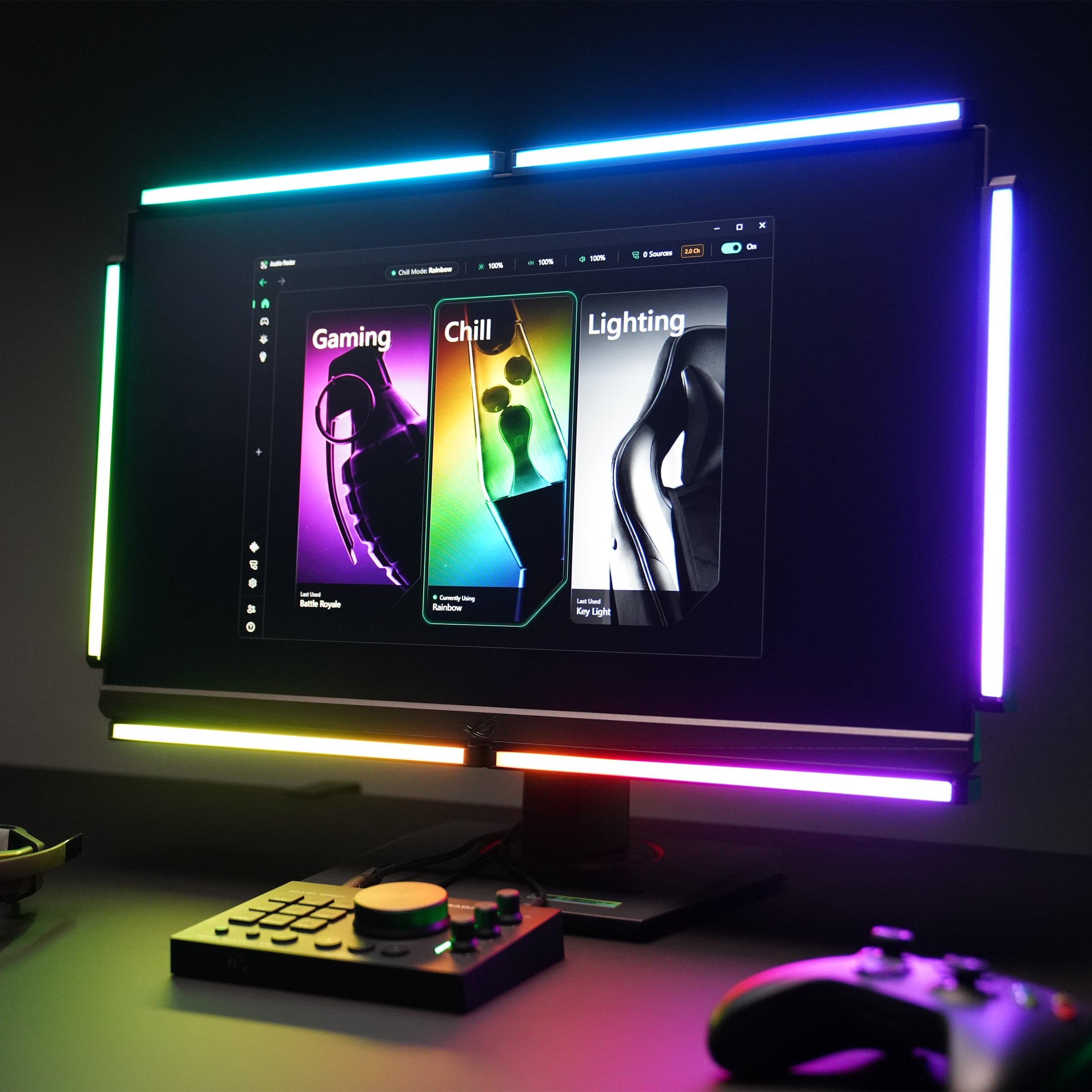
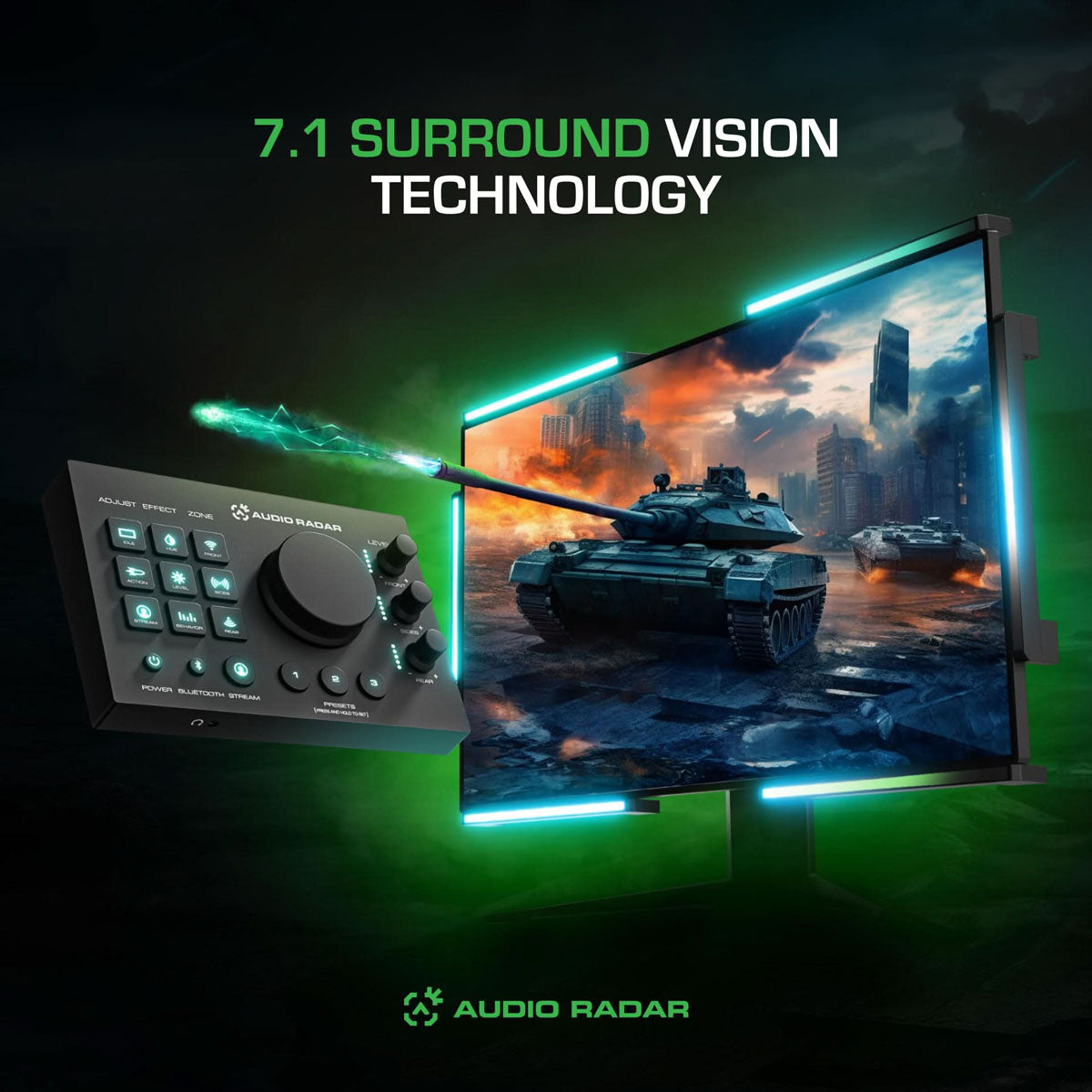
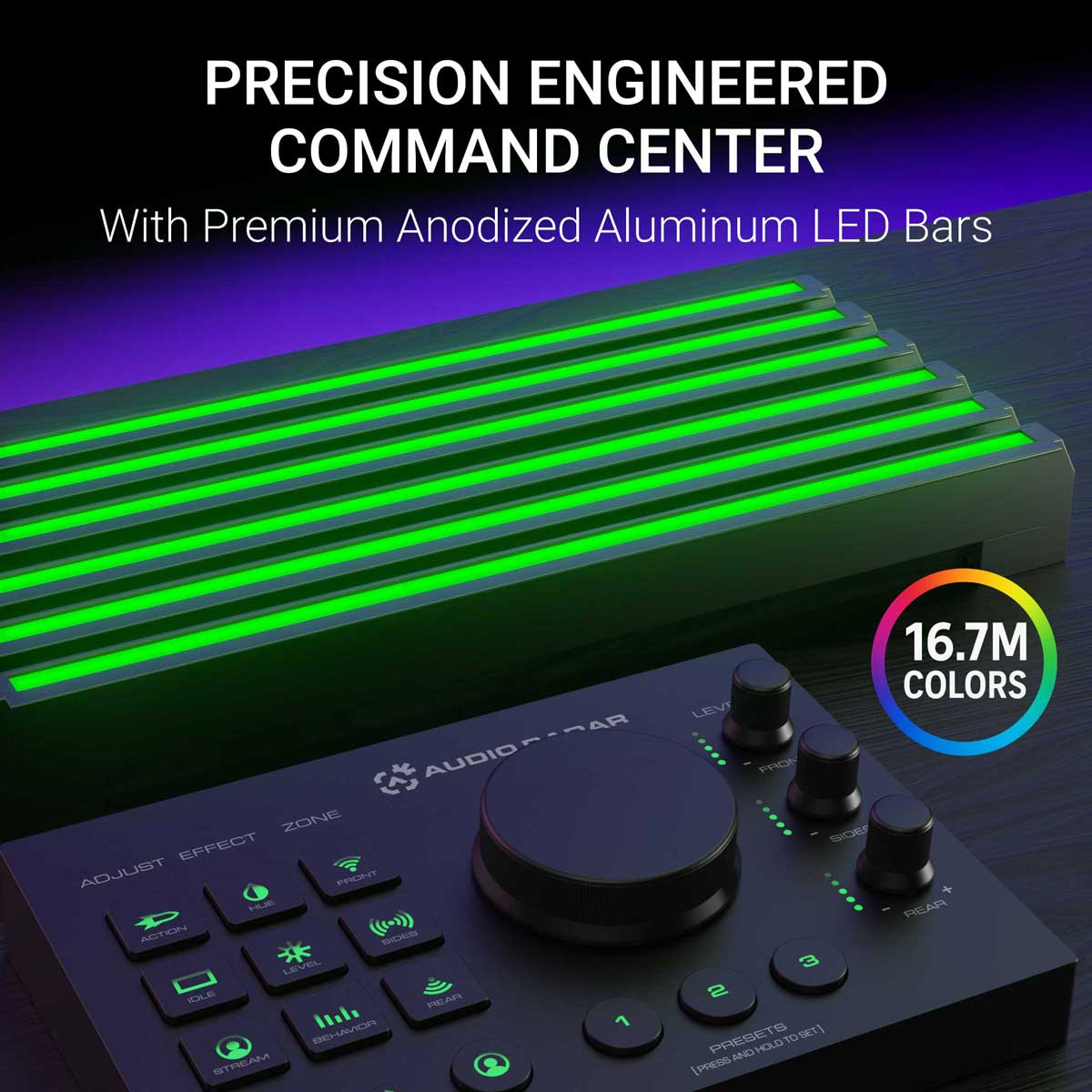
El Audio Radar original, y el producto estrella. Seis barras de luz más grandes de 10,7″ y el centro de mando (Command Center) transforman el sonido envolvente de tu juego en luz direccional alrededor de tu pantalla. Un paso a tu izquierda se convierte en luz a tu izquierda, en cuanto el sonido ocurre, gracias a la tecnología patentada Surround Vision Technology™.
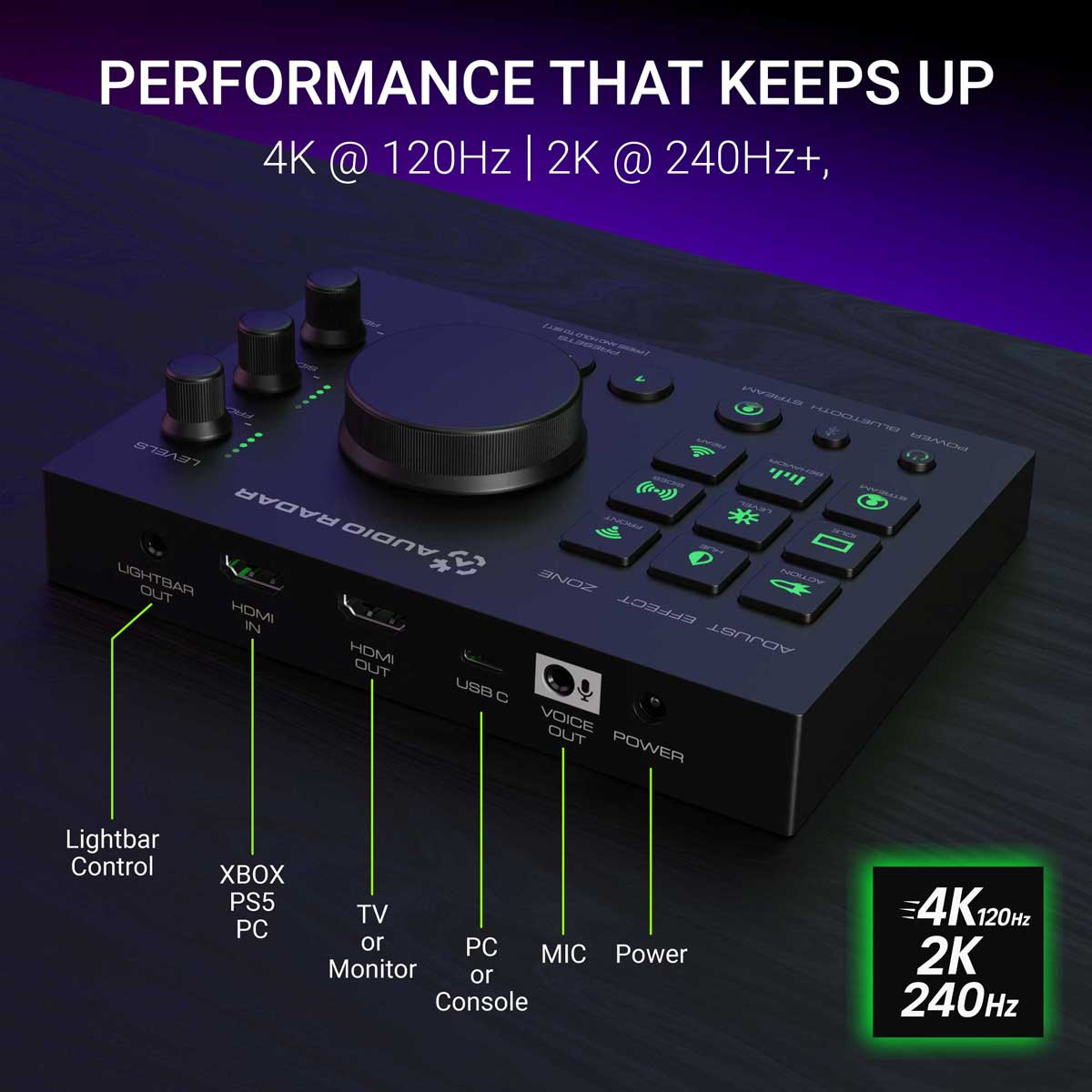
En consola, es completamente autónomo. Xbox, PlayStation o Switch se conectan a través de audio HDMI; sin PC, sin aplicación, nada que configurar. Los controles integrados y una toma de auriculares integrada se encuentran directamente en el centro de mando. En PC, la misma aplicación de escritorio gratuita que Audio Radar 2.0 añade una configuración visual guiada, ecualizador de 16 bandas, puertas de ruido por zona y preajustes por juego.
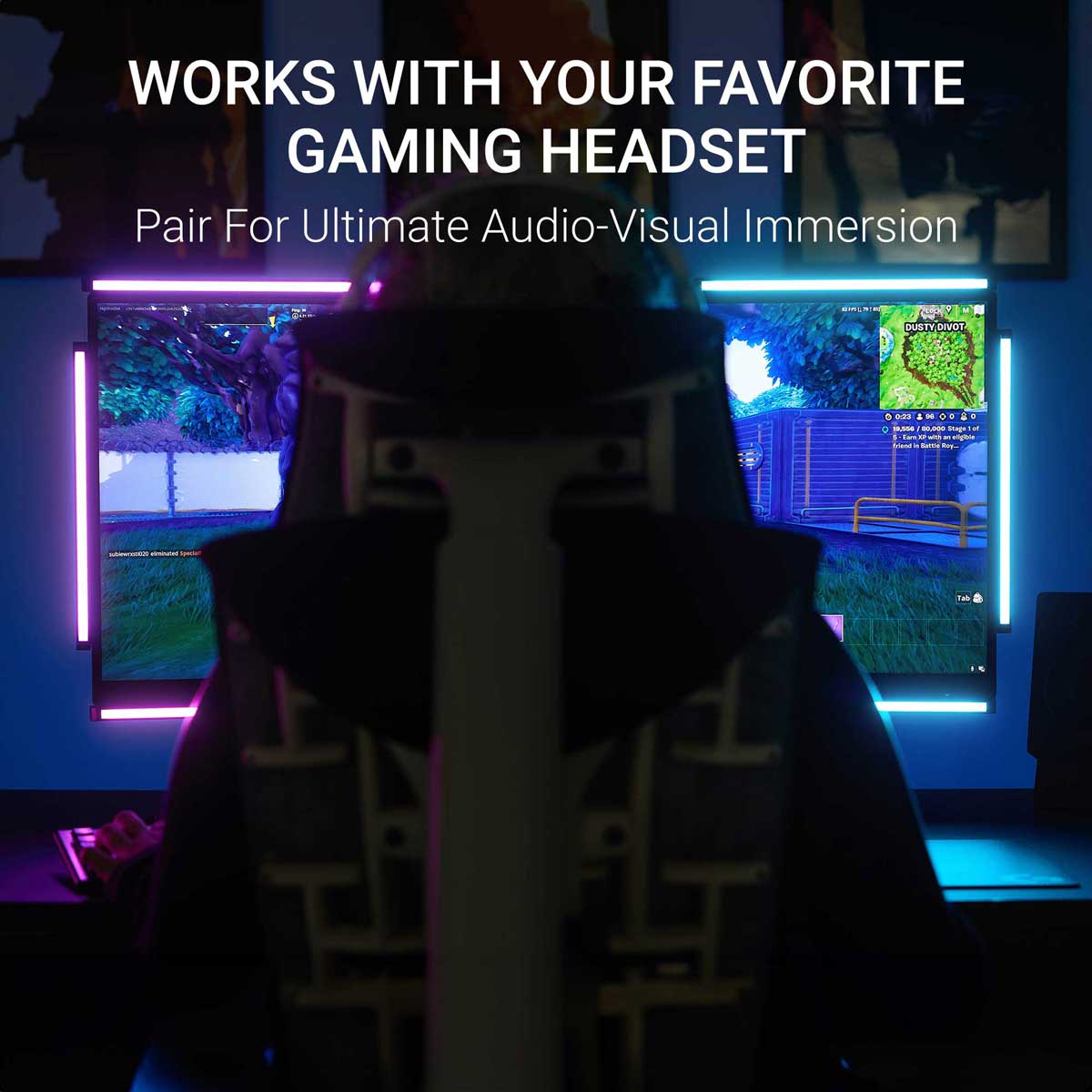
Diseñado para jugadores sordos y con problemas de audición: ve el audio direccional (pasos, disparos, vehículos) sin depender del sonido. ¿Oyes? Tus auriculares te dan estéreo; el juego emite hasta 7.1 de sonido envolvente. Oyes en estéreo, y ves en sonido envolvente. Todo es mejor cuando todos pueden jugar.
Devoluciones en 30 días · 1 año de garantía limitada · se envía desde Michigan, EE. UU.
Plataforma: Xbox, PlayStation y Switch a través de audio HDMI — sin necesidad de aplicación · PC con Windows a través de USB con la aplicación de escritorio gratuita
Transferencia de vídeo: hasta 4K a 120 Hz (cables HDMI no incluidos)
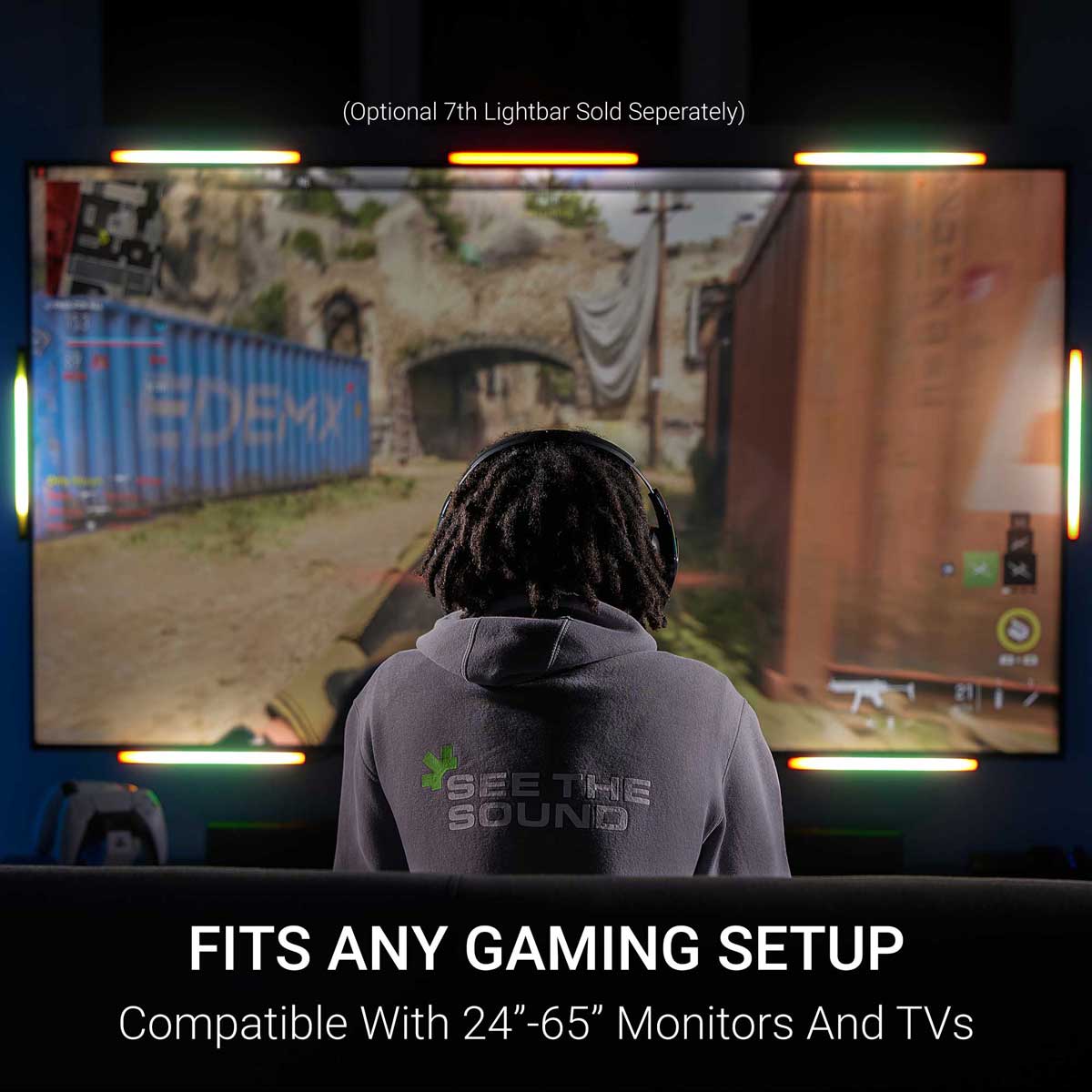
Barras de luz: 6 barras de aluminio de 27,2 cm, brillo difuso · 7ª barra superior central opcional se vende por separado · Montaje con tiras 3M Command
Controles: Centro de comando — controles integrados, conector para auriculares (sonido envolvente → estéreo)
Sonido a luz: en tiempo real — reacciona a medida que se produce el sonido
Xbox y PlayStation: audio HDMI, no se necesita aplicación (¿PS5 con auriculares? Una configuración de consola que debes conocer, consulta las preguntas frecuentes). Nintendo Switch: la misma conexión de audio HDMI. PC: USB + la aplicación de escritorio gratuita, Windows 10 u 11 (64 bits), después de una actualización única de firmware a través de la aplicación móvil gratuita Audio Radar (iOS · Android) (por Bluetooth). Funciona mejor con juegos que emiten sonido envolvente 5.1/7.1; los juegos solo estéreo ofrecen izquierda/derecha con menor separación frontal/trasera.
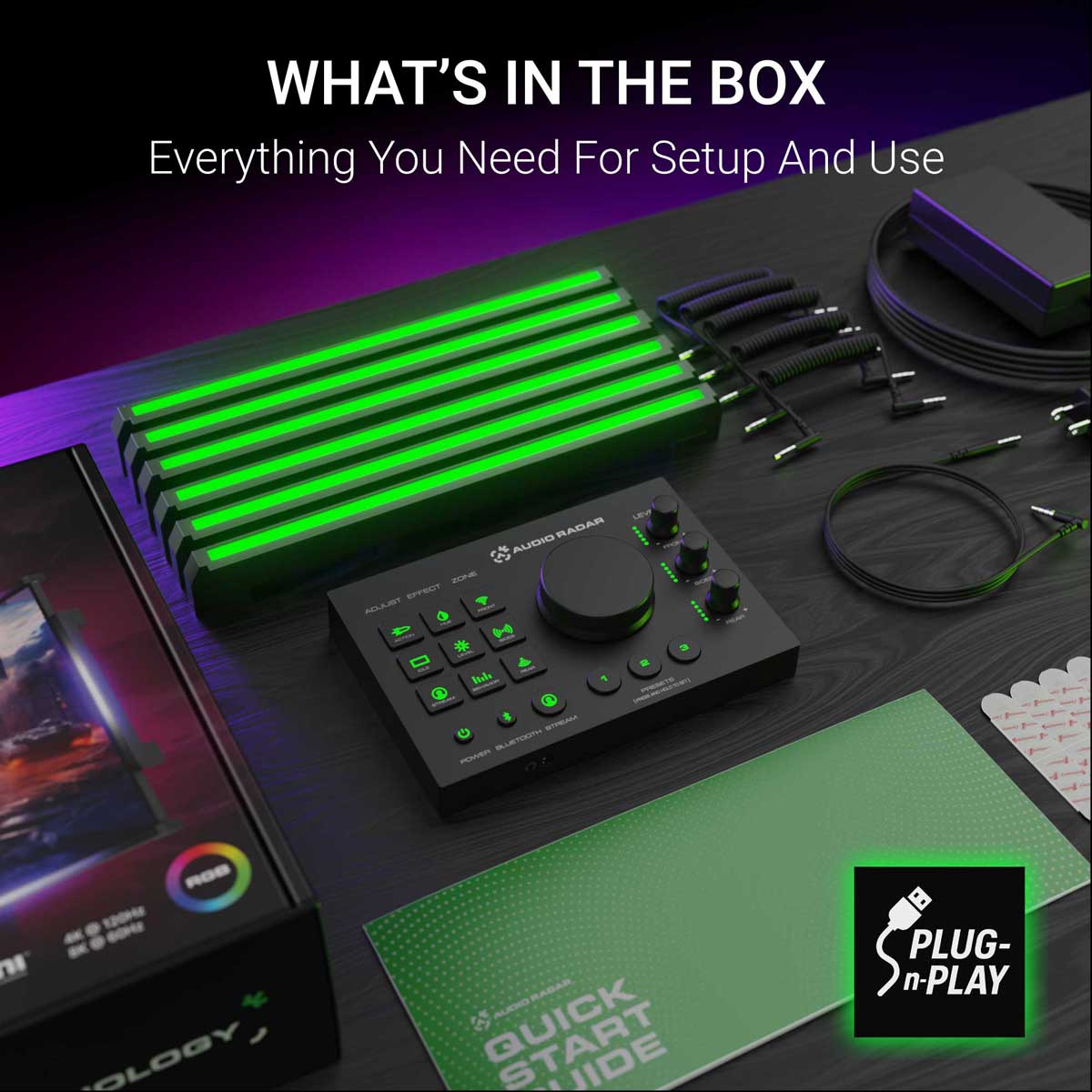
Centro de mando · 6 barras de luz · fuente de alimentación · 5 cables en espiral de 3,5 mm · 1 cable recto de 3,5 mm de 2 m · tiras Command de 3M · guía de inicio rápido. Cables HDMI no incluidos.
1 año de garantía limitada · 30 días de devolución · soporte humano real del equipo que lo creó.
Las respuestas más rápidas, de día o de noche: la comunidad. Únete a Discord ›
Consola y PC
Juegos donde juegas.
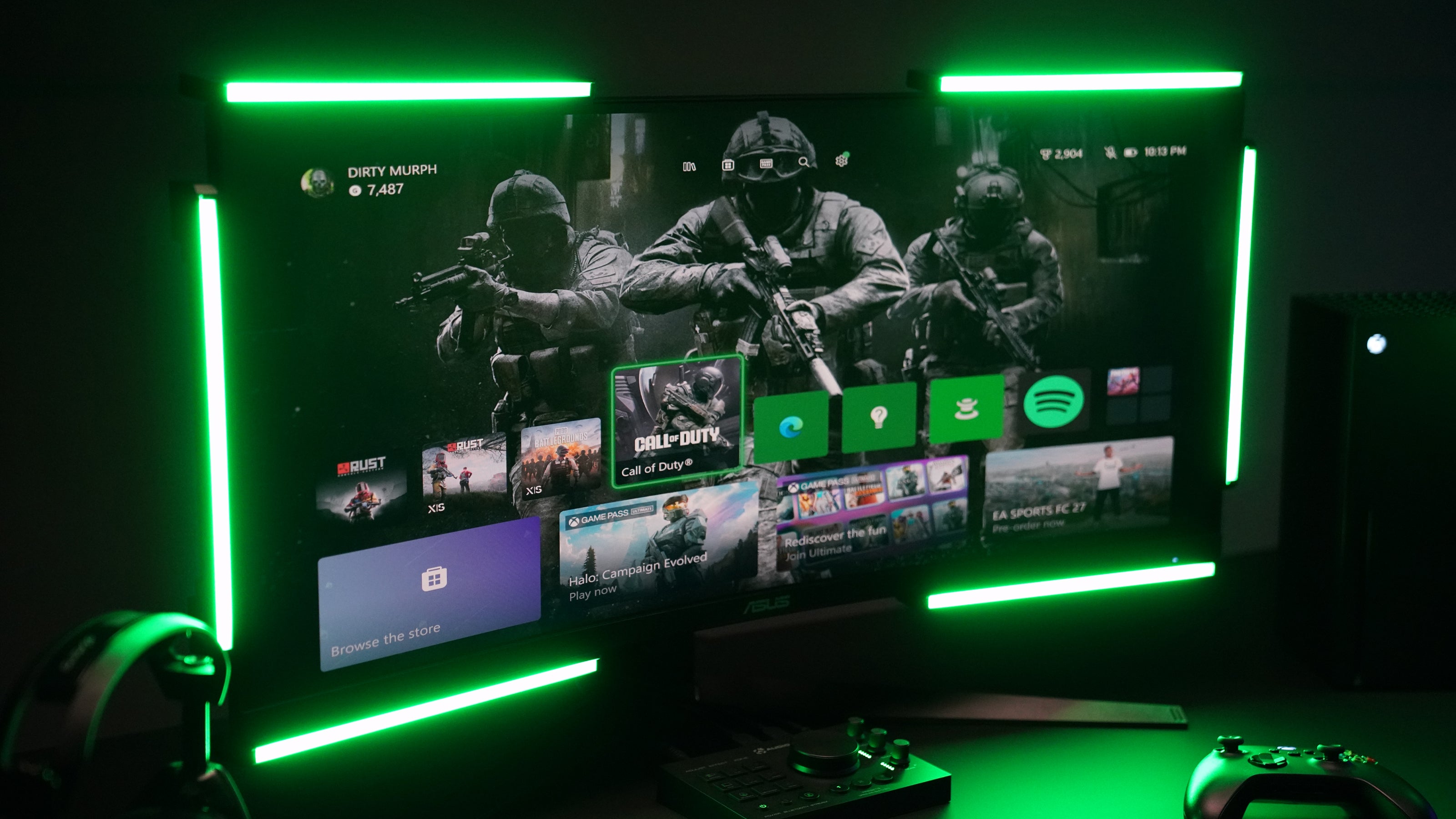
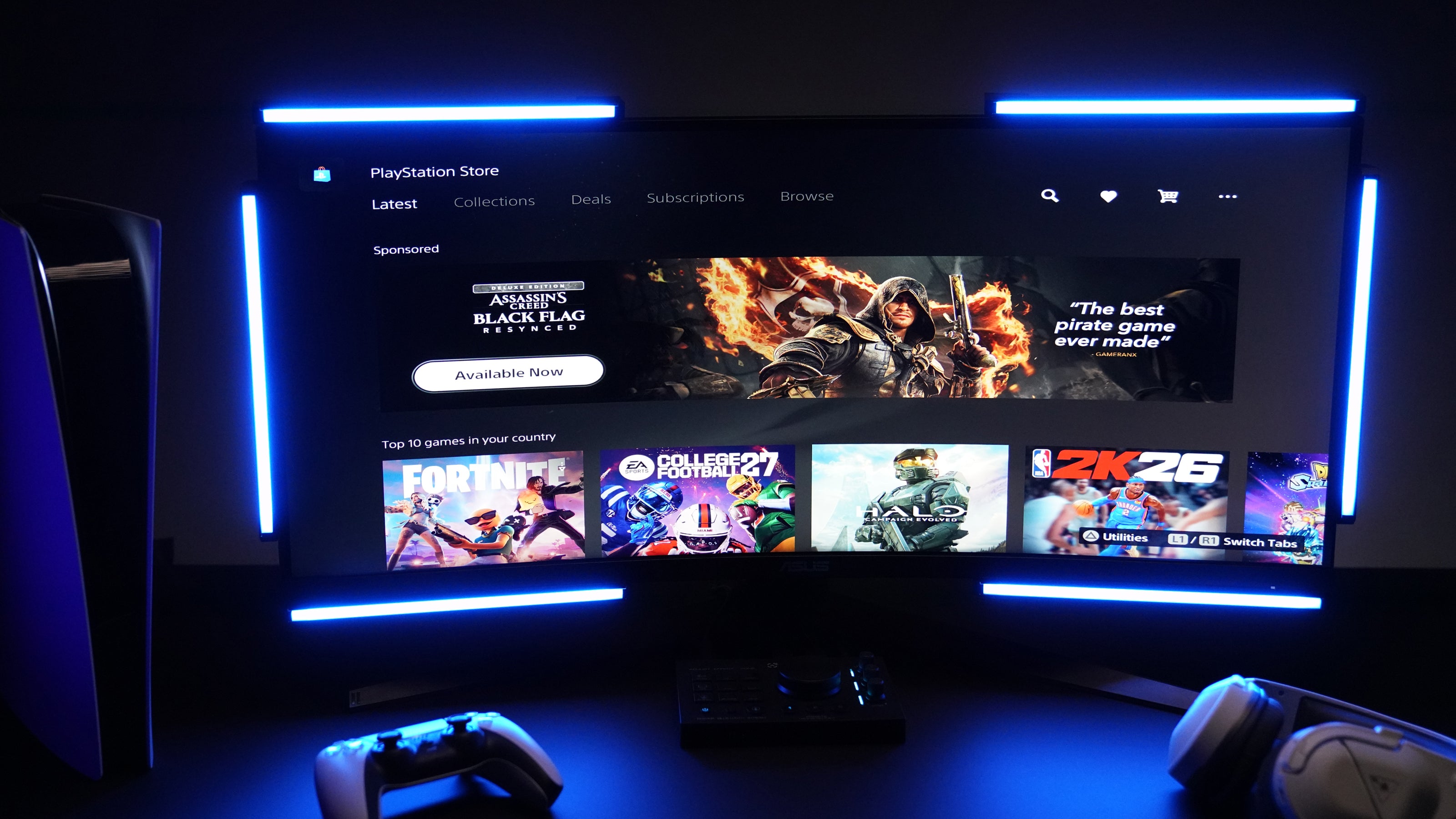
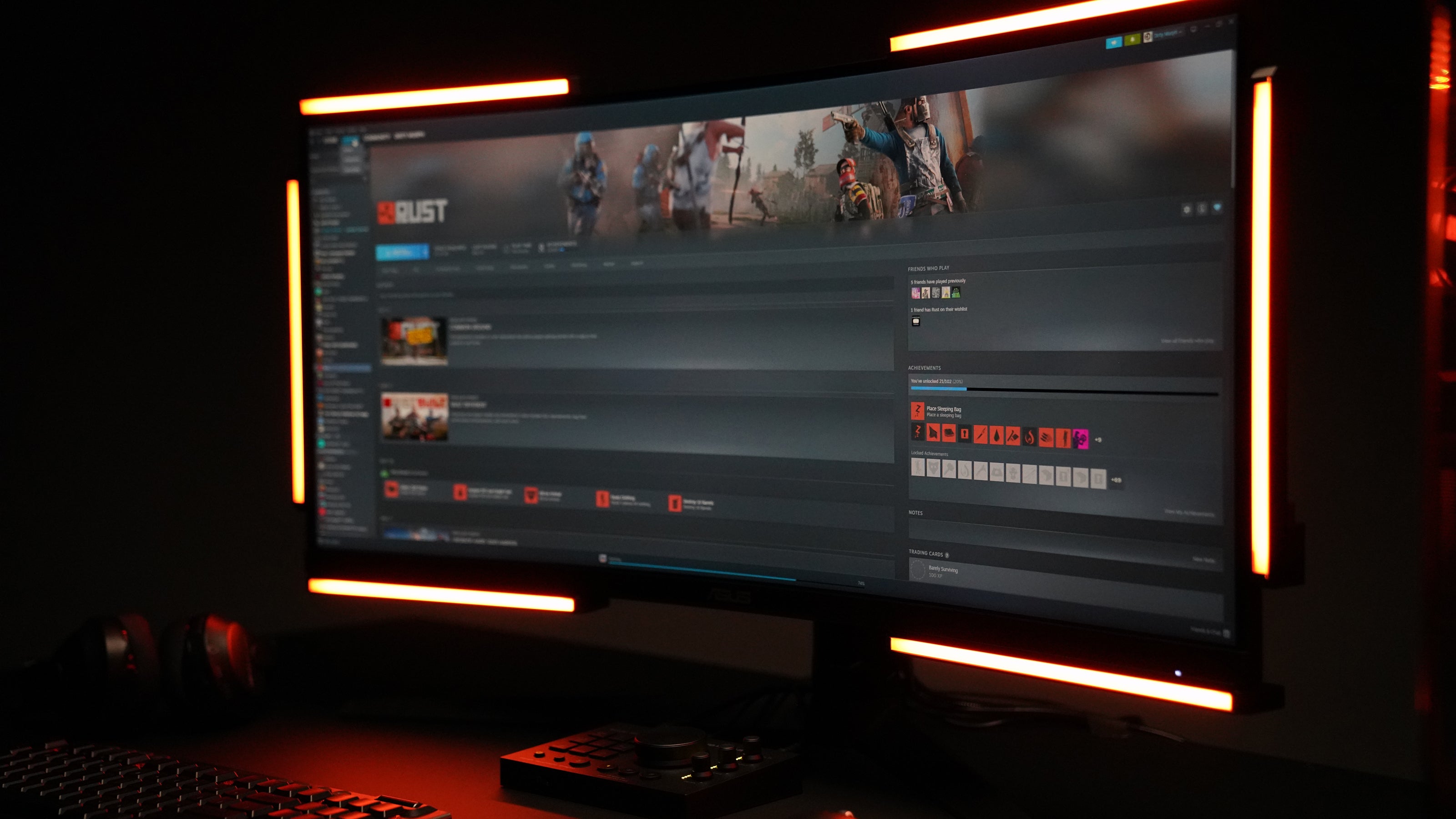
Xbox, PlayStation o Switch: entrada de audio HDMI, salida óptica, sin aplicación, sin PC. En la PC con Windows, la aplicación de escritorio gratuita asume el control con una sintonización profunda.
47%
Mejora del rendimiento — Pruebas del laboratorio de sonido de PUBG
Lea el estudio
más de 3000
Unidades en las configuraciones de los jugadores hoy
Míralo en acción
Juegos reales. Momentos reales.
Un sonido se produce fuera de la pantalla. Una luz aparece de donde vino, ese es el producto completo. Así es como se ve en algunos juegos.
PUBG Sound Lab
Four setups, forty runs, and the headset finished third.
Sound Lab plays a gunshot and asks you to shoot the target closest to it. No sound at all averaged 38.8. A headset on its own averaged 127.7. Audio Radar alone, with the game muted, averaged 142.6. A headset plus Audio Radar averaged 187.7.
Which puts a headset third of the four. Sound Lab is a controlled environment and this was one player's testing rather than a clinical trial, so treat it as indicative, not final.
Read the full results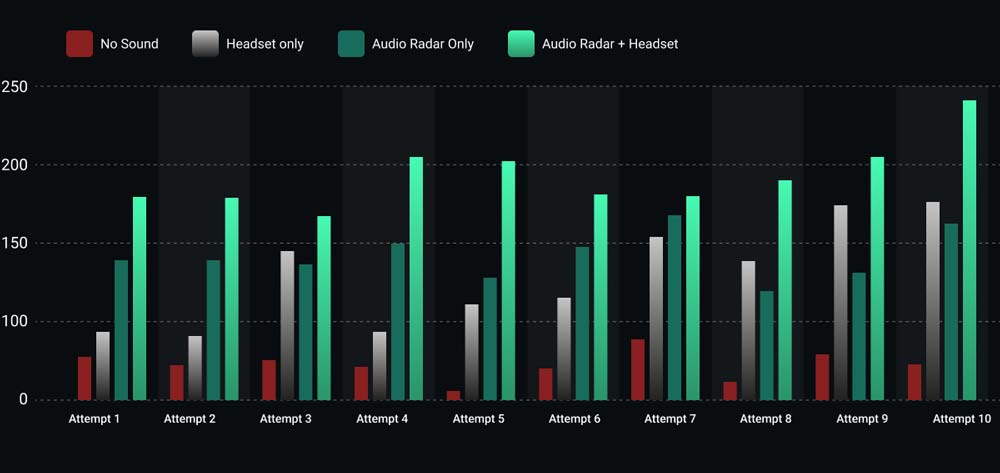
The results
All ten runs, nothing averaged away.
Headset plus Audio Radar came out on top in every one of the ten attempts. Audio Radar on its own, with the game muted, beat the headset in six of them.
The four where the headset won are on the chart too. Ten runs by one player is a small test, and showing the spread is more useful than showing only the average.
Call of Duty: Black Ops 6
Footsteps, lit up as they move.
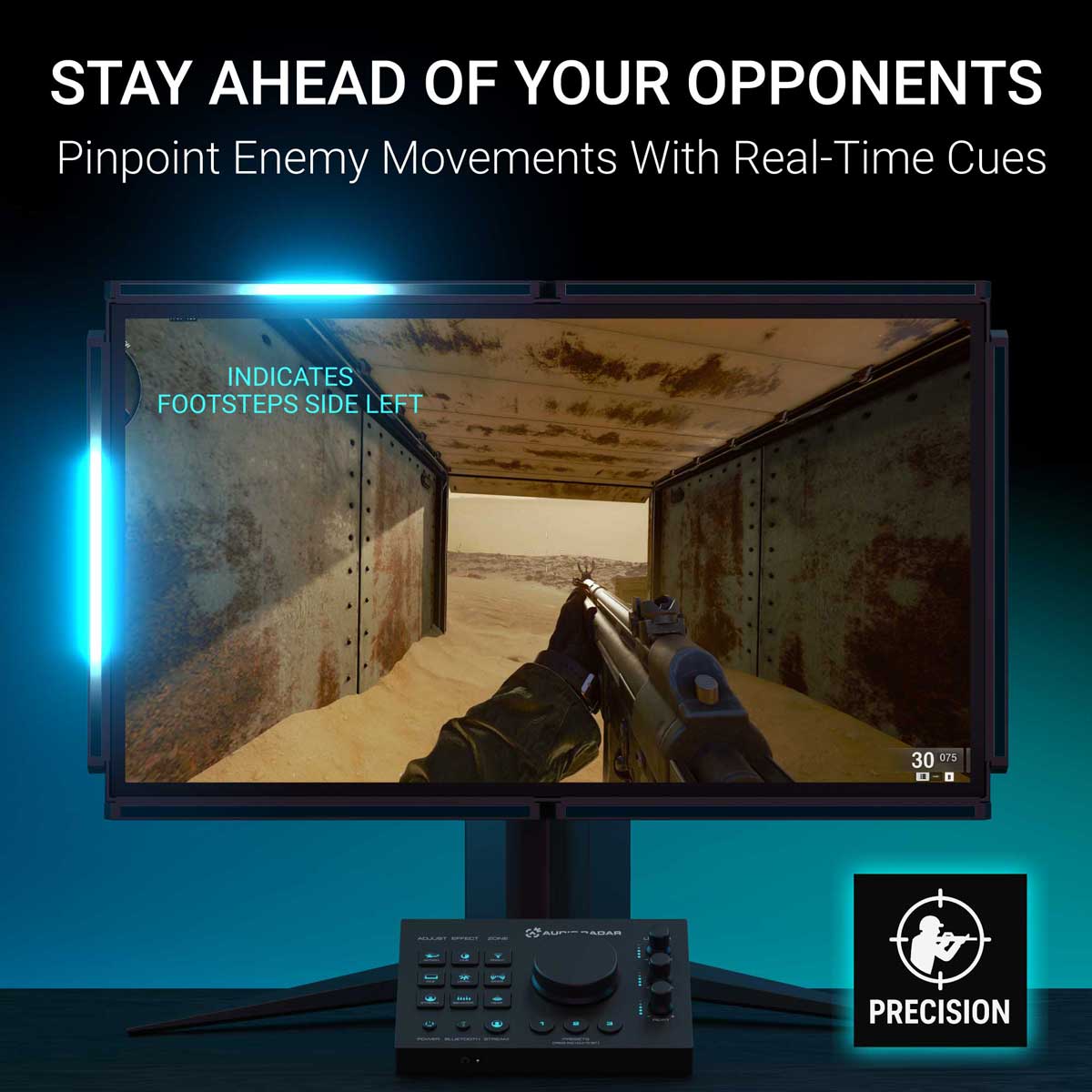
An opponent circles a transportation chamber. The player never sees them and never needs to: the bars follow the footsteps around the room in real time, so the light moves as the enemy moves.
Watch the handoff from one bar to the next. That is the moment a flank stops being a surprise.
PUBG
Scoped in, and you still catch the flank.
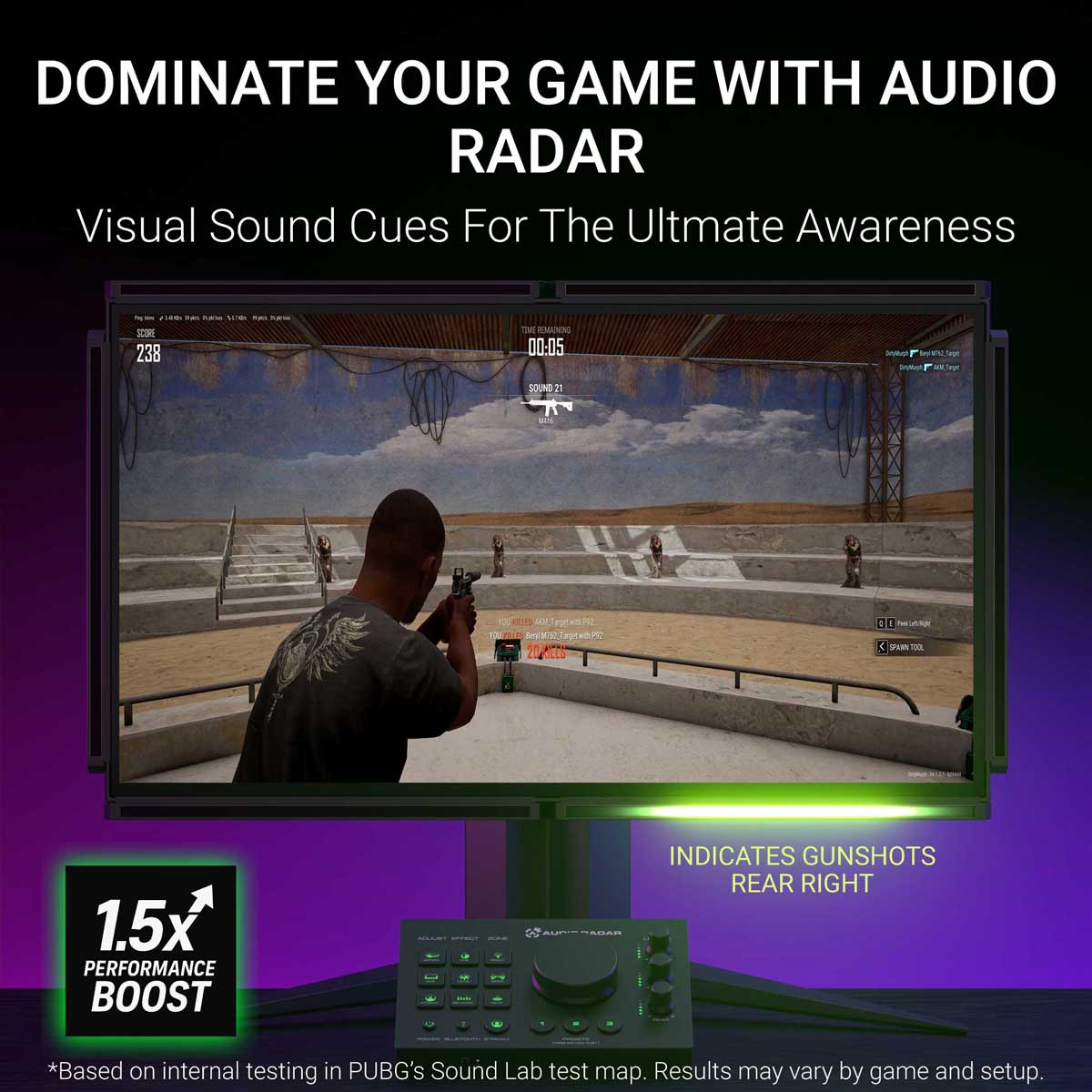
The player is zoomed on a distant target, which is exactly when tunnel vision gets you killed. Shots come in from the right, and the right-hand bar fires before the scope has moved a pixel.
Under five seconds, and it is the whole argument for putting sound in your peripheral vision.
Rust
The growl behind you, before you turn.
A bear lines up a charge from behind. The rear bar catches the low growl while the player is still facing the wrong way, which is the only warning you get in that situation.
If you watch one clip on this page, make it this one. It takes no shooter knowledge to read, and it is the clearest picture of what a sense you did not previously have actually feels like.
PUBG
An engine circling, from the far right.
A vehicle approaches from the far right and arcs around the player. The bars track it the whole way, so you read not just where it is but which way it is going.
A ping tells you something happened. This tells you what it is doing.
Rust
The supply plane, before it is on screen.
An airdrop plane is audible long before there is anything to see. The engine registers on the edge of your vision the moment it comes into range, and in Rust that is the difference between reaching the crate first and arriving second.
Minecraft, with the plugin
Every sound type gets its own color.
The downloadable Minecraft plugin goes past direction. Each kind of sound is mapped to its own color, so a mob, a footstep and a breaking block are told apart at a glance instead of by position alone.
Works with both Audio Radar 1 and Audio Radar 2.
Controles y la aplicación
Controles integrados. Aplicación opcional.
Todo funciona desde el Command Center; la aplicación de escritorio añade una sintonización profunda en la PC.
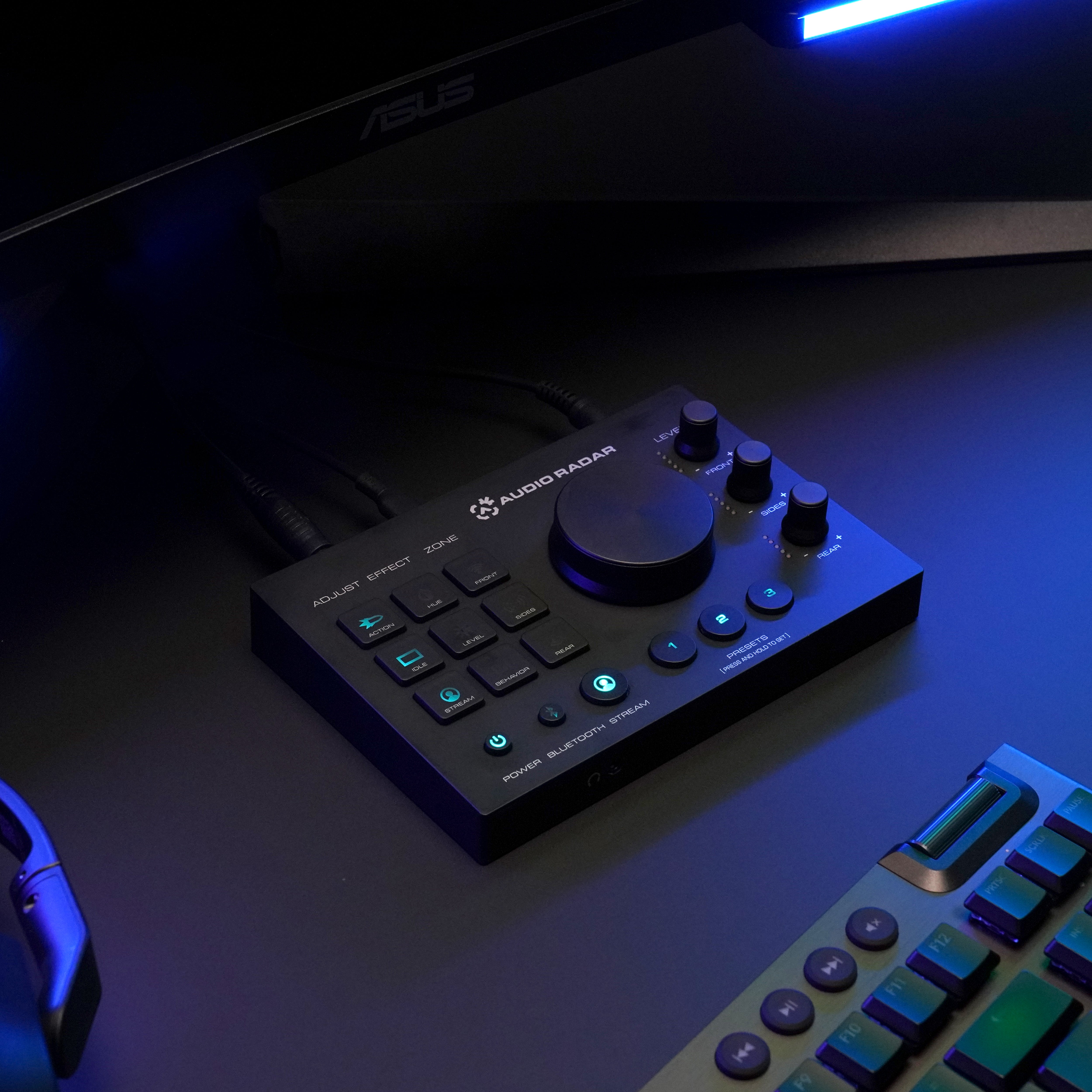
No se necesita una aplicación en la consola
Funciona de inmediato.
Entrada de audio HDMI, salida de luz. Ajusta los efectos, las zonas y el brillo directamente desde el Command Center, y el conector para auriculares mantiene tu audio (de envolvente a estéreo).
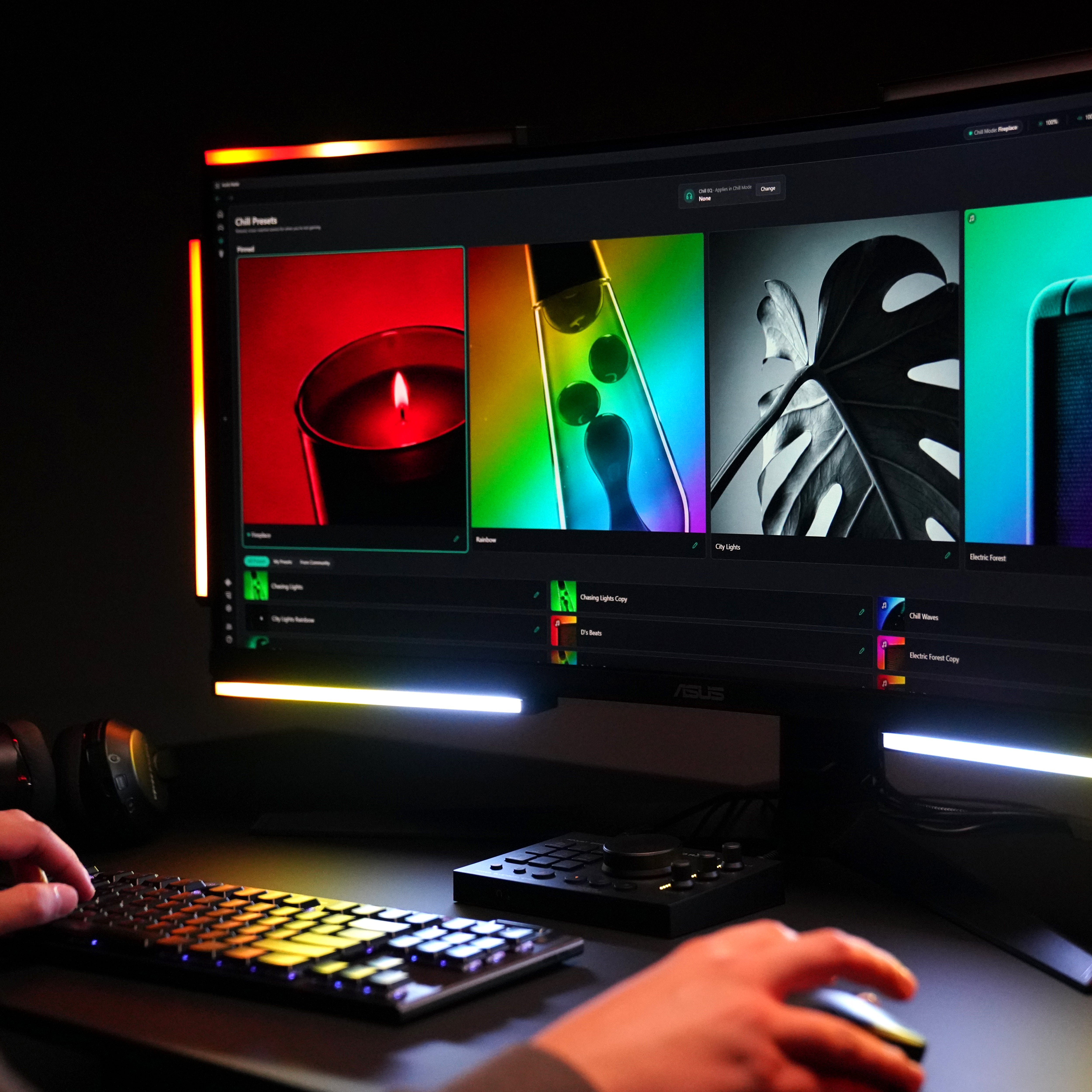
Tres modos
Juegos. Relajación. Iluminación.
Juego reacciona al audio en vivo del juego con señales direccionales. Relajación convierte las barras en luz ambiental que sigue el sonido. Iluminación son tus colores, tus efectos.
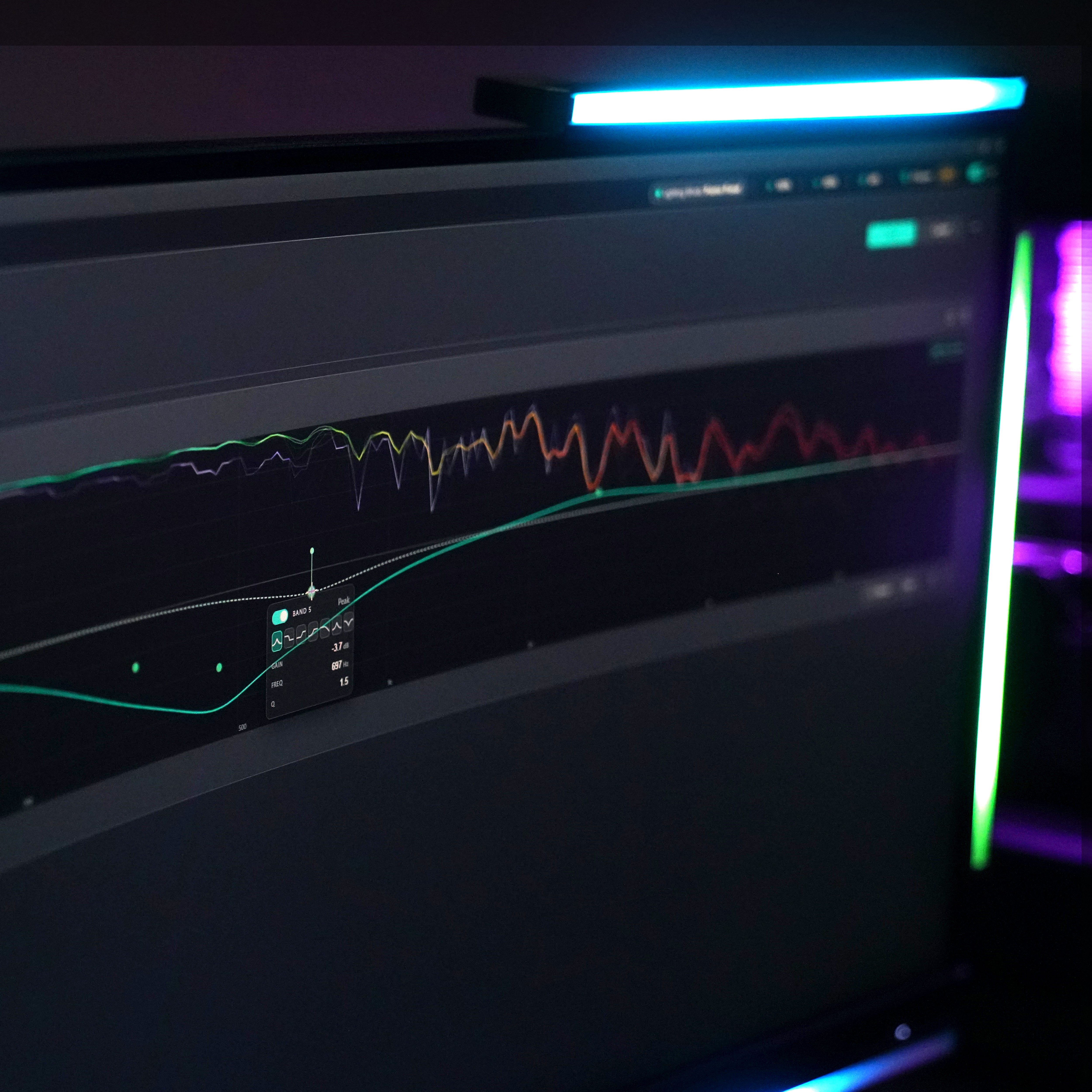
La aplicación de escritorio, en PC
Añade la aplicación para una sintonización profunda.
La misma aplicación gratuita que Audio Radar 2.0: configuración visual guiada, ecualizador, puerta de ruido, sensibilidad, ajustes preestablecidos para cada juego — Windows 10 u 11 (64 bits).
Recorrido completo de la aplicaciónModo de iluminación
Lista para la cámara, en un clic.
Las mismas barras que rastrean los pasos también sirven como luz de estudio. Elige un tono, ajusta el brillo, guárdalo como un preajuste — una luz principal para el streaming, un relleno para las videollamadas, o simplemente una habitación que se vea como tú quieres.
Modo relax
Cuando el partido termina, los bares siguen funcionando.
Pon música y observa cómo las barras se mueven con ella — el visualizador sigue lo que se esté reproduciendo. O mantén una escena ambiental fija con tu color y brillo. Los videojuegos no son el único ambiente.
En tu escritorio, o debajo del televisor
Hecho para adaptarse a tu configuración.
Se monta alrededor de tu pantalla con tiras adhesivas 3M Command. ¿OLED o bisel delgado? Añade el kit de soporte en L ›


Funciona con los juegos a los que juegas.
Si tu juego tiene audio, Audio Radar puede mostrarlo. Algunos favoritos:





















¿Audio Radar 2.0… o el original?
¿Qué Audio Radar es el adecuado para ti?
El Audio Radar original es el buque insignia: todo lo que hace Audio Radar 2.0, más Xbox, PlayStation y Switch, con barras de luz más grandes. ¿Solo juegas en PC? Audio Radar 2.0 es la opción compacta y diseñada específicamente, con un solo cable USB-C y la misma aplicación de escritorio.
Ver la comparación completaRadar de audio
Audio Radar 2.0
Xbox, PlayStation, Switch — más PC
PC — Windows 10 u 11 (64-bit)
Audio HDMI en consola; USB + aplicación de escritorio en PC
USB-C + aplicación de escritorio
Sí, en PC (actualización de firmware gratuita v1.3.2)
Sí — configuración guiada, modos, ecualizador, preajustes, actualización automática
Jugadores de consola y multiplataforma
Jugadores de PC por excelencia
Preguntas frecuentes
Preguntas, respuestas directas.
Respuestas directas, incluidos los límites. Las respuestas más rápidas suelen venir de la comunidad: únete a Discord ›
¿Es solo iluminación RGB?
No. Los kits RGB reproducen patrones; Audio Radar lee el audio real de tu juego. La tecnología Surround Vision™ convierte el sonido envolvente en luz direccional en tiempo real, de modo que una pisada a tu izquierda se convierte en luz a tu izquierda. Es información posicional, no decoración.
¿Lo detectarán los sistemas antitrampas?
Audio Radar nunca interfiere con tu juego. Funciona a partir de la señal de audio HDMI de tu consola, o en PC, desde la salida de audio de tu computadora. Sin archivos de juego, sin acceso a la memoria, sin superposiciones. Las luces son hardware externo; nada se dibuja en tu pantalla.
¿Qué hay en la caja?
Todo lo que necesitas para configurar en tu pantalla: el centro de mando, seis barras de luz, la fuente de alimentación, cinco cables conectores en espiral más un cable recto de 2 metros, tiras adhesivas 3M y una guía de inicio rápido. Los cables HDMI no están incluidos; la mayoría de los jugadores usan uno que ya tienen. Existen dos complementos para que solo compres lo que tu configuración necesita: la séptima barra de luz central (se vende por separado, vale la pena para pantallas de 55 pulgadas o más y juegos con canal central como Call of Duty), y el kit de soporte en L para pantallas OLED o delgadas. Ver notas de compatibilidad →
¿Funciona en PC?
Juego en PS5 con auriculares, ¿hay algo que deba saber?
Sí, una cosa, y preferiríamos que lo supieras antes de comprar. La PS5 envía el audio del juego a unos auriculares conectados o a HDMI, no a ambos. Para jugar sin auriculares o con el sonido del televisor: enchufar y listo. Con auriculares: ajusta la salida de auriculares a "Solo chat de voz" para que el audio del juego llegue a las barras de luz, o utiliza unos auriculares que se conecten a través de la cadena HDMI. Envía un mensaje a soporte técnico con tu configuración exacta y lo comprobaremos antes de que hagas el pedido.
Tengo audición unilateral, ¿ayuda esto?
Sí, esta es para ti. En PC, el enrutamiento de audio de la aplicación de escritorio te permite cambiar la salida de tus auriculares a mono para que la mezcla completa del juego llegue a tu oído, sin que se pierda nada del otro lado, y el control deslizante de balance por oído lo ajusta exactamente como te gusta. Luego, deja que las barras te indiquen la dirección: la tecnología Surround Vision™ te muestra de dónde vino cada sonido, sin importar el oído al que se mezcló. En la consola, el conector para auriculares del Centro de comando transmite el juego en estéreo, y las barras aún indican la dirección.
¿Funciona con todos los juegos?
Audio Radar funciona con cualquier juego que emita audio, sin necesidad de integración por juego. Funciona mejor con juegos que emiten sonido envolvente (la mayoría de los juegos de disparos modernos lo hacen). Los juegos que solo emiten sonido estéreo siguen iluminándose, pero la separación delantera/trasera se reduce; consulte el desglose honesto en la página de comparación.
¿Hacen envíos internacionales?
Sí, realizamos envíos a todo el mundo desde Míchigan, EE. UU. a través de FedEx. Los pedidos de EE. UU. tienen envío gratuito con entrega en 2 días. El envío internacional se calcula al finalizar la compra, y su país puede cobrar aranceles de importación en el momento de la entrega; estos son establecidos por su país, no por nosotros. Las excepciones: actualmente no podemos realizar envíos a Brasil, Turquía, Rusia o China.
¿Y si no es para mí?
Devoluciones en 30 días, sin resentimientos. Configúralo, juega tus juegos y decide en tu propia configuración.
En la caja
Todo lo que necesitas.
Central de mando · 6 barras de luz · fuente de alimentación · 5 cables de espiral de 3,5 mm · 1 cable recto de 3,5 mm de 2 m · tiras adhesivas 3M Command · guía de inicio rápido. Cables HDMI no incluidos.
