
Audio Radar Desktop App
See it coming.
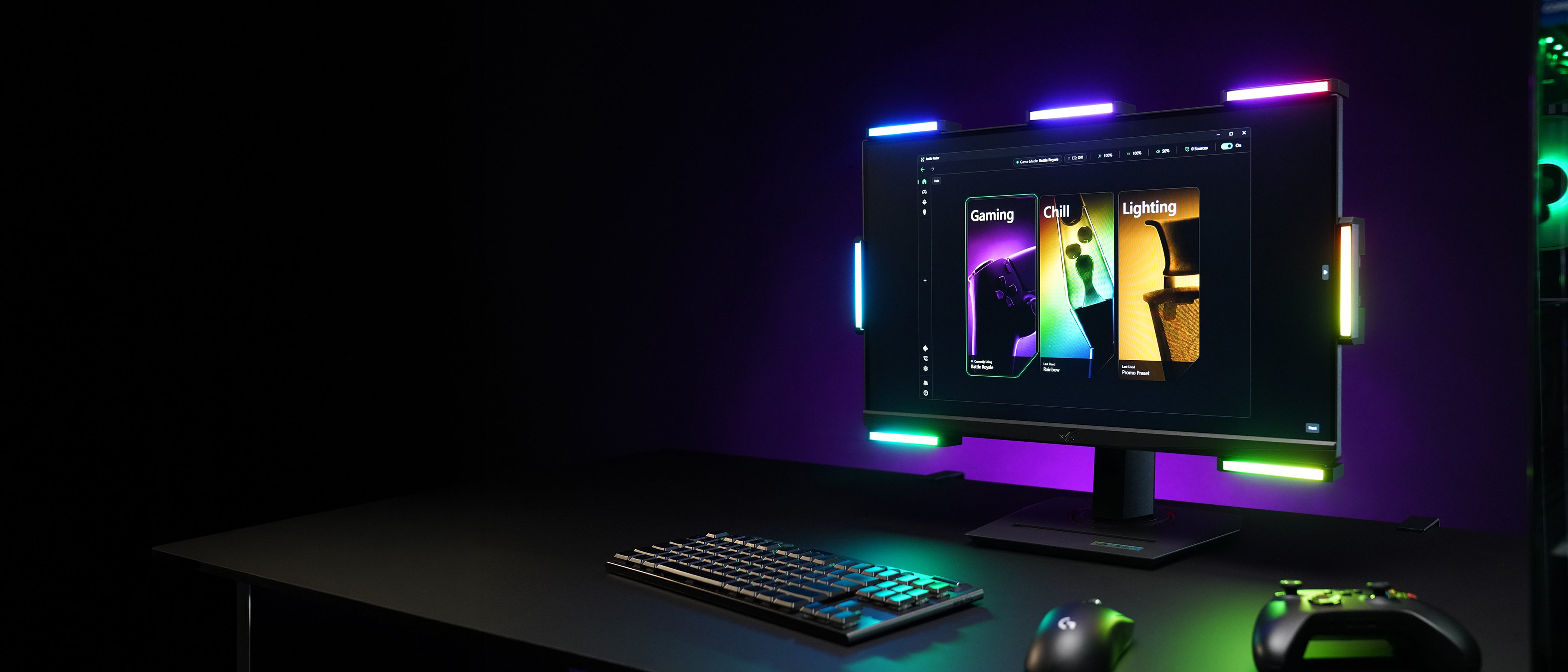
Patented Surround Vision Technology™ turns your game’s surround audio into light you can read at a glance. Hear in stereo. See in surround.
Installs updates automatically. Download once, stay current.
What it does
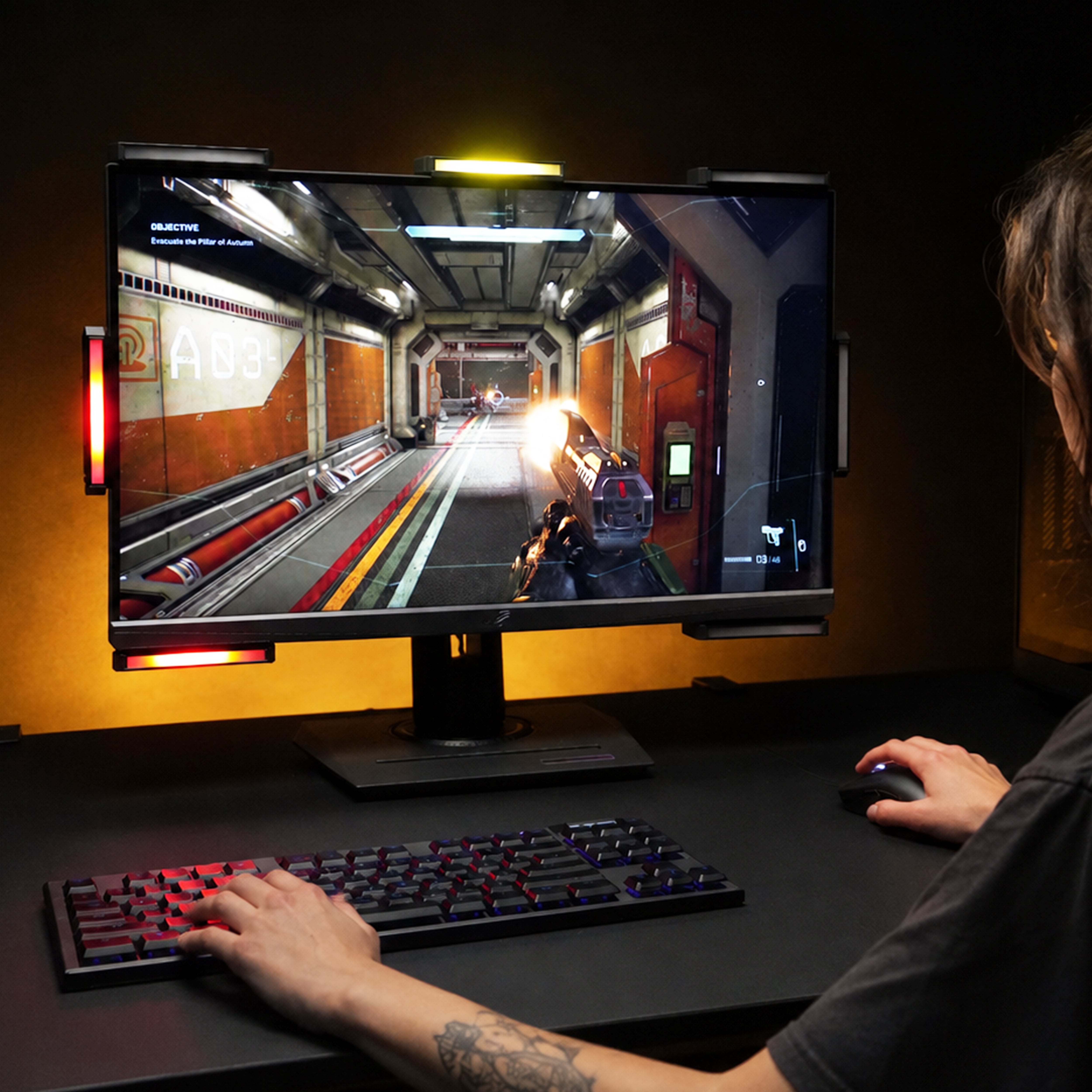
Every sound has a direction. Now it has a light.
Your game’s surround audio drives the bars around your screen. Footsteps behind you light the bars behind you as it happens, while the audio reaches your headset untouched.
U.S. Patent 12,300,093.
How to read the bars
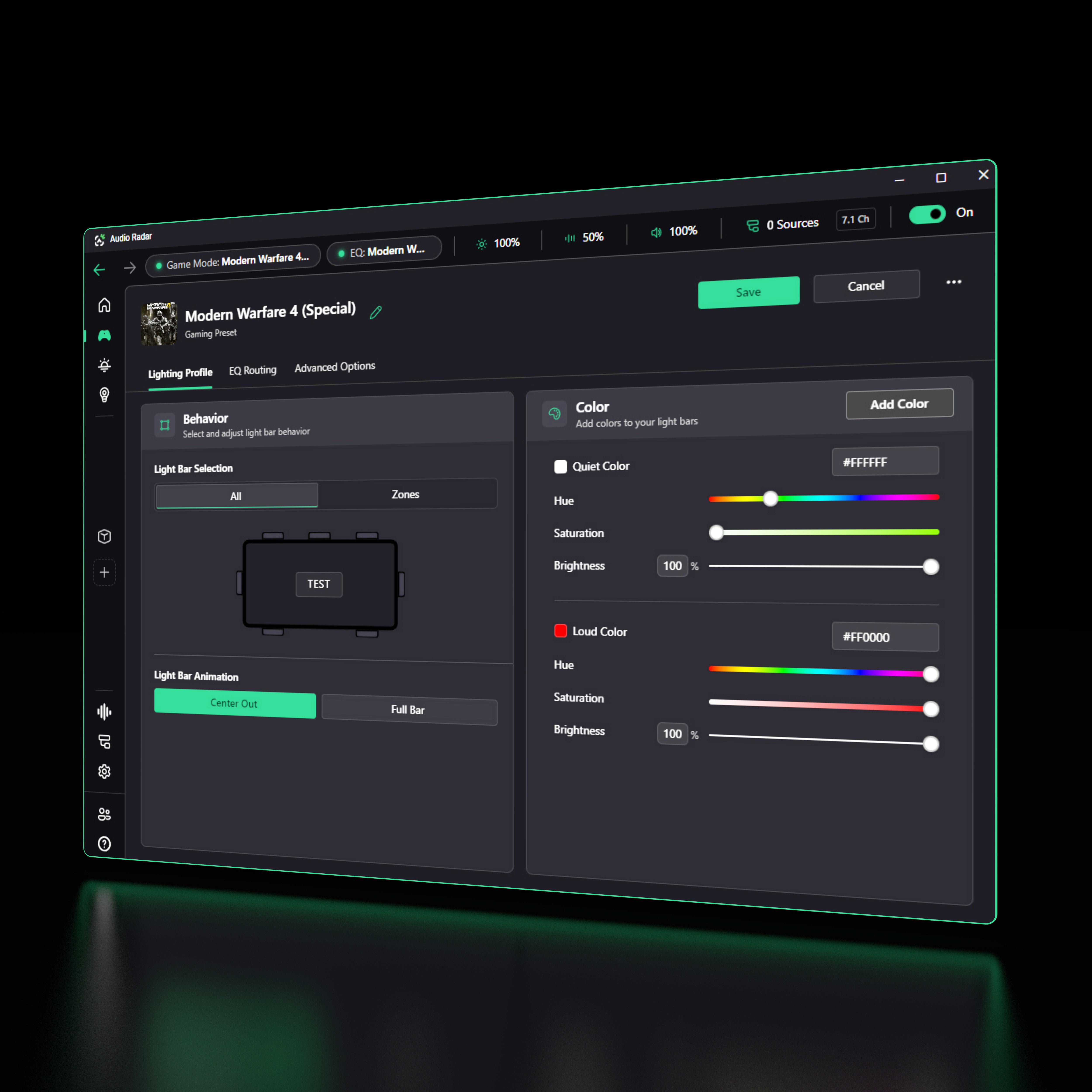
Quiet is white. Loud is red.
Direction tells you where. Color tells you how much. Choose the color for quiet sounds and the color for loud ones, and everything in between lands on that scale, so a distant reload and a breach charge never look the same.
Set it across every bar at once, or zone by zone. Press Test and watch it happen on your desk.
Game presets
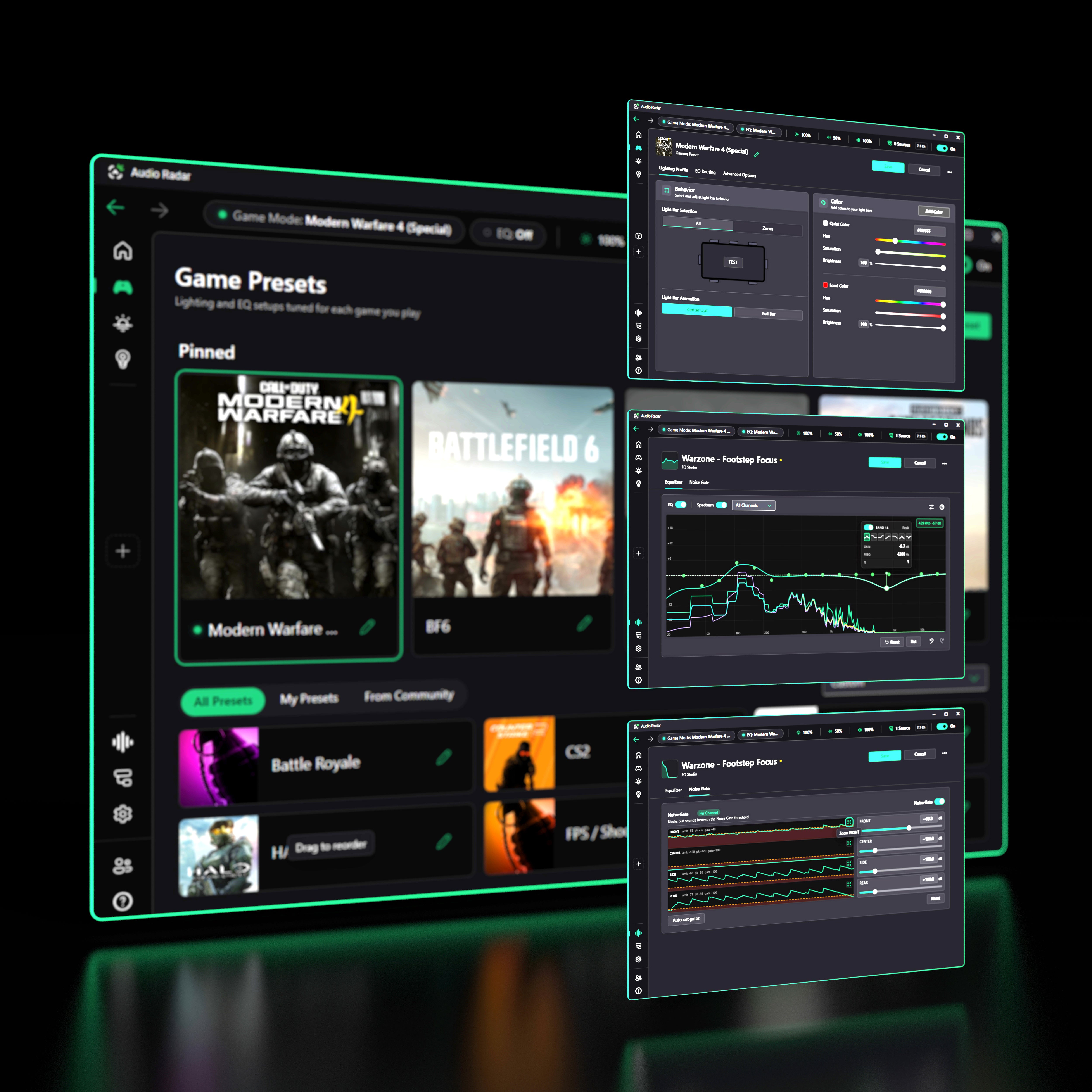
One card. Your EQ, your gates, your lights.
Build a preset for every game you play: artwork, lighting profile, EQ profile, noise gate. Click it and all four switch at once.
Pin the ones you play most. Make as many as you want.
The competitive stack
Filter sound. Choose what deserves light.
The controls under the hood: each one visual, each one explained in plain English inside the app.
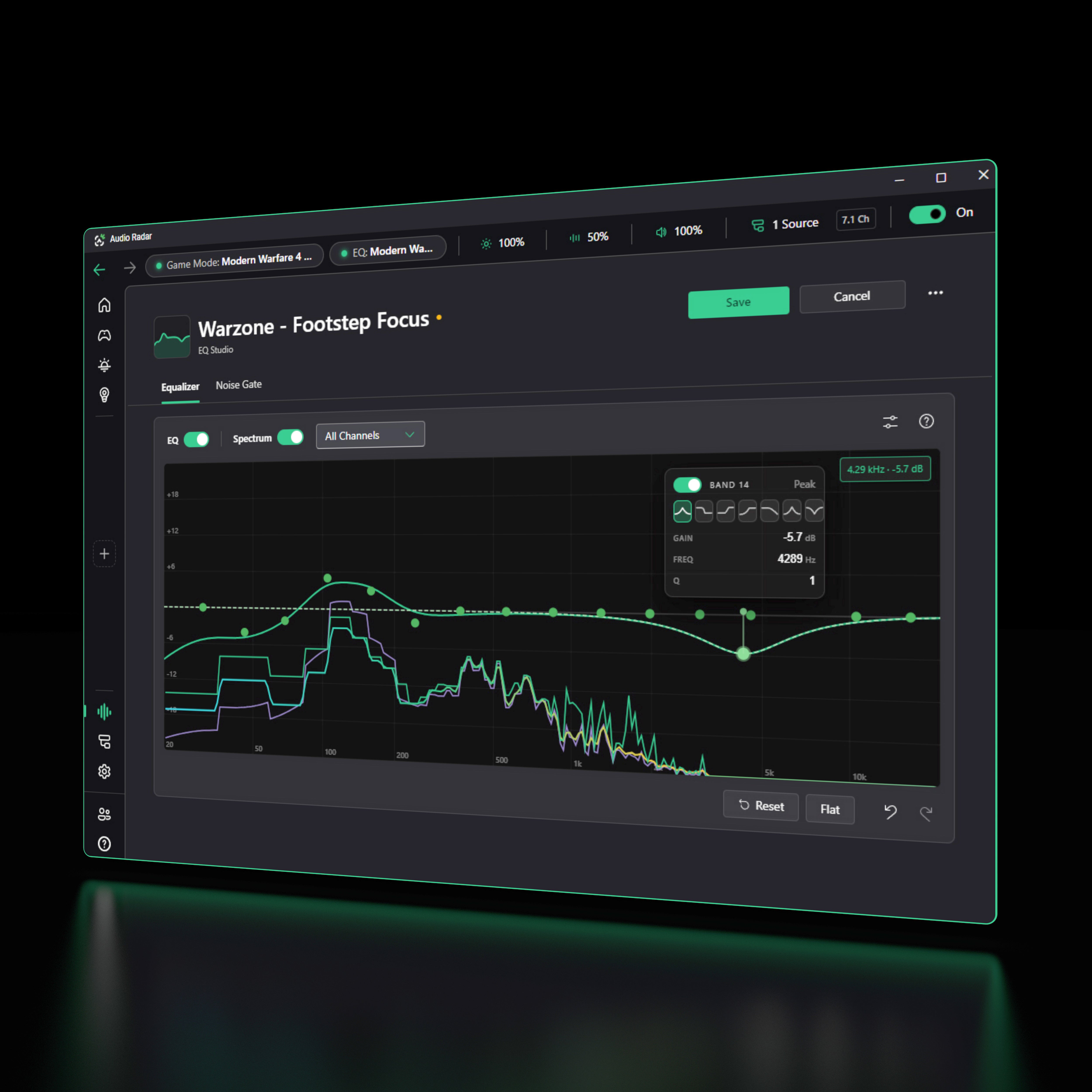
EQ Studio
This EQ isn’t for your ears. It’s for your eyes.
Tune what the bars see (lift footsteps, cut the rumble) and leave your headphones exactly as they were.
Sixteen parametric bands over a live spectrum analyzer, one color per zone. You don’t have to hear the difference. You can watch it.
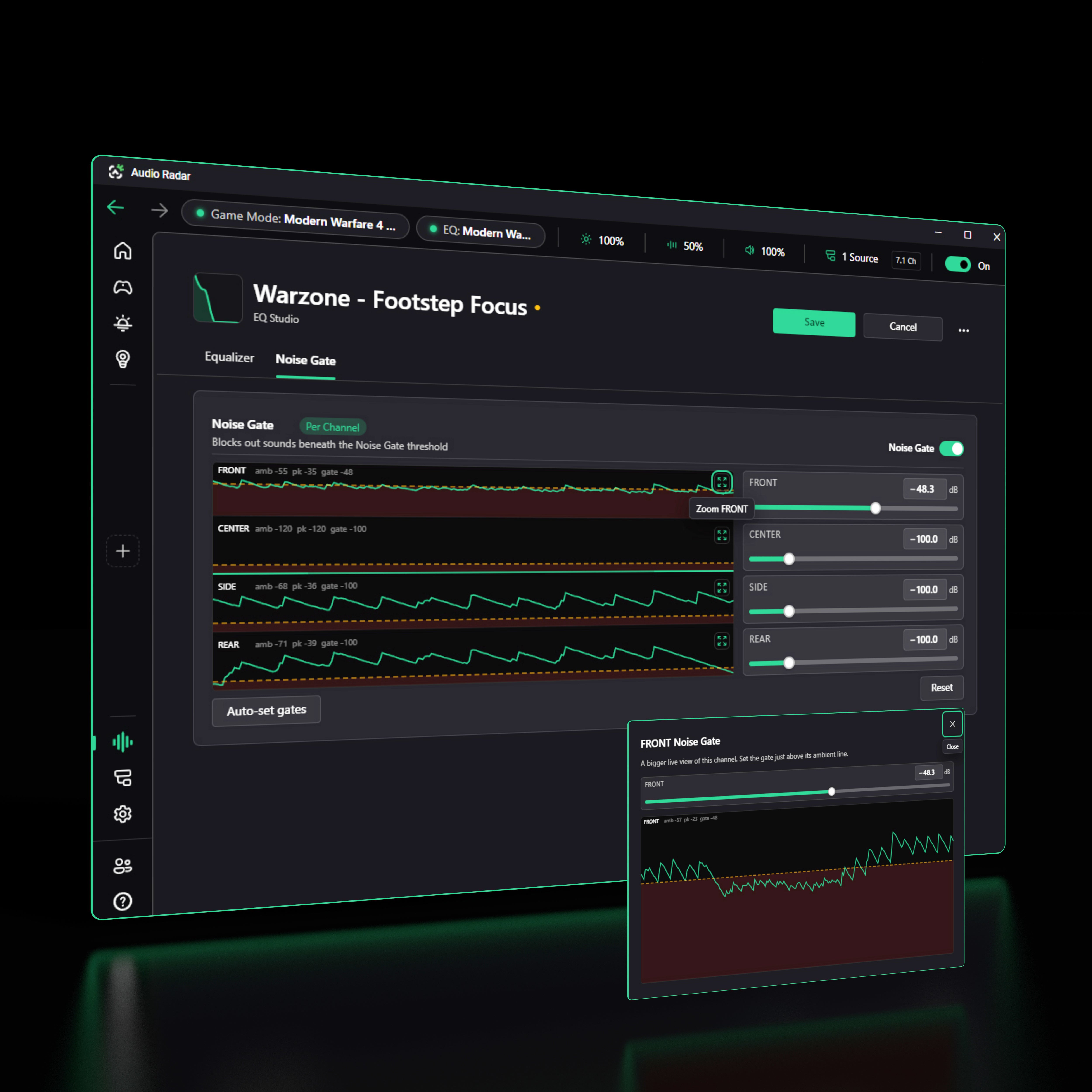
The Noise Gate · per zone
Gate the noise, not the information.
Most EQ tools gate in stereo: one threshold, everything behind it. Audio Radar gates each zone independently: front, center, sides, rear.
Games mix ambient wind into the front pair. In this profile the front channel runs about 15 dB noisier than the sides and rears, so the front gets a gate and the other three stay wide open. That’s where the footsteps are.
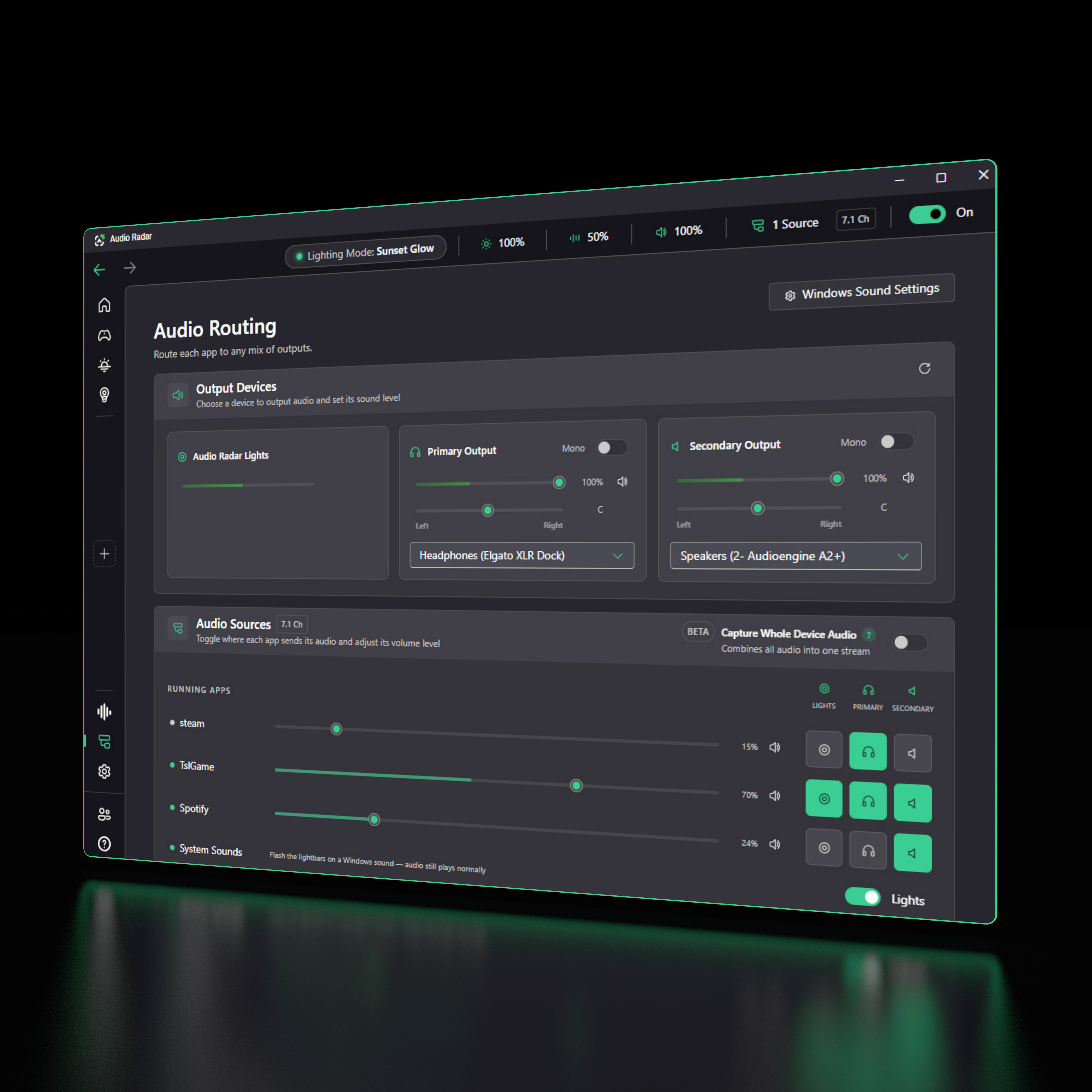
EQ Routing
Gate on for the bars. Gate off for your ears.
The lights get a gated profile, so wind and rumble never reach them and only the sounds that matter light up. Your headset gets its own: no gate, so you still hear the whole game, with footsteps nudged up. Your speakers get something warm for music.
Three profiles, three outputs, one preset. Built on our own kernel-mode 7.1 virtual audio driver, Microsoft attestation-signed. Single-sided hearing? Flip any output to Mono (the full mix in one ear), set the Balance per ear, and let the bars carry direction.
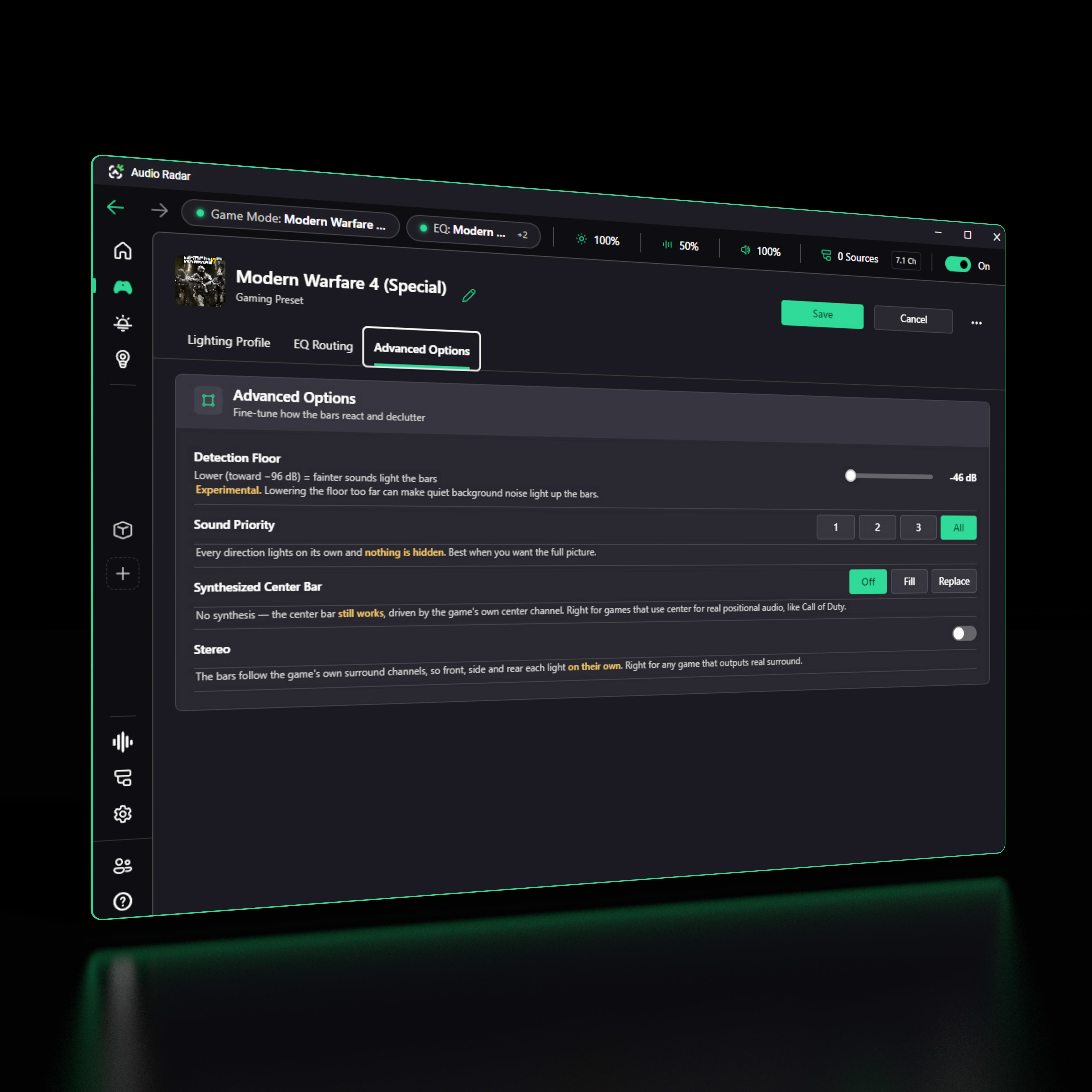
Advanced options
Different games. Different rules.
PUBG ships six channels. Synthesized Center Bar builds the seventh, so the middle of your screen still tells you something.
And when a map gets loud, Sound Priority shows only the loudest one, two or three sounds: the loudest is usually the closest, and the closest is usually the one about to kill you. Small map, dial it down. Big map, leave it on All.
Windows notifications
A knock at the door, mid-match.
Windows notifications flash your bars: a Discord ping, an email, a doorbell. Audio still plays normally.
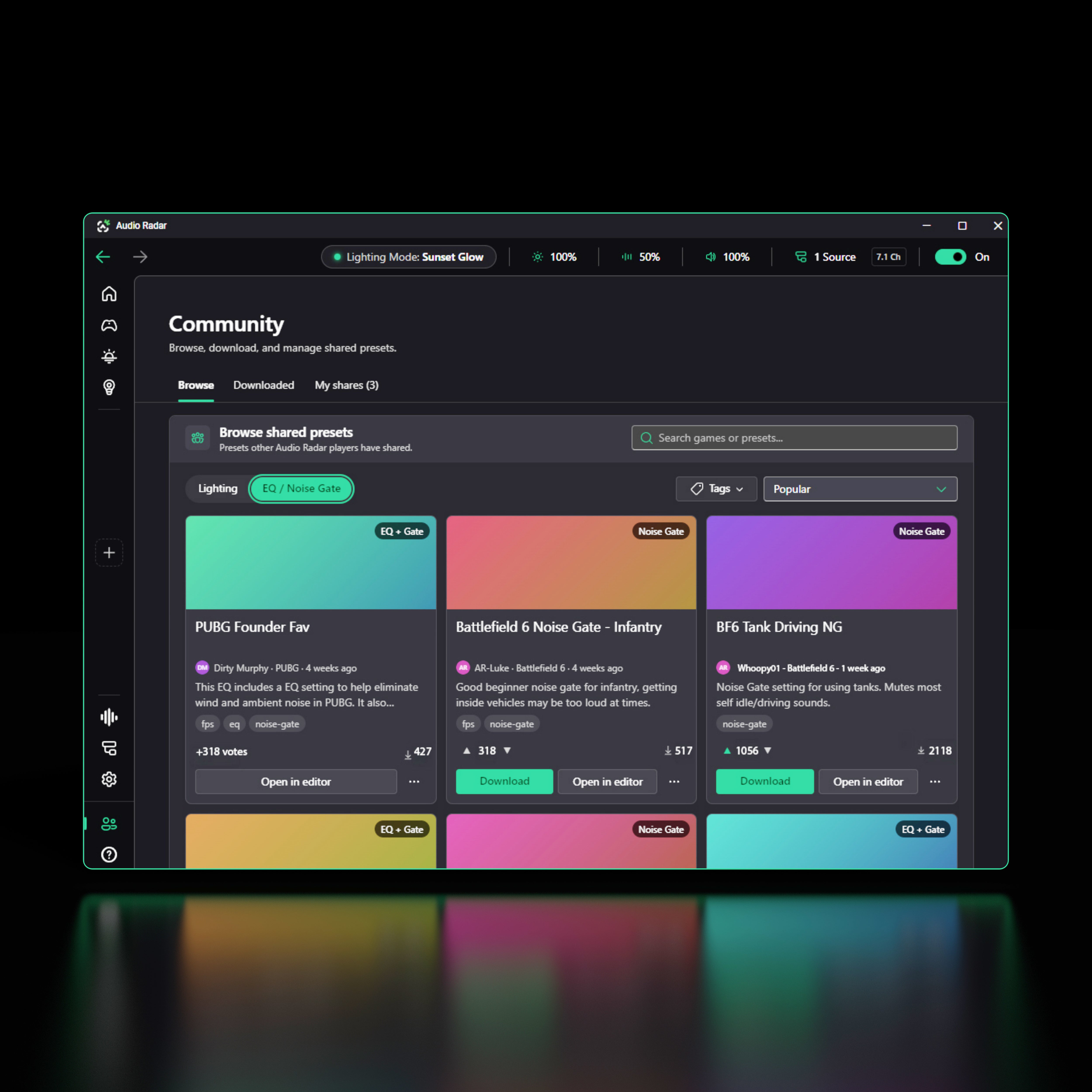
Community presets
Everything is better when everyone can play.
Hearing players build EQ profiles and share them. Deaf and hard-of-hearing players load them in one click. Browse by game and playstyle, preview, vote, download.
The app is visual (spectrum, meters, gate lines), so tuning your own is always on the table. Sharing just makes it faster.
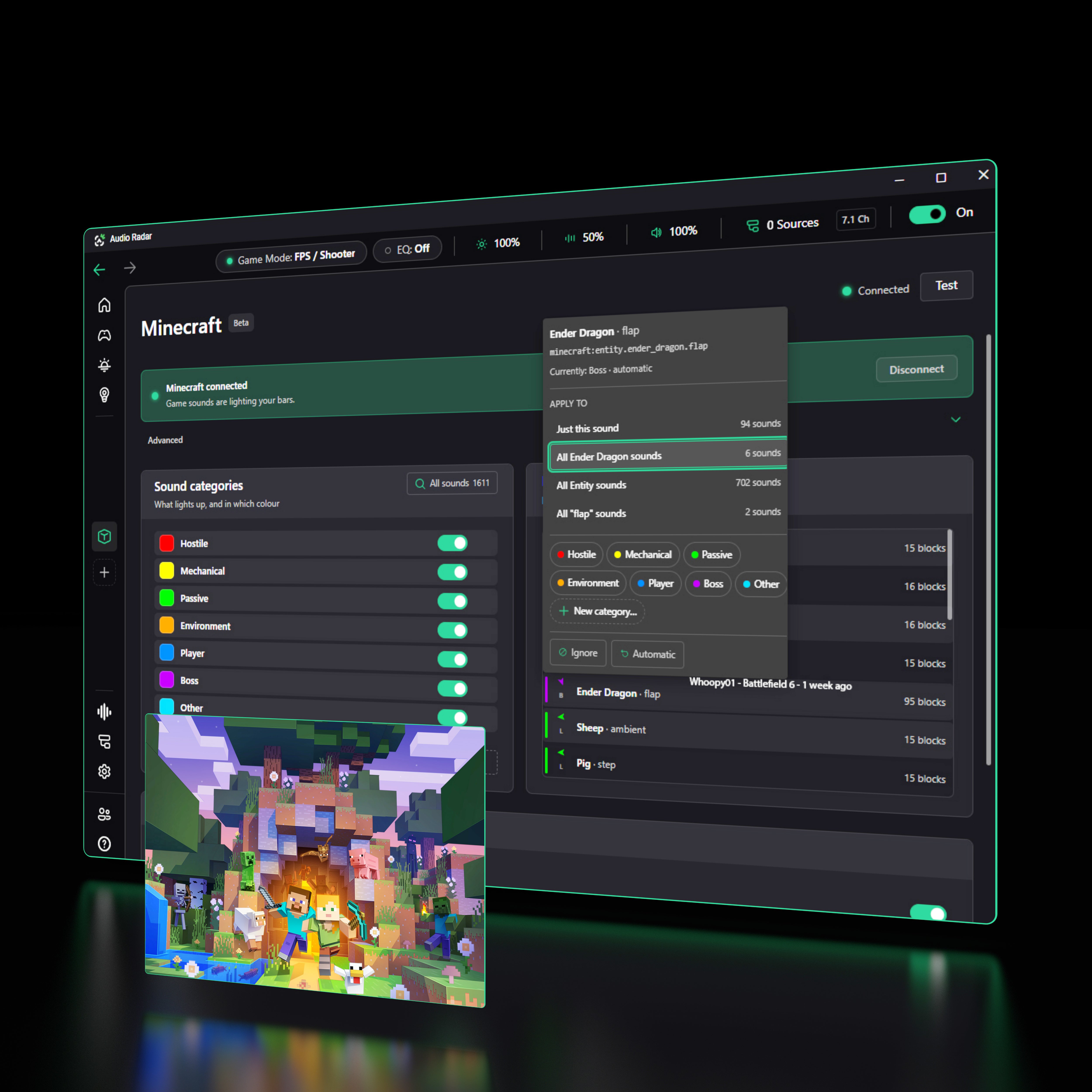
Mods
We didn’t just listen to the game. We went inside it.
Most of what Audio Radar does works with any game, because it listens to your PC. This one’s different. Our Fabric mod reads every in-game sound by name, direction and distance, so a creeper behind you lights the bars behind you, in the color you chose for hostiles.
1,611 sounds. Seven color categories. All reassignable.
Minecraft Java Edition · Beta
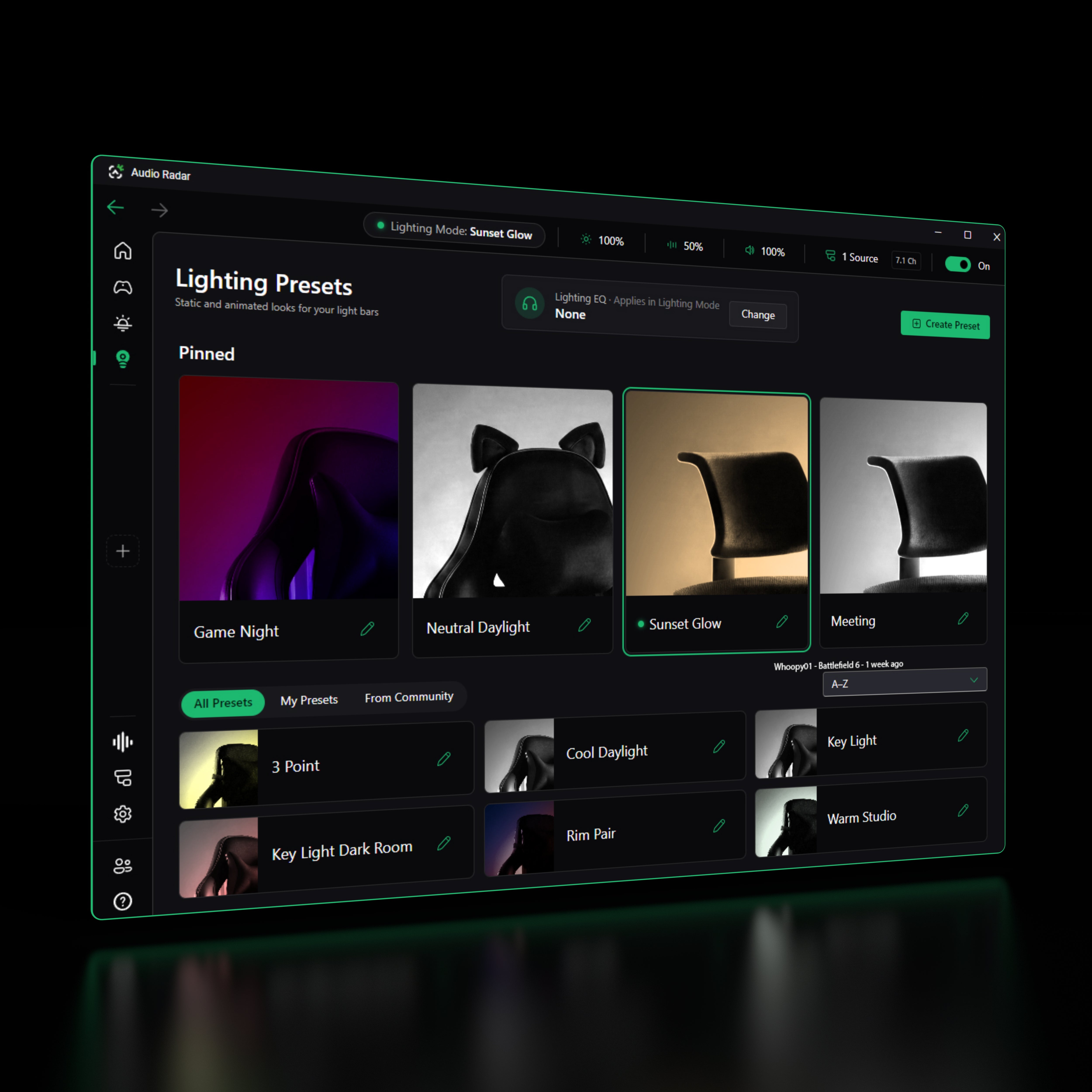
Lighting mode
A studio light that fits behind your monitor.
Every bar independently addressable, full RGBW. Key, fill, rim, spotlight, placed where you want them, at the color and brightness you want, saved as a preset. Not a ring light with a brightness dial.
For streaming, for clips, for camera, or just a room that looks like yours.
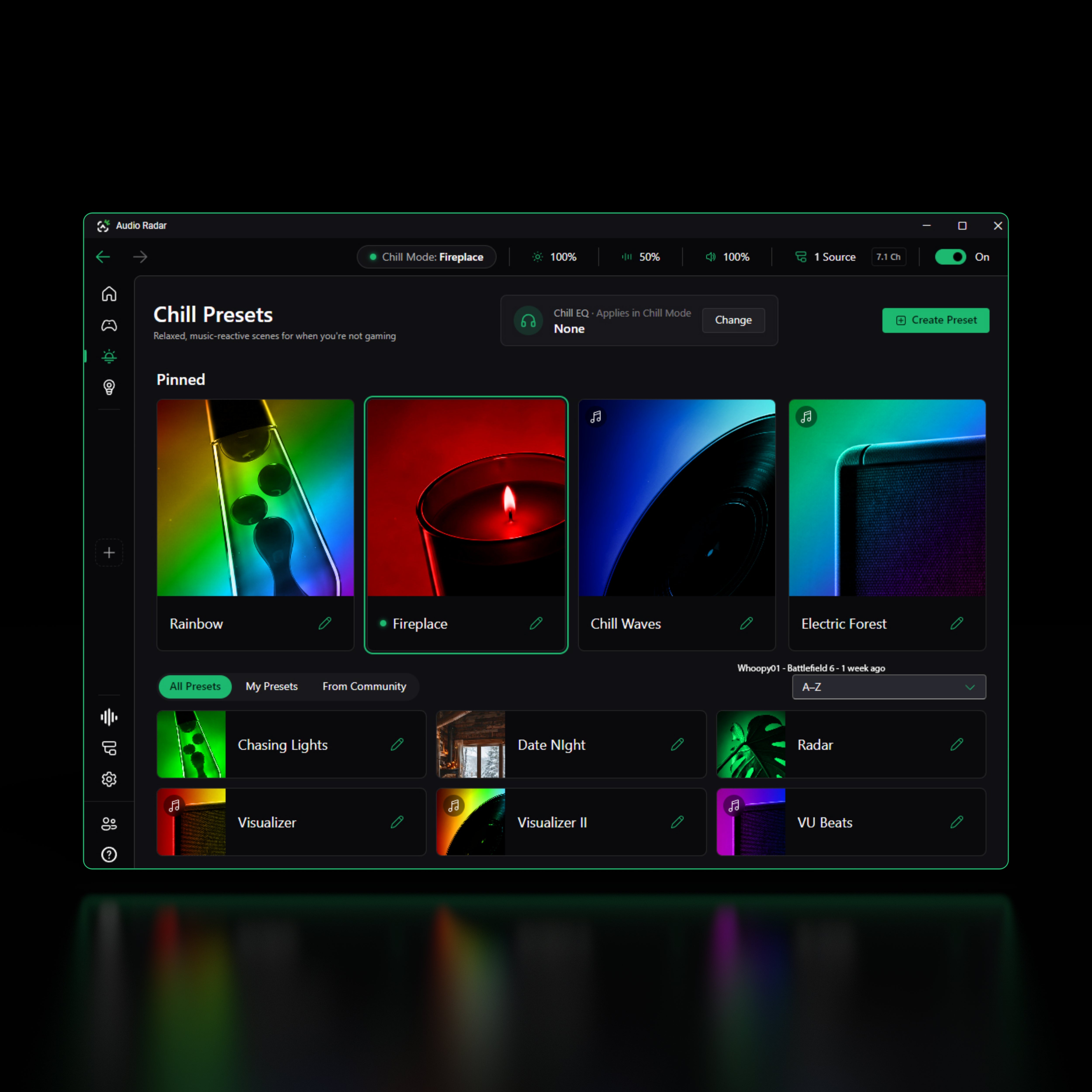
Chill mode
For when you’re not playing.
Ambient scenes that sit still, and visualizers that move with whatever you’re listening to. The ♪ badge marks the ones that react to sound.
Adjust color, brightness and sensitivity, then save it as your own.
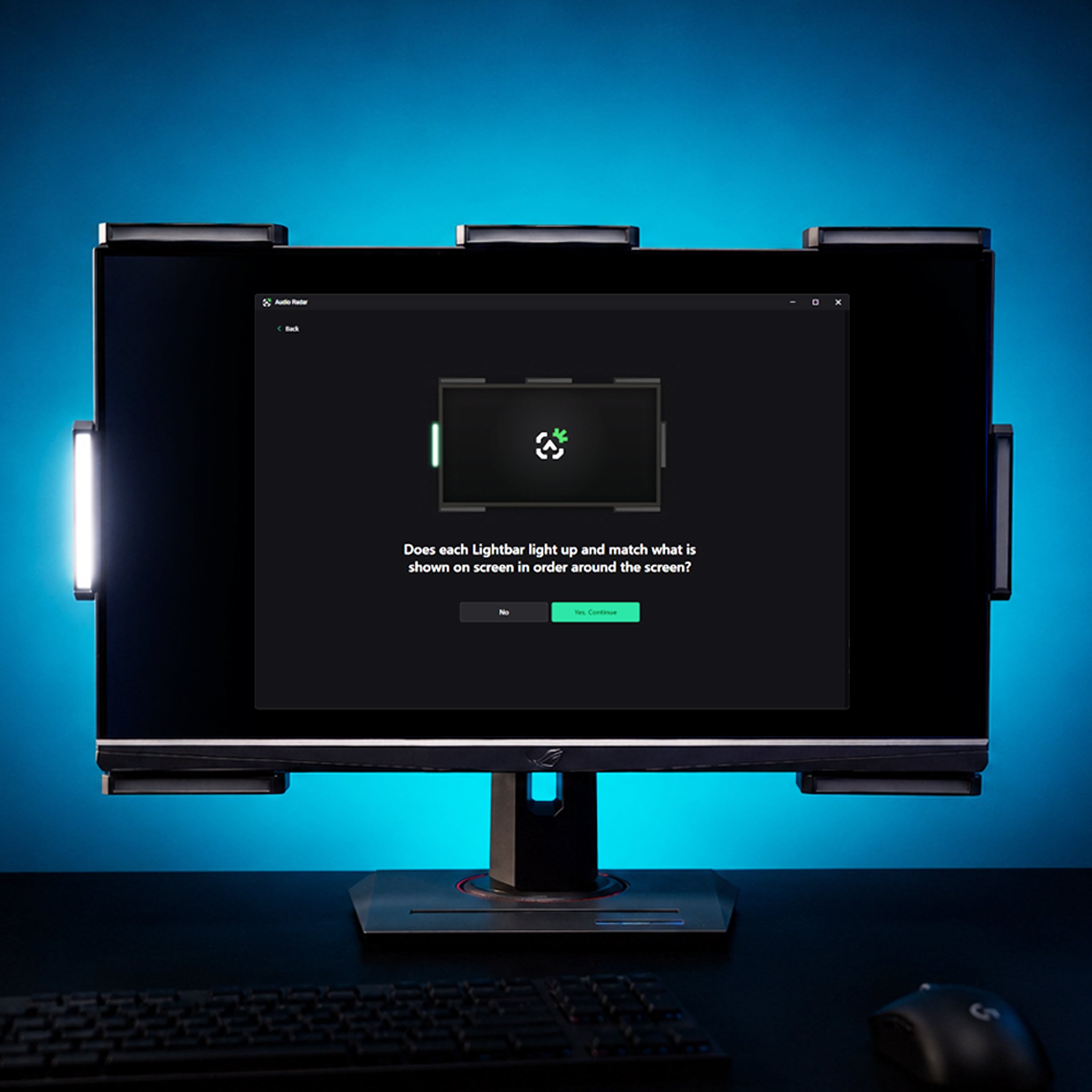
Two tests, zero guessing
Set up by sight, not sound.
The setup lights each bar on the diagram and in your room at the same moment, one by one around your screen, and you confirm with your eyes. Then a second test plays real sound through every surround channel and the radar reacts end to end.
Nothing depends on your hearing, and every “it's not working” path leads to a real fix. Watch Dom’s walkthrough ›
Install & setup
Before you install.
What you need: 64-bit Windows 10 or 11 · a free USB port · an Audio Radar. Both systems work on PC.
Audio Radar 2.0
Nothing to prepare: both cables are in the box (PC data and power, dedicated USB-C for each). Plug in, run the app, and the guided setup takes it from there.
The original Audio Radar, moving to PC
1 · Update your firmware. Download the free Audio Radar mobile app (iOS · Android), connect to your Command Center over Bluetooth, and install firmware v1.3.2 or later. Most units ship with earlier firmware, and the desktop app can't see your hardware until this is done. Step-by-step update guide ›
2 · Remove Audio Radar from your HDMI chain completely. The desktop app replaces the HDMI hookup, so reconnect your displays the way they were before Audio Radar, and keep the Command Center on wall power.
3 · Use a data-capable USB-C cable to your PC. Charge-only cables look identical and fail silently.
Switching back to console later? Just reconnect HDMI. Everything works the way it did before.
Beta notes for everyone: you'll sign in with Discord, Google, or email on first launch · installing requires admin rights (it includes the Audio Radar audio driver) · setup help and the team live in the Audio Radar Discord ›
FAQ
Questions, answered straight.
Straight answers, including the limits.
Will anti-cheat systems flag it?
No. Audio Radar never touches your game. The app reads your PC's audio through its own Windows audio device: no game files, no memory access, no overlays, no game hooks. Your PC sees it just like an audio device.
Is the app really free?
Yes. Free with any Audio Radar, and it updates itself. No subscription, no unlock tiers.
Do I need Audio Radar hardware?
Yes. The app is the brain, the light bars are the body. It exists to drive them.
Will it cost me frames?
No. The app reads audio the way any audio device does: no overlay, no game hooks, nothing in your render path.
What does “beta” mean here?
It ships, it works, and it's improving fast, and auto-update keeps you on the newest build without lifting a finger.
Does it work with both Audio Radar systems?
On PC, yes. The original Audio Radar and Audio Radar 2.0 both use this app. On console, the original doesn't need it.
I have single-sided hearing. Does this help?
Yes, this one's for you. In Audio Routing, flip your headset output to Mono so the full game mix reaches your hearing ear (nothing gets lost on your other side), and use the per-ear Balance slider to weight it exactly how you like. Then let the bars carry direction: Surround Vision Technology™ shows you where every sound came from, no matter which ear it was mixed to.
The community
Questions? The Discord probably has your answer.
Beta testers, day-one veterans, and the team behind the product: setup help, presets, and straight answers, around the clock.
Free with your Audio Radar.
The desktop app
No subscription, no unlock tiers. Updates arrive on their own.
Download free for Windows