

Audio Radar
The original — and the flagship. Everything Audio Radar 2.0 does — with larger light bars.
Works with Xbox, PlayStation, Switch, and PC
4.7★ · 3,000+ setups
Free 2-Day shipping (US) · 30-day returns · 1-year warranty
International: duties and taxes are included at checkout, so there is nothing to pay on delivery. Shipping is calculated for your address and shown in your local currency before you pay. Details ›
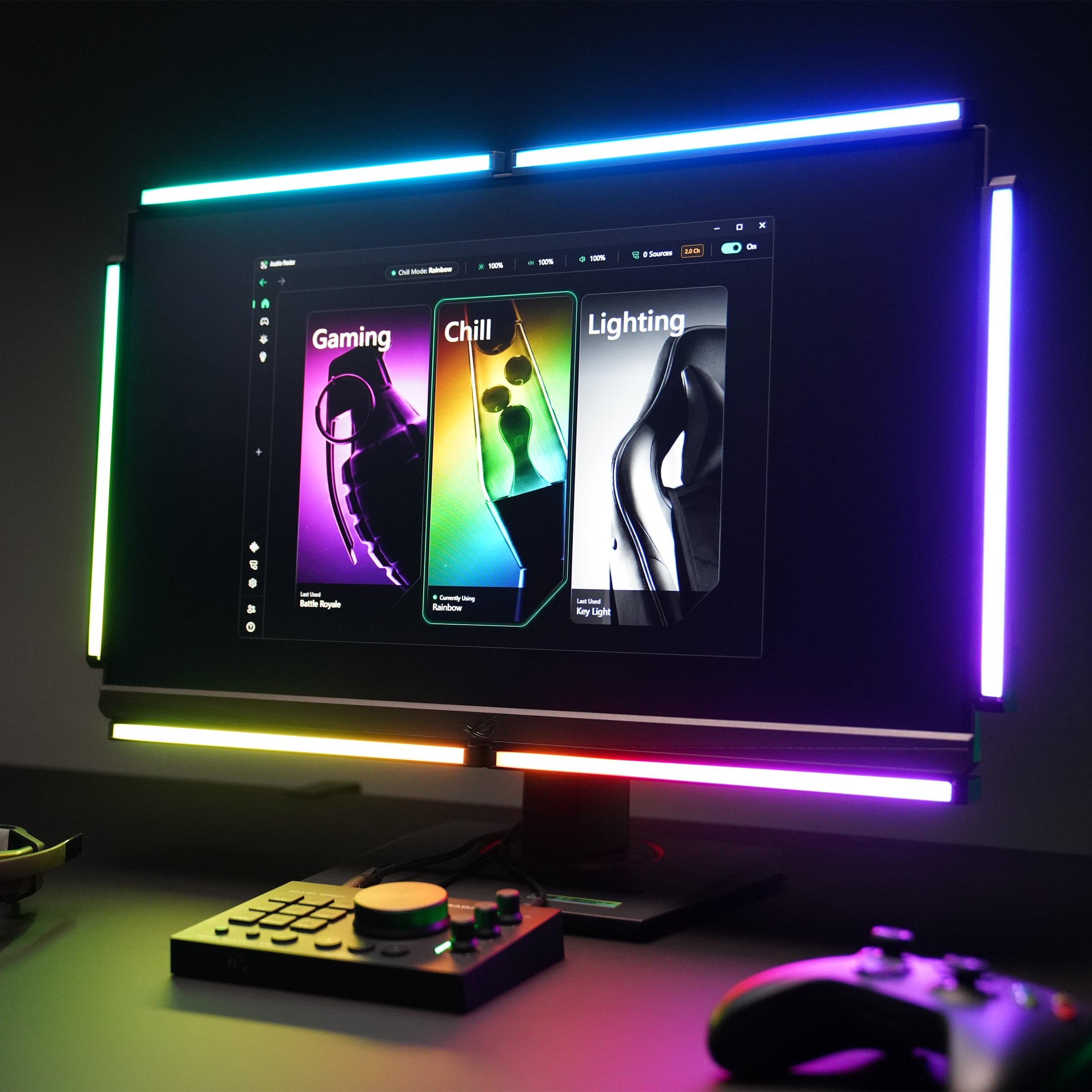
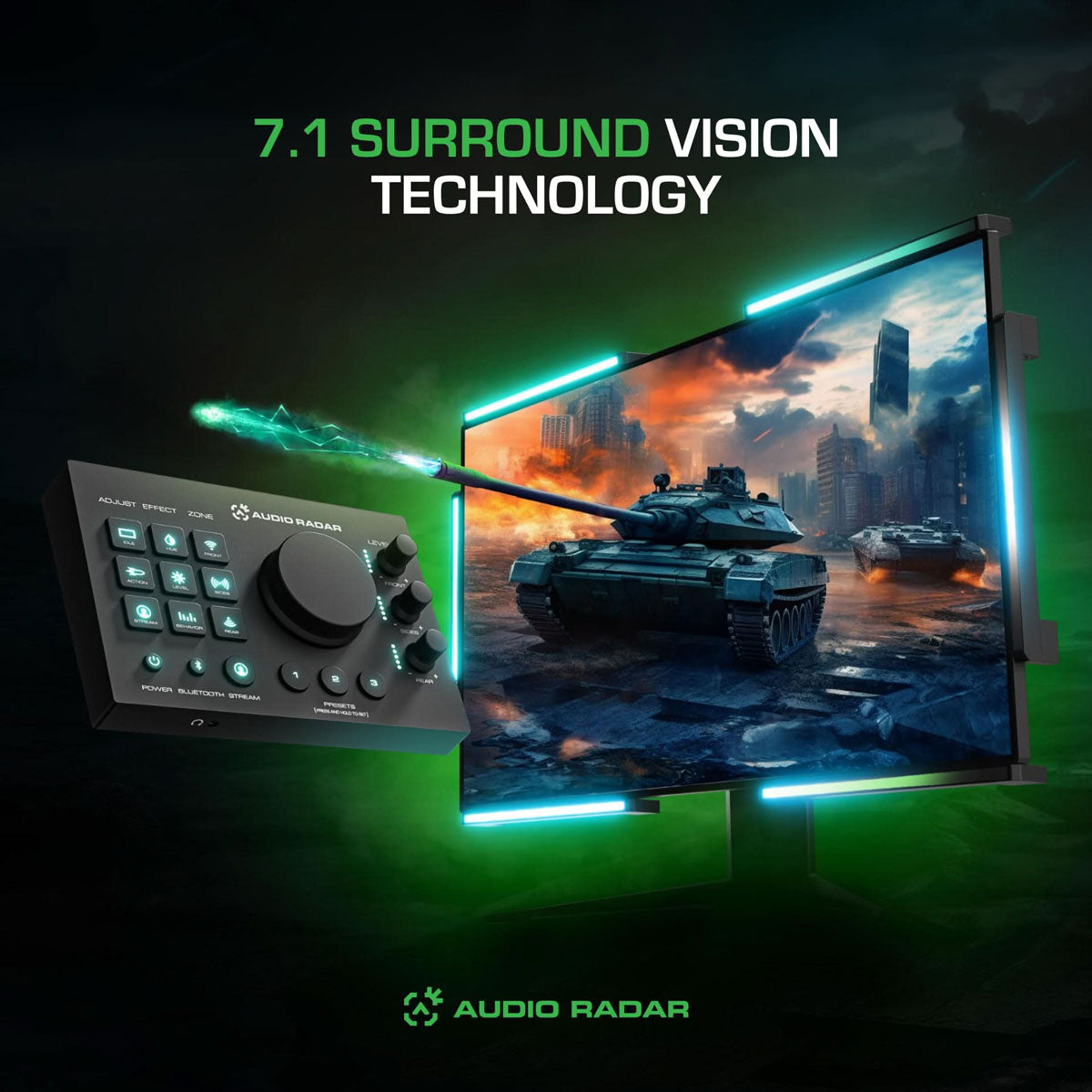
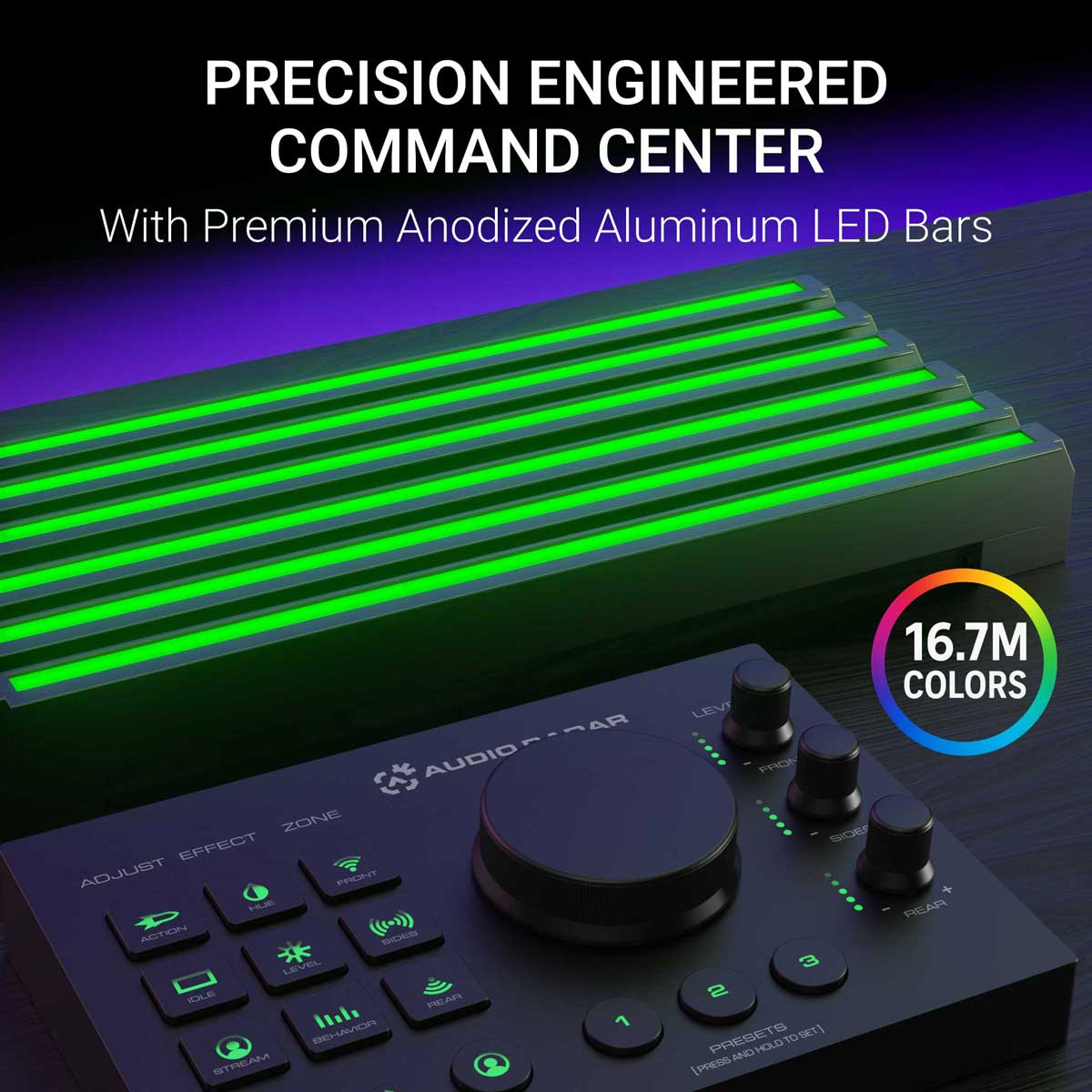
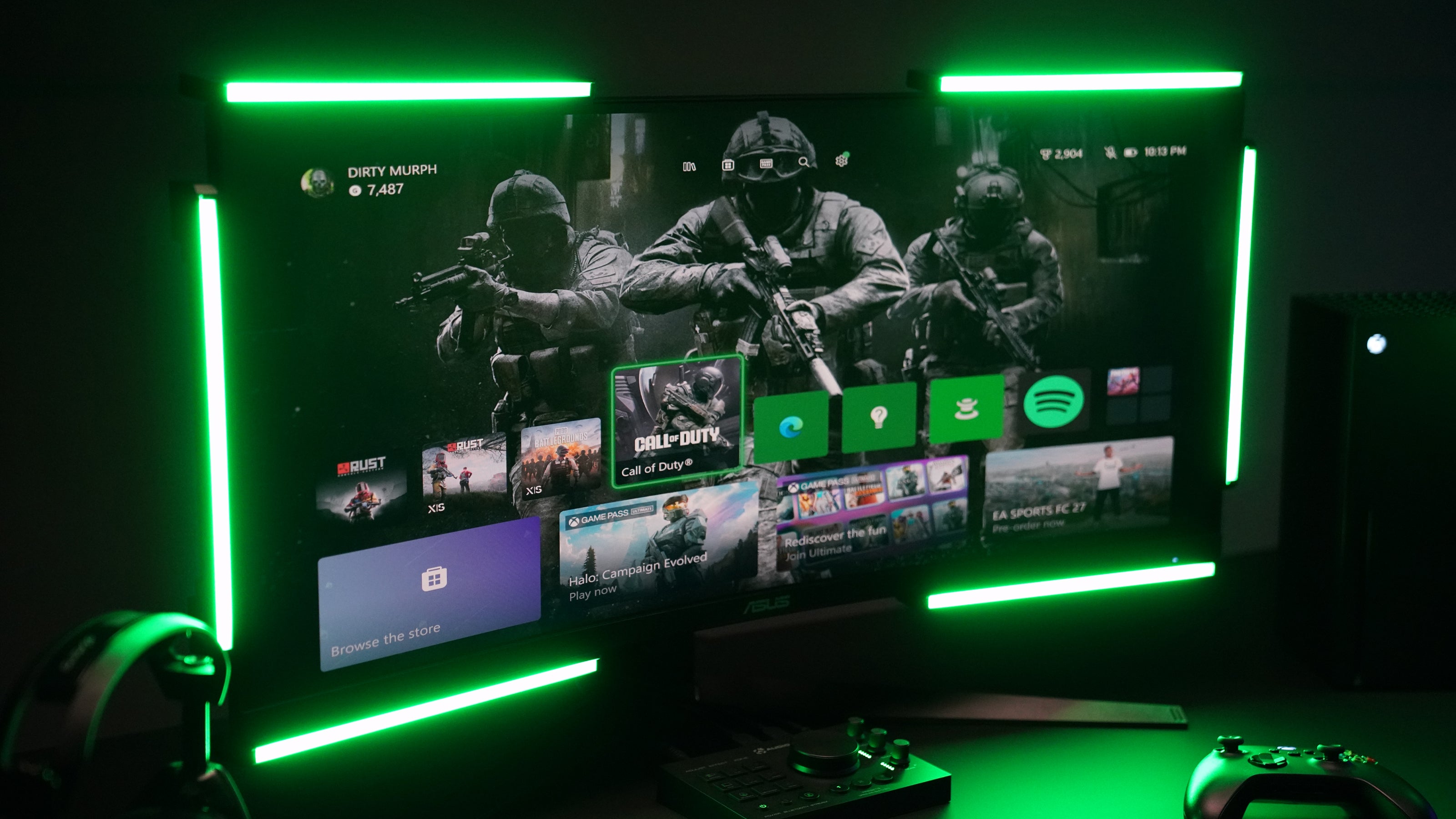
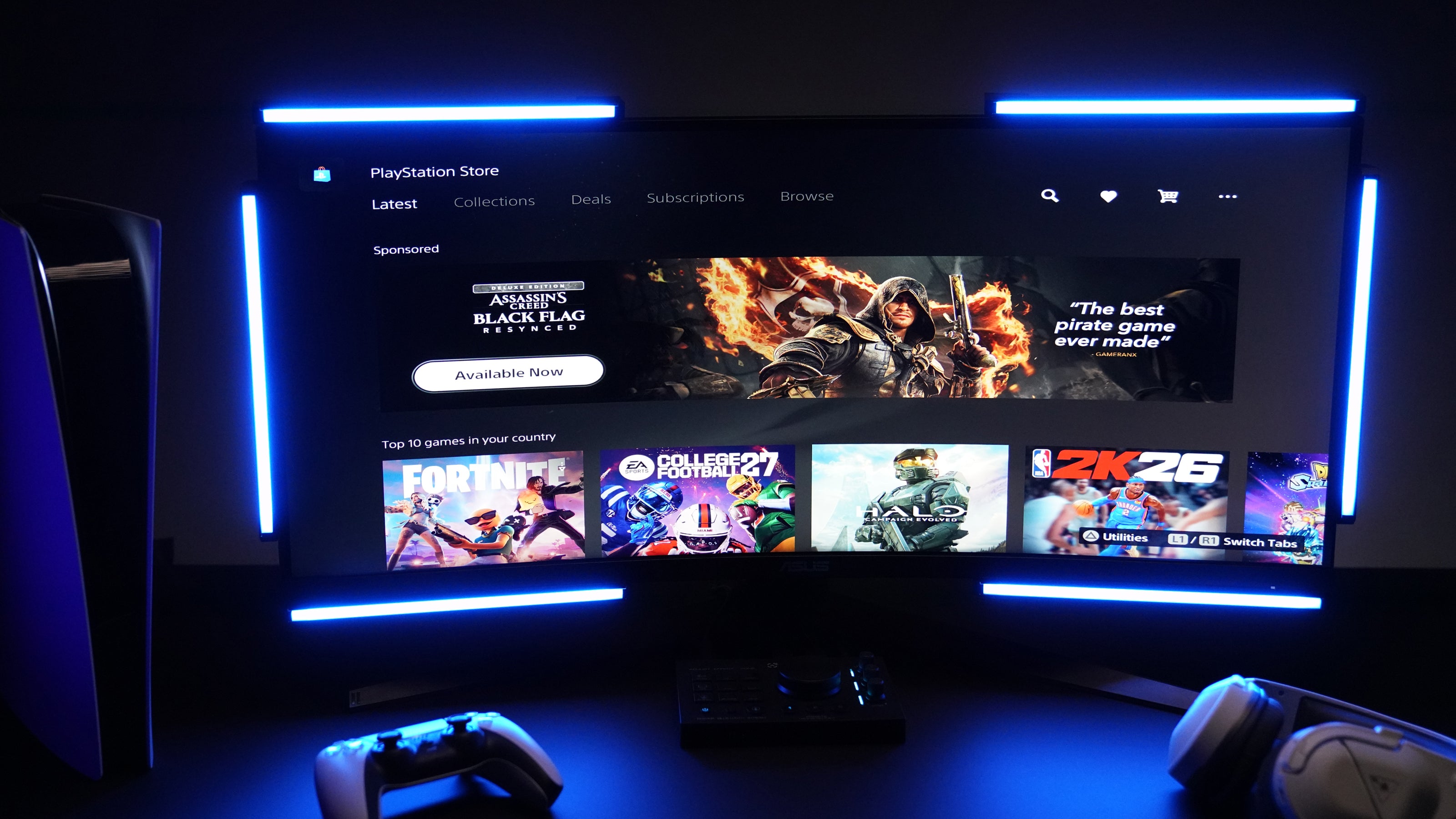
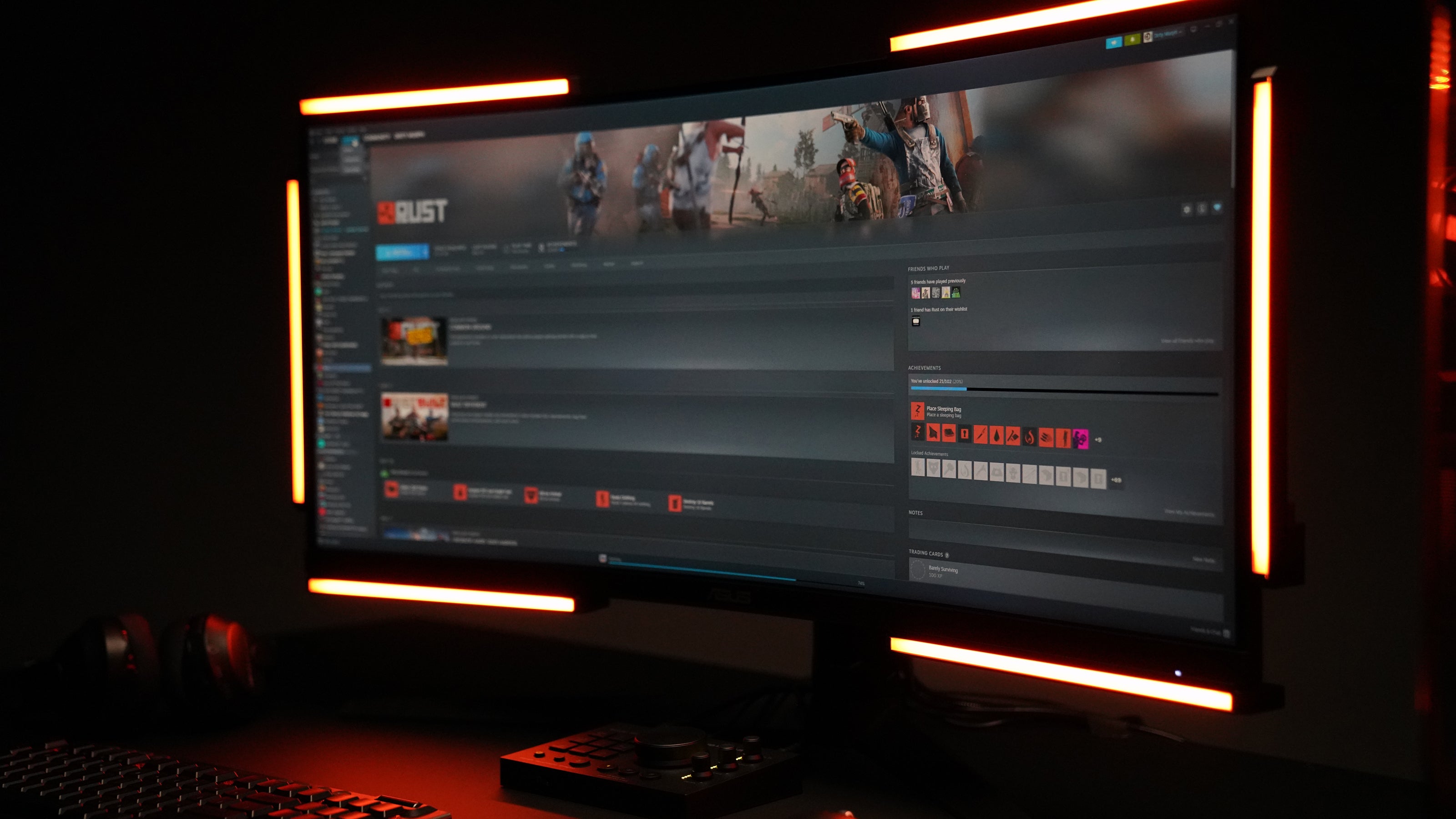
The original Audio Radar, and the flagship. Six larger 10.7″ light bars and the Command Center hub turn your game’s surround audio into directional light around your screen. A footstep on your left becomes light on your left, as the sound happens: patented Surround Vision Technology™.
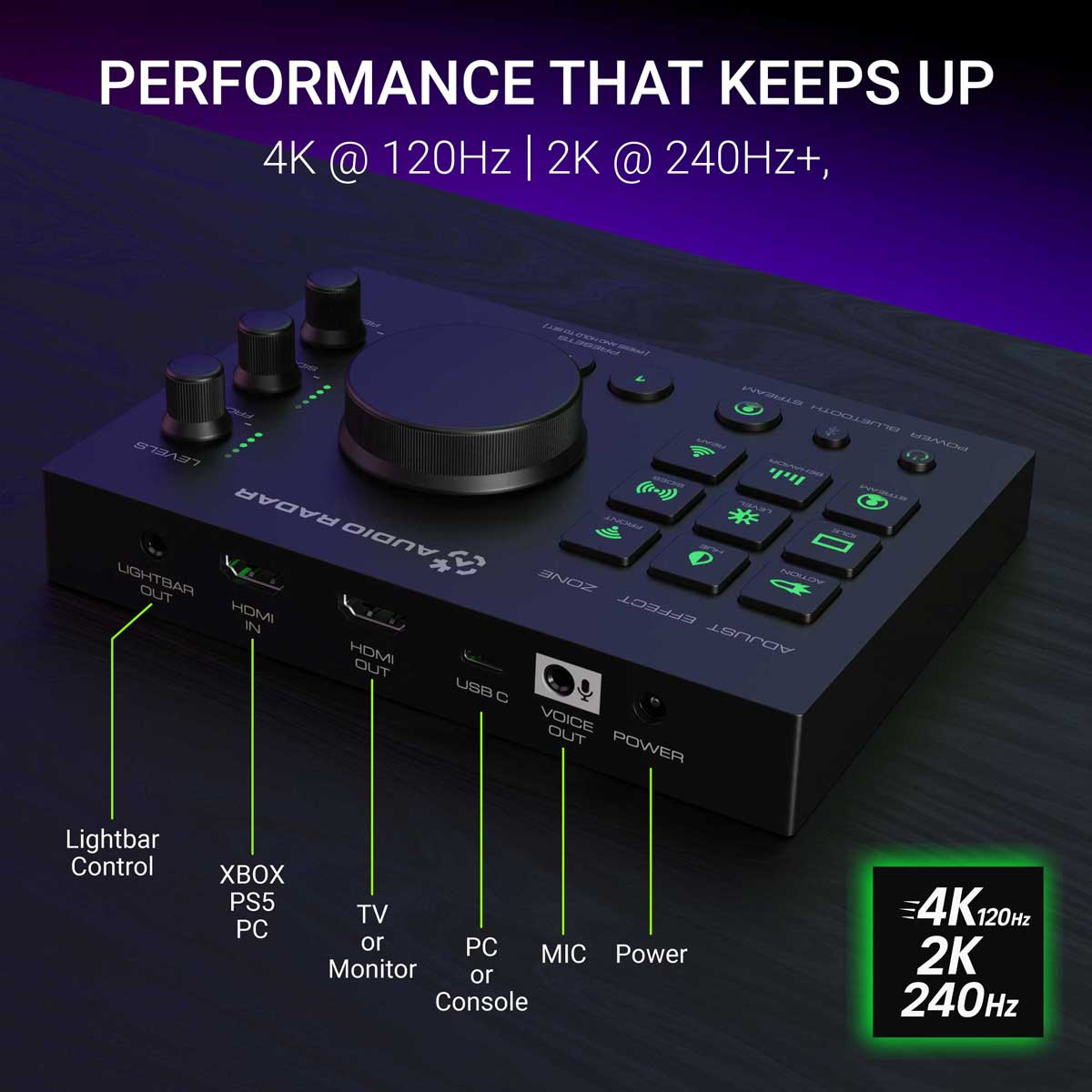
On console, it’s fully standalone. Xbox, PlayStation, or Switch connect over HDMI audio: no PC, no app, nothing to configure. Onboard controls and a built-in headphone jack live right on the Command Center. On PC, the same free desktop app as Audio Radar 2.0 adds guided visual setup, 16-band EQ, per-zone noise gates, and per-game presets.
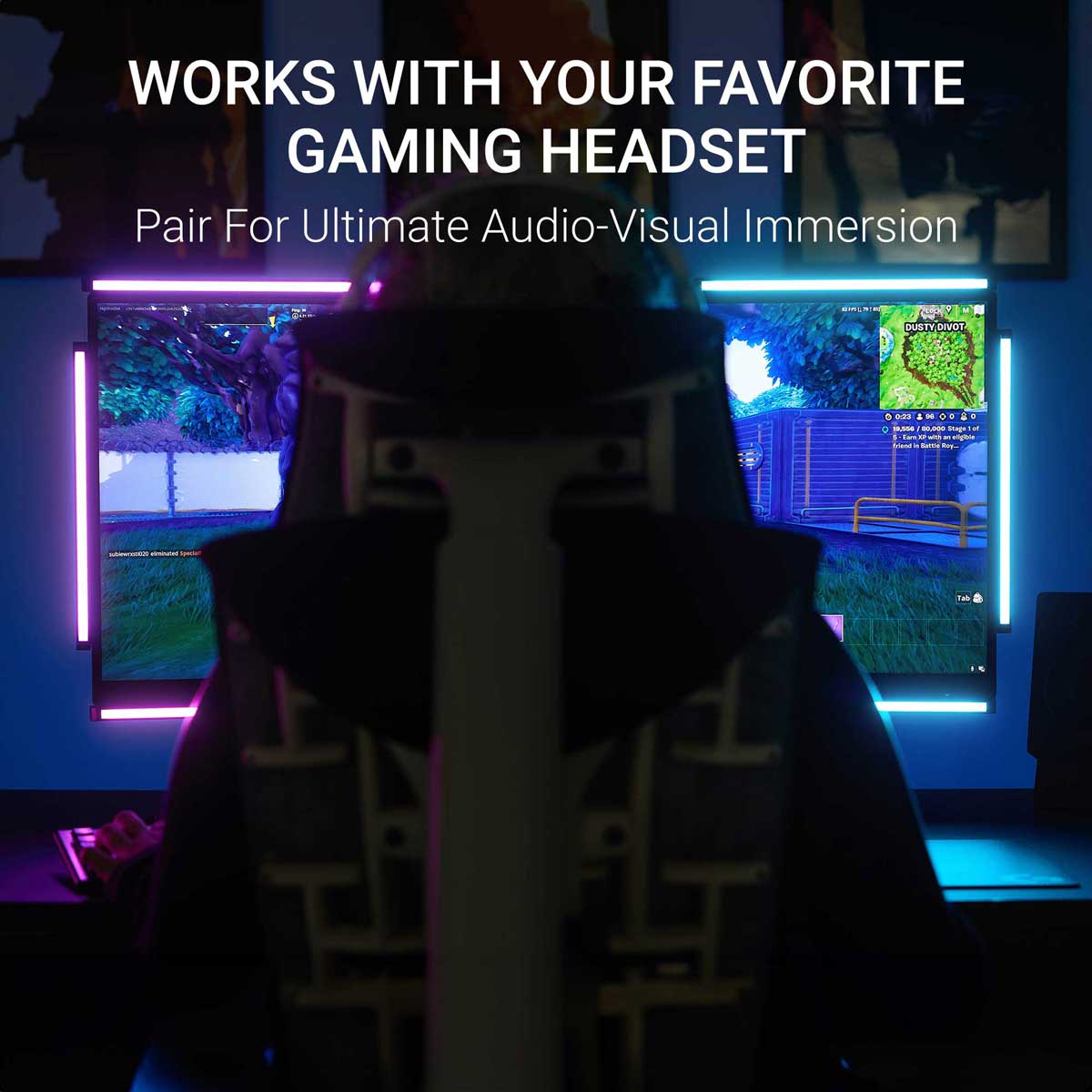
Built with Deaf and hard-of-hearing gamers: see directional audio (footsteps, gunfire, vehicles) without relying on sound. Hearing? Your headset gives you stereo; the game outputs up to 7.1 surround. You hear in stereo, and see in surround. Everything is better when everyone can play.
30-day returns · 1-year limited warranty · ships from Michigan, USA.
Platform: Xbox, PlayStation, and Switch over HDMI audio — no app needed · Windows PC over USB with the free desktop app
Video passthrough: up to 4K @ 120 Hz (HDMI cables not included)
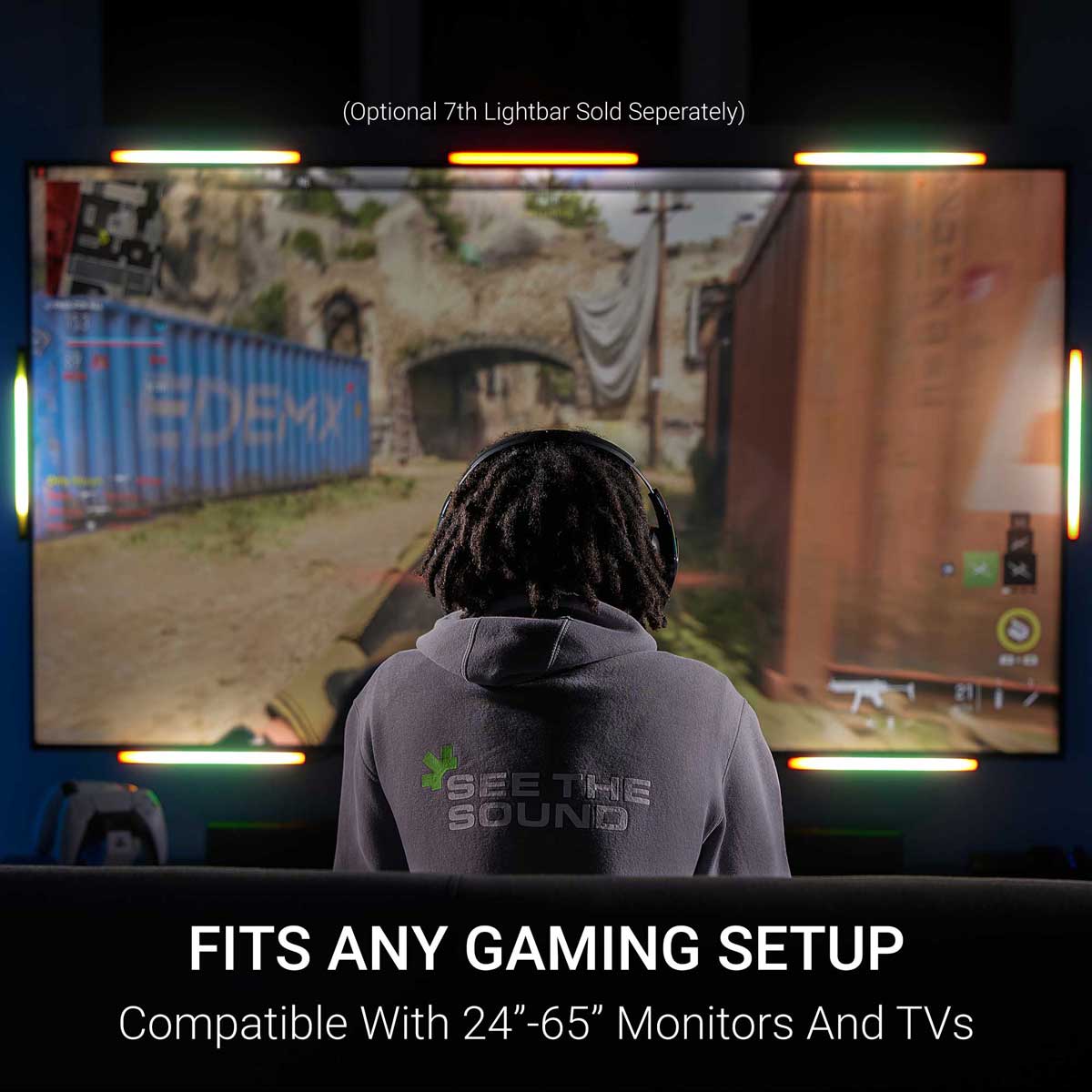
Light bars: 6 × 10.7″ aluminum bars, diffused glow · optional 7th top-center bar sold separately · 3M Command Strip mounting
Controls: Command Center hub — onboard controls, headset jack (surround → stereo)
Sound-to-light: real time — reacts as the sound happens
Xbox & PlayStation — HDMI audio, no app needed (PS5 with a headset? One console setting to know — see the FAQ). Nintendo Switch — same HDMI audio connection. PC — USB + the free desktop app, Windows 10 or 11 (64-bit), after a one-time firmware update via the free Audio Radar mobile app (iOS · Android) (over Bluetooth). Best with games that output 5.1/7.1 surround; stereo-only games give left/right with less front/rear separation.
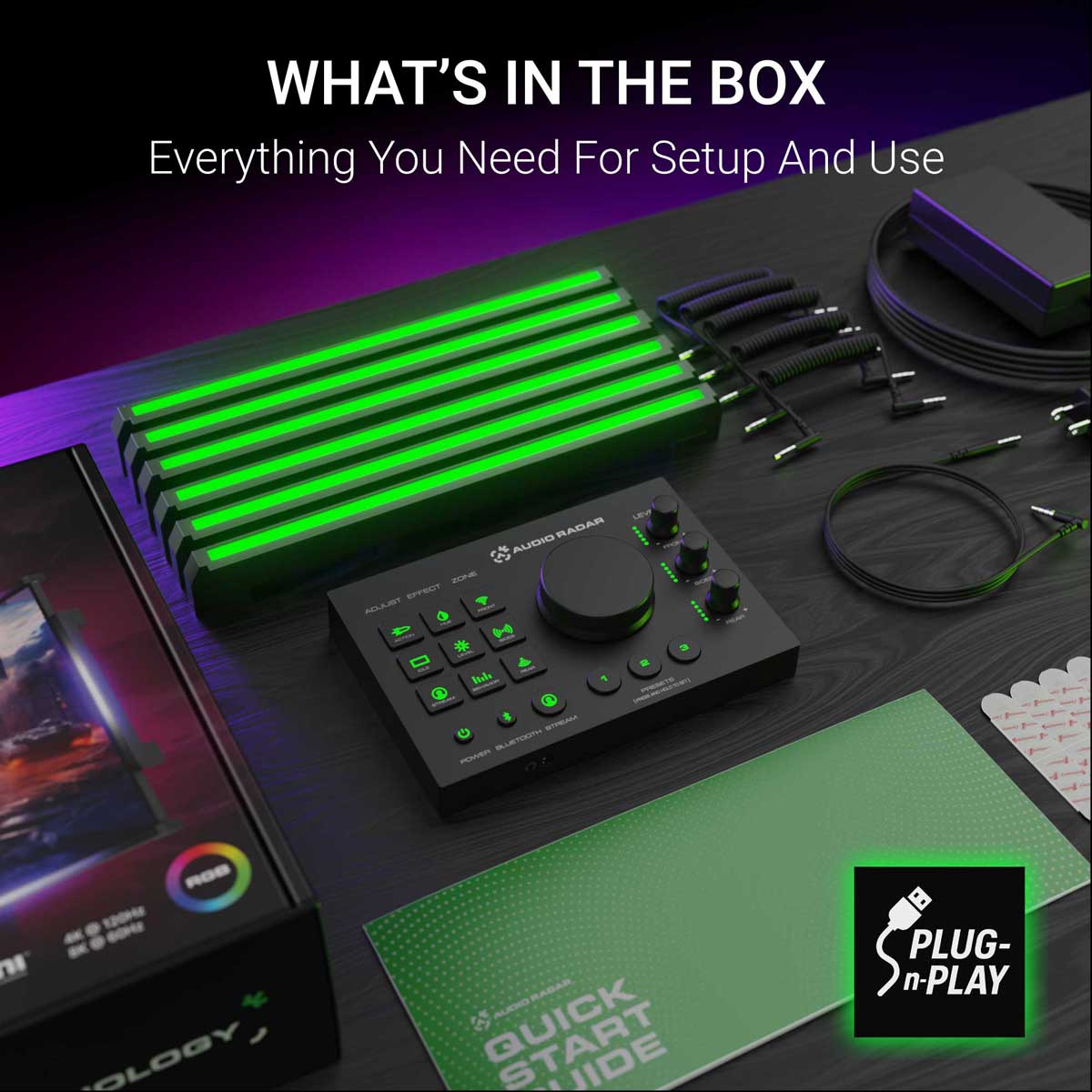
Command Center · 6 light bars · power supply · 5 coiled 3.5 mm cables · 1 × 2 m straight 3.5 mm cable · 3M Command Strips · quick-start guide. HDMI cables not included.
1-year limited warranty · 30-day returns · real-human support from the team that built it.
Fastest answers, day or night: the community. Join the Discord ›
Console and PC
Plays where you play.
Xbox, PlayStation, or Switch: HDMI audio in, light out — no app, no PC. On Windows PC, the free desktop app takes over with deep tuning.
47%
Performance lift — PUBG Sound Lab testing
Read the study
3,000+
Units in players' setups today
See it in action
Real games. Real moments.
A sound happens off-screen. A light appears where it came from. That is the whole product. Here are seven clips across four games, in the order we would show a friend.
PUBG Sound Lab
Four setups, forty runs, and the headset finished third.
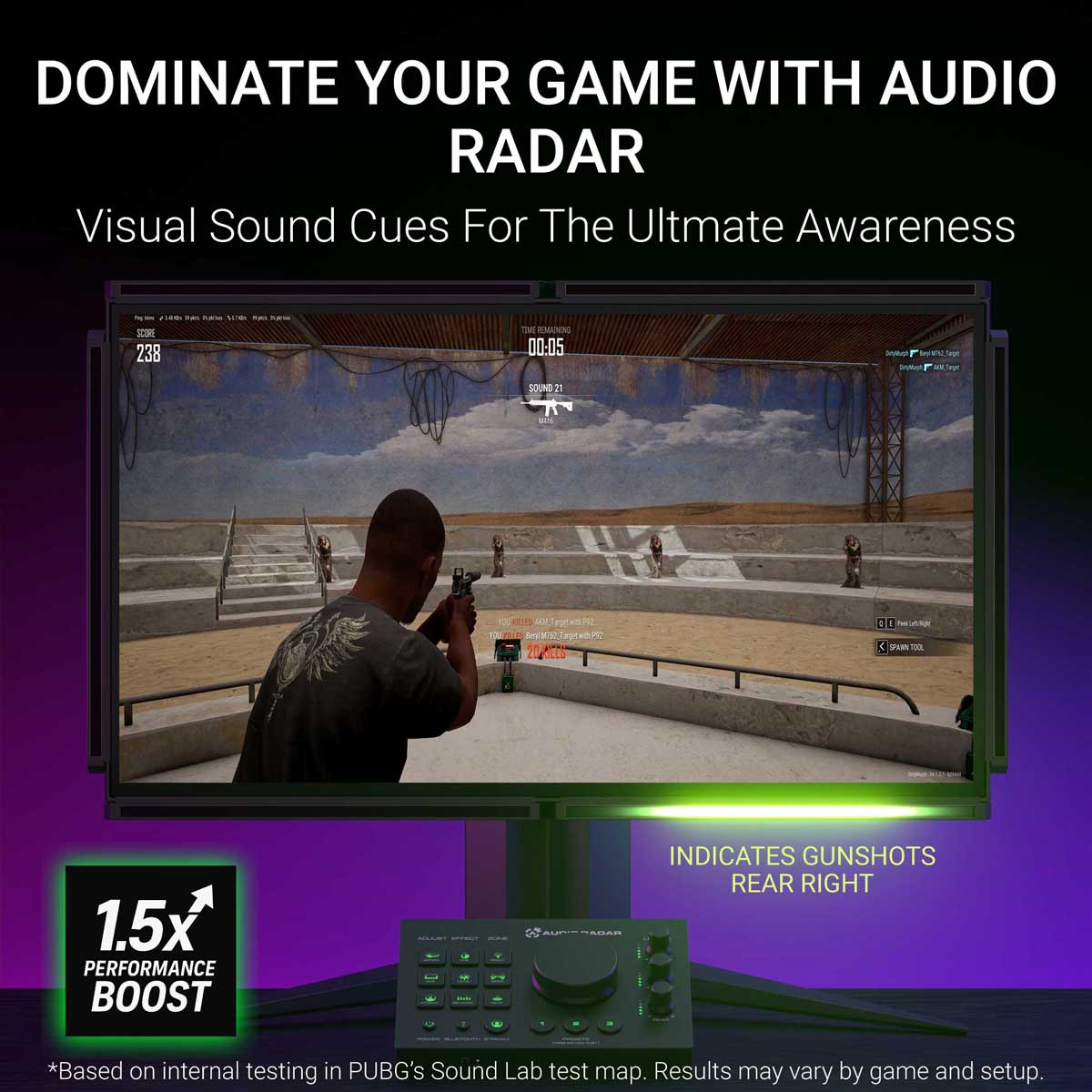
Sound Lab plays a gunshot and asks you to shoot the target closest to it. No sound at all averaged 38.8. A headset on its own averaged 127.7. Audio Radar alone, with the game muted, averaged 142.6. A headset plus Audio Radar averaged 187.7.
Which puts a headset third of the four. Sound Lab is a controlled environment and this was one player's testing rather than a clinical trial, so treat it as indicative, not final.
Read the full results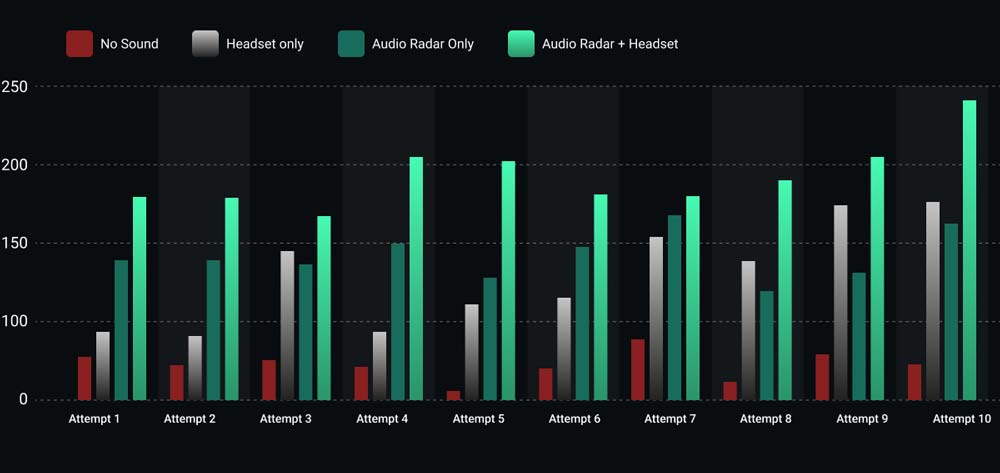
The results
All ten runs, nothing averaged away.
Headset plus Audio Radar came out on top in every one of the ten attempts. Audio Radar on its own, with the game muted, beat the headset in six of them.
The four where the headset won are on the chart too. Ten runs by one player is a small test, and showing the spread is more useful than showing only the average.
Call of Duty: Black Ops 6
Footsteps, lit up as they move.
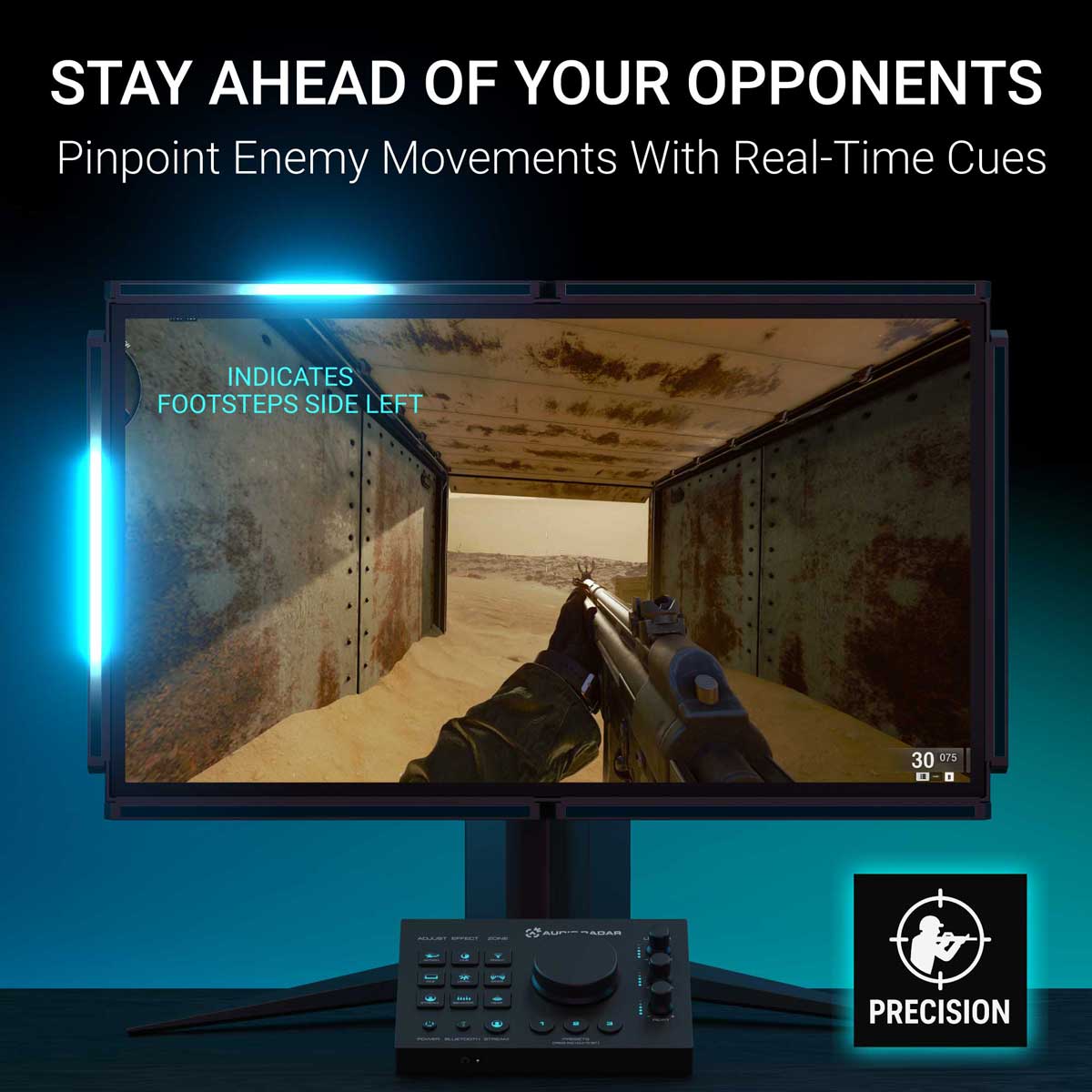
An opponent circles a transportation chamber. The player never sees them and never needs to: the bars follow the footsteps around the room in real time, so the light moves as the enemy moves.
Watch the handoff from one bar to the next. That is the moment a flank stops being a surprise.
PUBG
Scoped in, and you still catch the flank.
The player is zoomed on a distant target, which is exactly when tunnel vision gets you killed. Shots come in from the right, and the right-hand bar fires before the scope has moved a pixel.
Under five seconds, and it is the whole argument for putting sound in your peripheral vision.
Rust
The growl behind you, before you turn.
A bear lines up a charge from behind. The rear bar catches the low growl while the player is still facing the wrong way, which is the only warning you get in that situation.
If you watch one clip on this page, make it this one. It takes no shooter knowledge to read, and it is the clearest picture of what a sense you did not previously have actually feels like.
PUBG
An engine circling, from the far right.
A vehicle approaches from the far right and arcs around the player. The bars track it the whole way, so you read not just where it is but which way it is going.
A ping tells you something happened. This tells you what it is doing.
Rust
The supply plane, before it is on screen.
An airdrop plane is audible long before there is anything to see. The engine registers on the edge of your vision the moment it comes into range, and in Rust that is the difference between reaching the crate first and arriving second.
Minecraft, with the plugin
Every sound type gets its own color.
The downloadable Minecraft plugin goes past direction. Each kind of sound is mapped to its own color, so a mob, a footstep and a breaking block are told apart at a glance instead of by position alone.
Works with both Audio Radar 1 and Audio Radar 2.
Controls & the app
Onboard controls. Optional app.
Everything works from the Command Center — the desktop app adds deep tuning on PC.
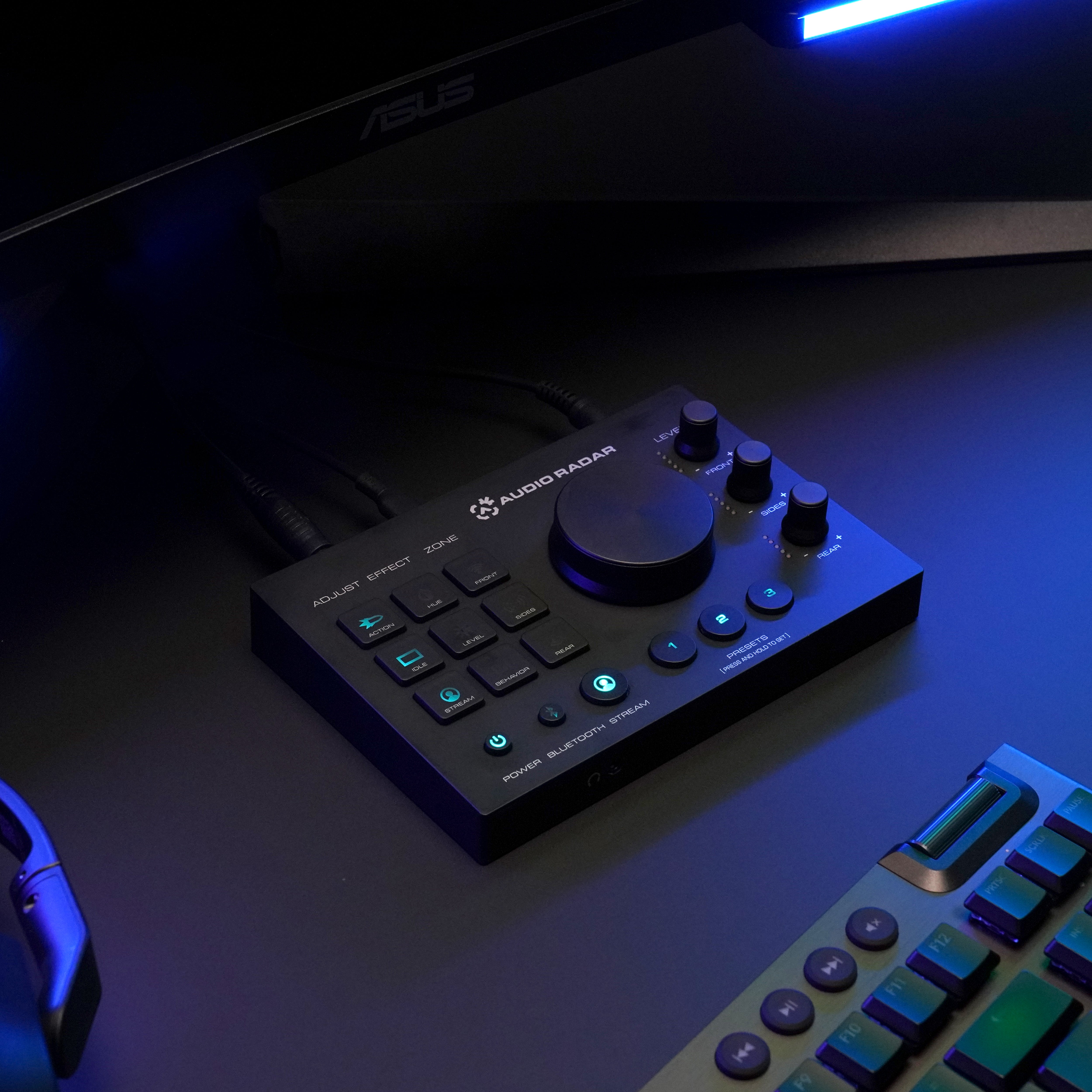
No app needed on console
Works out of the box.
HDMI audio in, light out. Adjust effects, zones, and brightness right from the Command Center — and the headset jack keeps your audio (surround → stereo).
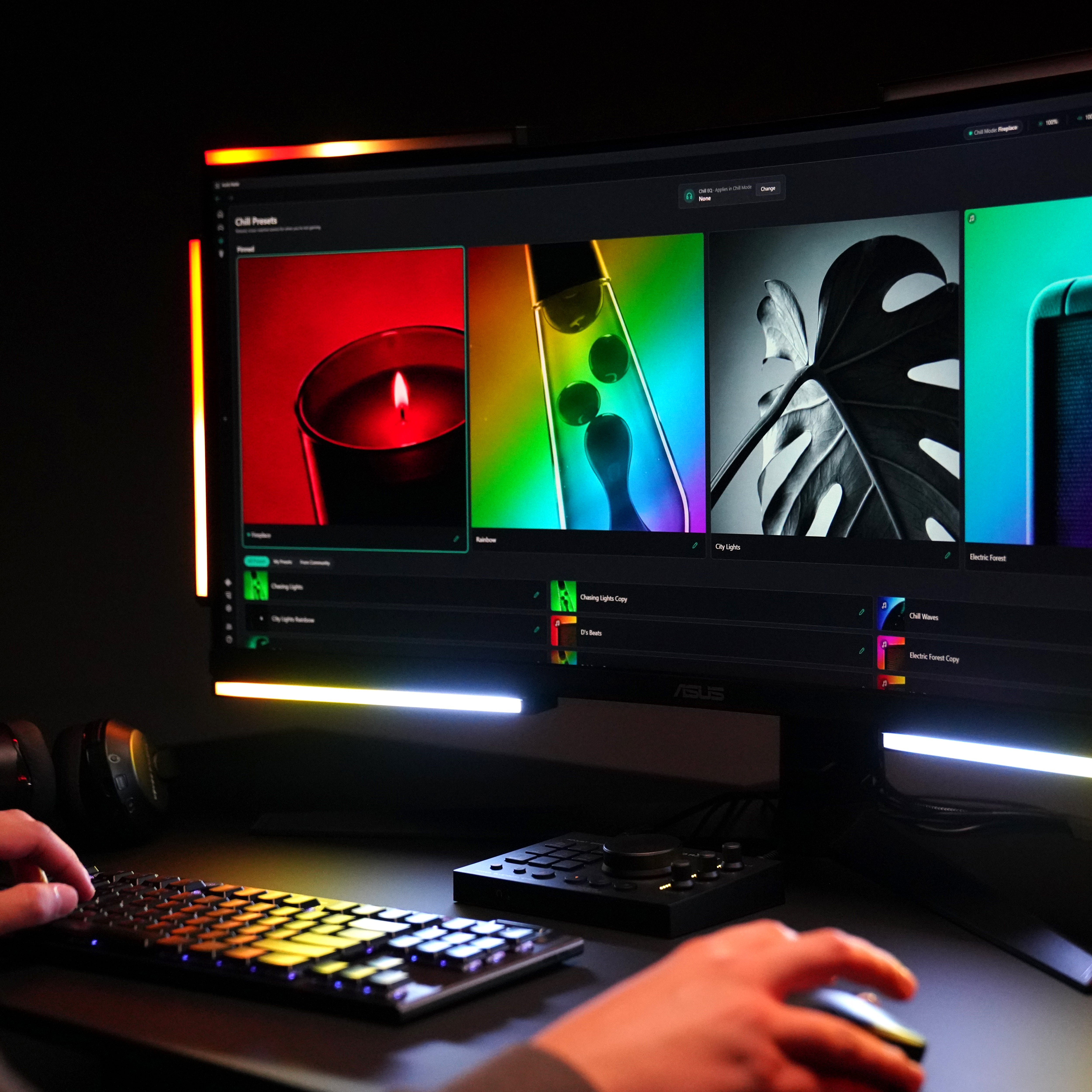
Three modes
Gaming. Chill. Lighting.
Gaming reacts to live game audio with directional cues. Chill turns the bars into ambient light that follows your sound. Lighting is your colors, your effects.
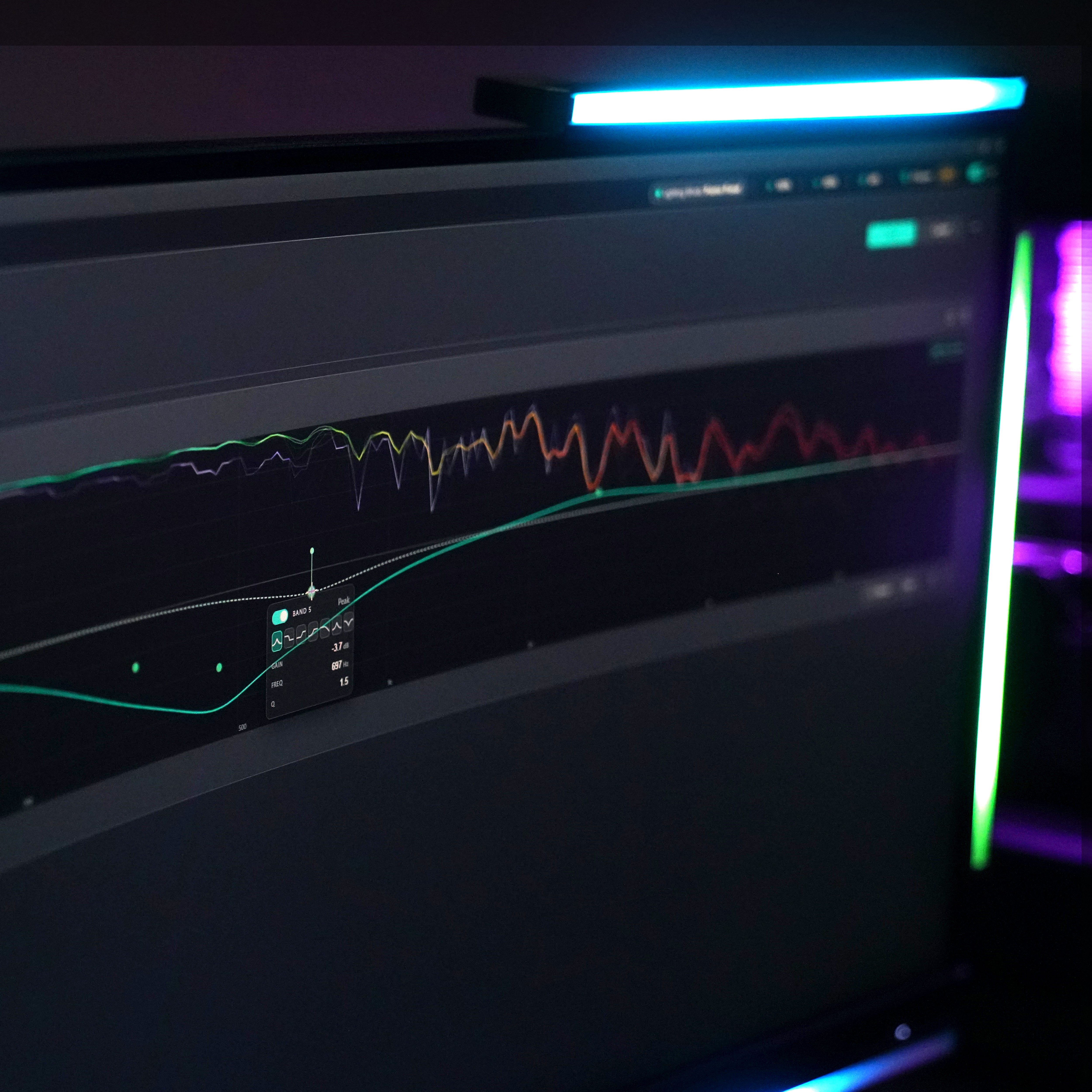
The desktop app — on PC
Add the app for deep tuning.
The same free app as Audio Radar 2.0: guided visual setup, EQ, noise gate, sensitivity, presets for every game — Windows 10 or 11 (64-bit).
Full app tourLighting mode
Camera-ready, in one click.
The same bars that track footsteps double as a studio light. Pick a tone, set the brightness, save it as a preset — a key light for streaming, fill for video calls, or just a room that looks the way you want it.
Chill mode
When the game's over, the bars keep playing.
Put music on and watch the bars move with it — the visualizer follows whatever's playing. Or hold a still ambient scene at your color and brightness. Gaming isn't the only mood.
On your desk — or under the TV
Made to fit your setup.
Mounts around your screen with 3M Command Strips. OLED or thin bezel? Add the L-Bracket Kit ›


Works with the games you play.
If your game has audio, Audio Radar can show it. A few favorites:





















Audio Radar 2.0 — or the original?
Which Audio Radar is right for you?
The original Audio Radar is the flagship — everything Audio Radar 2.0 does, plus Xbox, PlayStation, and Switch, with larger light bars. Gaming on PC only? Audio Radar 2.0 is the compact, purpose-built option — one USB-C cable and the same desktop app.
See the full comparisonAudio Radar
Audio Radar 2.0
Xbox, PlayStation, Switch — plus PC
PC — Windows 10 or 11 (64-bit)
HDMI audio on console; USB + desktop app on PC
USB-C + desktop app
Yes, on PC (free firmware v1.3.2 update)
Yes — guided setup, modes, EQ, presets, auto-update
Console and multi-platform gamers
PC-first gamers
FAQ
Questions, answered straight.
Straight answers — including the limits. Quickest answers often come from the community — join the Discord ›
Is this just RGB lighting?
No. RGB kits play patterns; Audio Radar reads your game's actual audio. Surround Vision Technology™ converts surround sound into directional light in real time, so a footstep on your left becomes light on your left. It's positional information, not decoration.
Will anti-cheat systems flag it?
Audio Radar never touches your game. It works from your console's HDMI audio signal — or, on PC, from your computer's audio output. No game files, no memory access, no overlays. The lights are external hardware; nothing is drawn on your screen.
What's in the box?
Everything you need to set up on your display: the Command Center, six light bars, the power supply, five coiled connector cables plus a 2-meter straight cable, 3M Command Strips, and a quick-start guide. HDMI cables aren’t included — most players use one they already have. Two add-ons exist so you only buy what your setup needs: the 7th Center Lightbar (sold separately — worth it for 55″+ displays and center-channel games like Call of Duty), and the L-Bracket Kit for OLED or thin displays. See the fit notes →
Does it work on PC?
I play on PS5 with a headset — anything to know?
Yes, one thing — and we'd rather you know it before you buy. The PS5 sends game audio to a connected headset or to HDMI, not both. Playing without a headset, or with TV sound: plug and play. With a headset: set Output to Headphones to "Voice Chat Only" so game audio reaches the light bars — or use a headset that connects through the HDMI chain. Message support with your exact setup and we'll check it before you order.
I have single-sided hearing — does this help?
Yes — this one's for you. On PC, the desktop app's Audio Routing lets you flip your headset output to Mono so the full game mix reaches your hearing ear — nothing gets lost on your other side — and the per-ear Balance slider weights it exactly how you like. Then let the bars carry direction: Surround Vision Technology™ shows you where every sound came from, no matter which ear it was mixed to. On console, the Command Center's headphone jack carries the game in stereo — and the bars still carry direction.
Does it work with every game?
Audio Radar works with any game that outputs audio — no per-game integration needed. It's at its best with games that output surround sound (most modern shooters do). Games that only output stereo still light up, but front/back separation is reduced — see the honest breakdown on the compare page.
Do you ship internationally?
Yes. We ship worldwide from the USA, and US orders ship free with 2-day FedEx delivery. For international orders to supported destinations, duties and taxes are calculated and collected at checkout, so prices show in your local currency and there is nothing to pay when your order arrives.
We currently cannot ship to Türkiye, Russia or China. If your country does not appear at checkout, we do not ship there yet.
What if it's not for me?
30-day returns, no hard feelings. Set it up, play your games, and decide in your own setup.
In the box
Everything you need.
Command Center · 6 light bars · power supply · 5 coiled 3.5 mm cables · 1 × 2 m straight 3.5 mm cable · 3M Command Strips · quick-start guide. HDMI cables not included.
