
See direction
Turn game audio into visual direction around your screen.

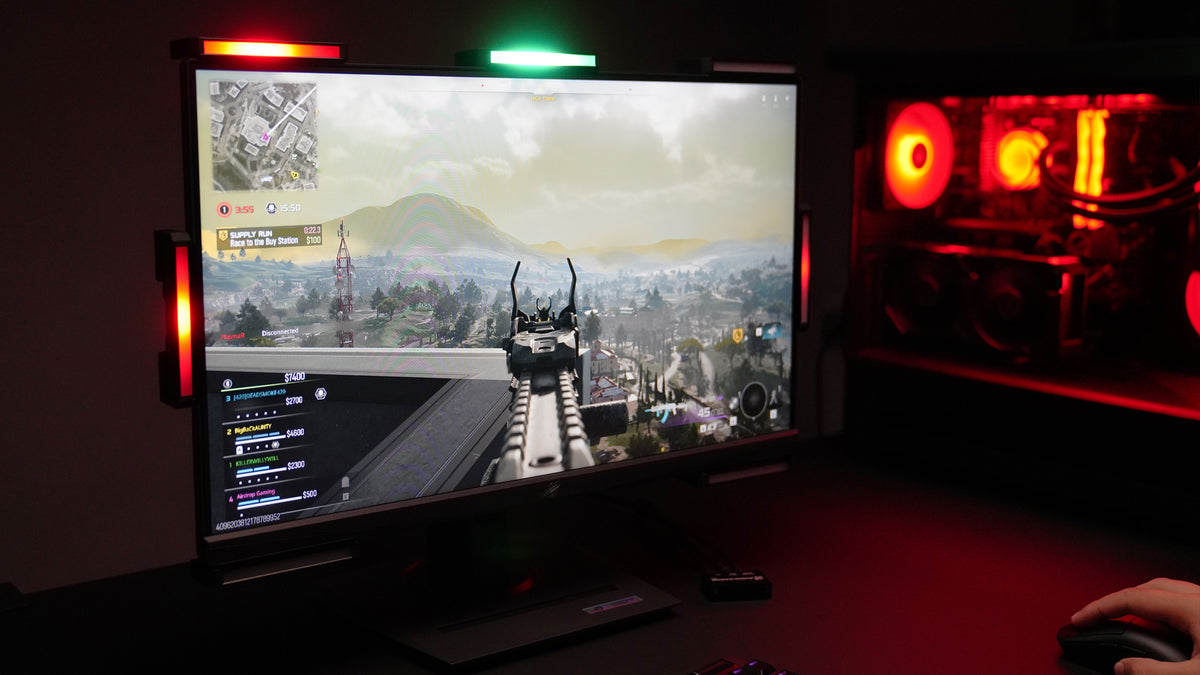
Turn footsteps, gunfire, vehicles and more into directional light around your screen.
Which do you play on?
Turn game sounds into directional light around your screen.
Which do you play on?
PC · Audio Radar 2.0 · $149 →Choose your setup
PC only? Choose Audio Radar 2.0. Playing on Xbox or PlayStation? Choose the original Audio Radar.
Desktop App
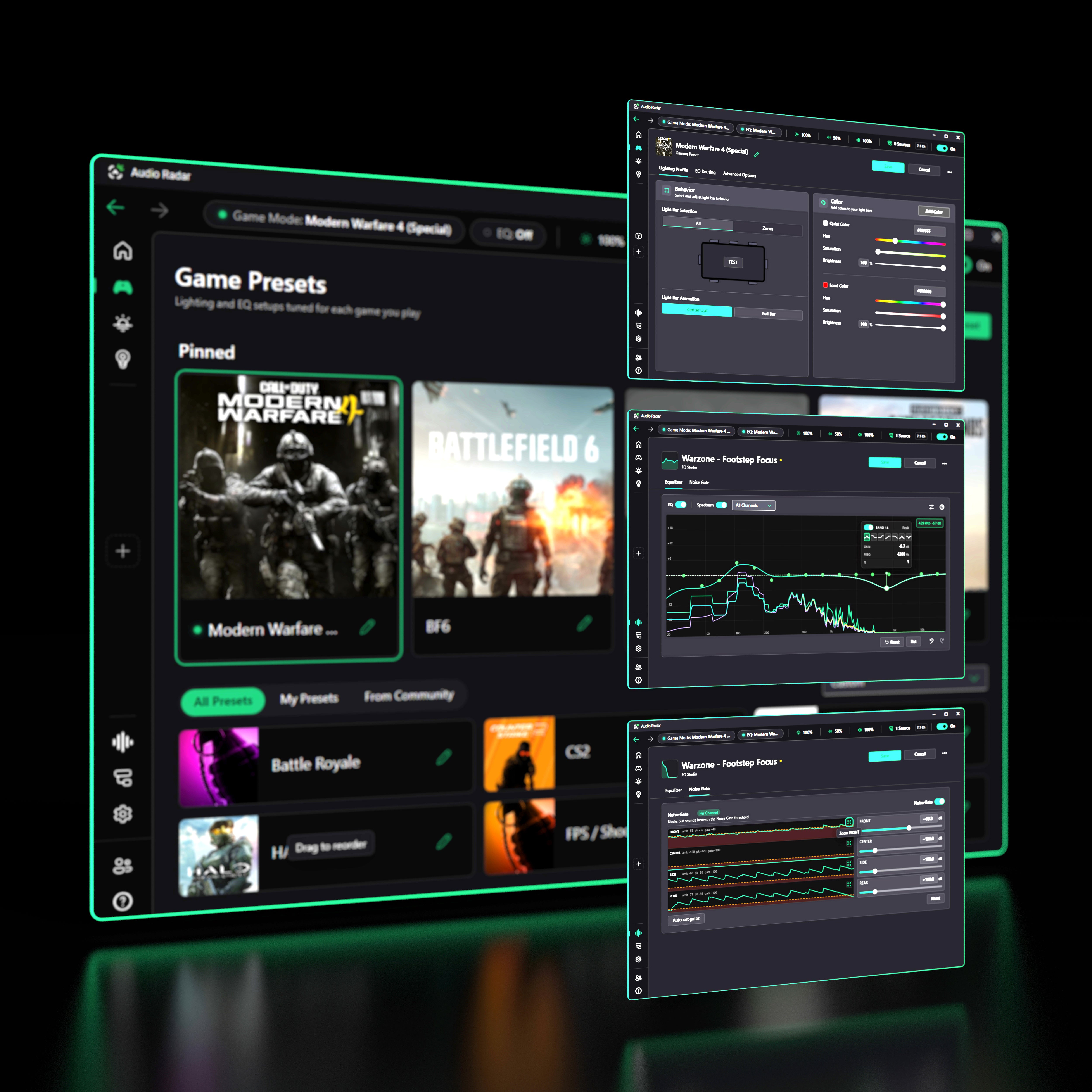
For hearing gamers, Audio Radar is more than visual direction. Tune what you hear and what the Lightbars show from one place.
FREE · WINDOWS 10/11
The Audio Radar Desktop App is the control center for your PC setup. Load game presets, tune footsteps with EQ, filter unwanted sound with per-zone noise gates, route audio, and customize your lighting. Required for Audio Radar 2.0. Optional with the original Audio Radar on PC.
Explore the Desktop AppSee it in action
Footsteps, gunfire, vehicles and other game sounds become visual direction around your screen. Watch it work in real games.
Built with Deaf and hard-of-hearing gamers. Useful for any gamer who wants another way to understand what’s happening around them.
Turn game audio into visual direction around your screen.

Keep using your headset while adding visual direction around your screen.

Use the Desktop App to adjust detection, EQ, presets, and lighting.
A few games Audio Radar works well with:













Why we build this
Audio Radar started with a round of Call of Duty played in silence. We invented Surround Vision Technology™ to make directional game audio visible, and we build it with Deaf and hard-of-hearing gamers who play every beta.
It can help turn sound signals into visual cues, so that gamers with hearing loss can ‘see the sound.’
An inspiring new gaming product that knocked my socks off at CES 2024
Gaming is at its best when it's inclusive. Our partnership with Airdrop Gaming aligns with our mission to empower all gamers with gear that lets them perform at their highest level.
The partnership
Audio Radar is the first partner in Logitech G's Start-Up for Good program, and Logitech G sells Audio Radar on their own store.
Setup help, presets, beta testers, and straight answers from the Audio Radar community.