
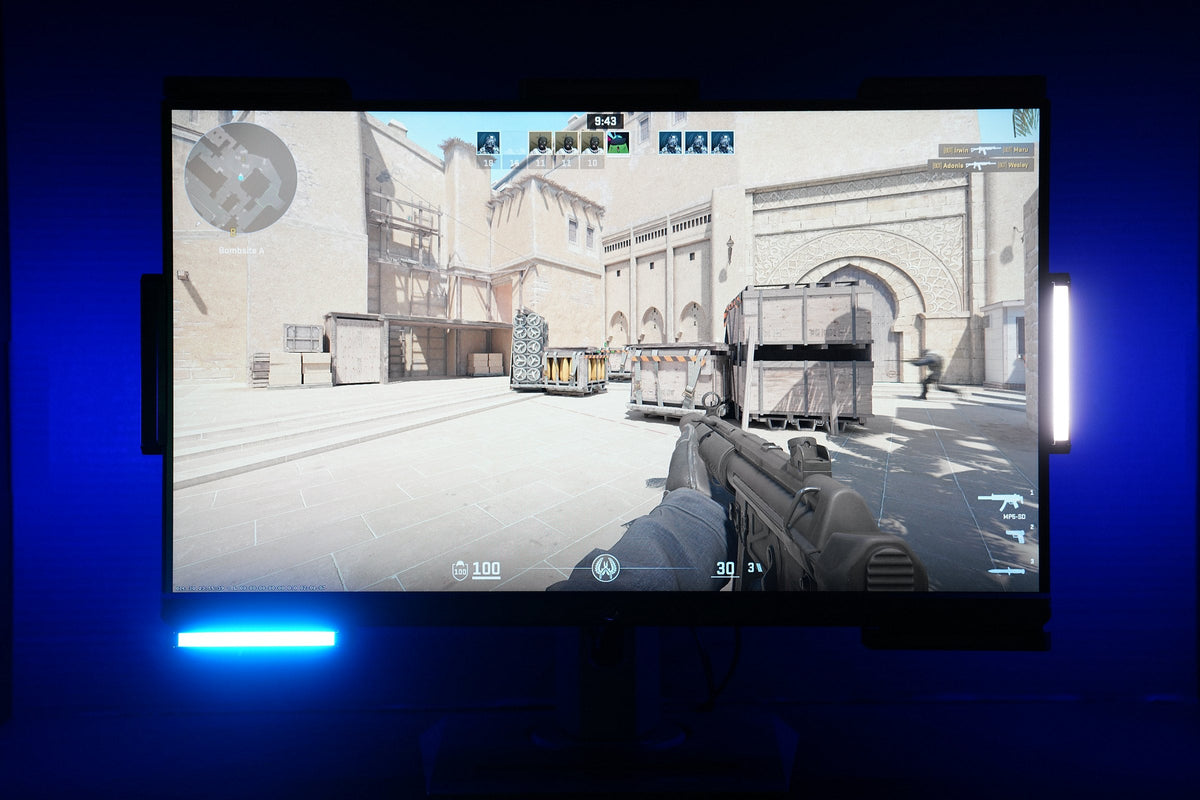
Counter-Strike 2now in surround
3 modes · 5-minute setup · any server · app 2.1.9+
Counter-Strike 2 is one of the most played shooters in the world, and it's a game you win with your ears. Footsteps around a corner, a shot from behind you, the beep of a planted bomb. For Deaf and hard-of-hearing players most of that has been out of reach. Not anymore! The newest Audio Radar desktop app puts CS2's sound on your light bars all the way around you, and your health, your magazine and the bomb timer too.

Add the Counter-Strike 2 plugin, press Set up CS2 once, and pick the Counter-Strike 2 Gaming card. That's it. It works on any server, Valve matchmaking and Premier included.
Surround, in a stereo game
Most shooters play in 7.1 surround, and Audio Radar's Surround Vision Technology™ lights the bar each sound came from. CS2 only plays stereo, so until now your bars could only show left or right. Full surround changes that: now you see what's behind you too.
Three ways to see CS2

Full surround Beta
Gunshots and footsteps on the bar they came from, behind you included. Everything else stays dark.

Left and right
A clean left or right, plus your magazine, health and the bomb timer on the top bars, and flashes, fire, round wins and deaths.

Audio Radar server
Every footstep, shot, grenade, reload and the bomb, from exactly where it is, each in its own color.
You pick Full surround or Left and right on your Gaming card. It only changes how CS2 lights. Every other game stays the way you set it.
Full surround: hear CS2 the way a full hearing player does
Full surround picks out each gunshot and footstep and lights the bar it came from, all the way around you.

What you'll see
-
Gunshots flash blue on the bar they came from. In our testing they land on the right bar, or the one next to it, about 9 times out of 10.
-
Footsteps glow white. They're harder to pick out under gunfire, so they show less often than shots, and best in the quieter moments of a round.
-
Everything else stays dark, so direction is all you see. No wash of ambience, no echo filling the bars.
Make it yours. Change either color or switch one off, and set Sensitivity to Low, Medium or High. High catches about twice as many shots as Low with nearly the same accuracy, and a few flashes will be echoes or your own movement.
Full surround is the newest thing in the app and we're still tuning it with players. It doesn't show the match effects below; pick Left and right for those.
Left and right: your HUD on the bars
Rather play with a plain left and right? This mode gives you a clean left and right and turns the top row of bars into a heads-up display.
- Clear left or right. Only the side a sound is on lights up, instead of both sides glowing at once.
- Hide your own steps and shots. Your own footsteps and shots stay dark. The catch: an enemy exactly in front of you or behind you stays dark too. A step to either side still shows.
- Punch. Turn it up in Advanced Options and every shot is its own flash with dark in between, so a spray reads as rounds instead of one solid bar.
Match effects
1234
-
1Magazine top left
Drains as you shoot. -
2Bomb timer top center
Counts down once the bomb is planted. -
3Health top right
Shrinks as you lose health. -
4Action on your right right side bar
A shot or a step on that side.
| Effect | Where | What it does |
|---|---|---|
| Magazine | Top left | Drains as you shoot. White, then amber when you're low, red when you're nearly out, and blue while you reload. |
| Health | Top right | Shrinks as you lose health, green to yellow to red, and beats at 25 or under. |
| Bomb timer | Top center | Counts down the 40-second fuse once the bomb is planted, beating faster near the end. Green when it's defused. |
| Flashbang | Every bar | Whites out as much as you're blinded, then fades as your sight comes back. |
| Fire | Every bar | An orange flicker while you're standing in fire. |
| Round won | Every bar | A wash in the winning team's color: blue for CT, gold for T. |
| Death | Every bar | The bars dim for a moment when you die. |
Each effect has its own switch and a Preview button, so you can see it on your bars before you play. On a six-bar setup there's no top-center bar, so the bomb timer pulses every bar instead.


The Audio Radar server: every sound, in its own color
Want the whole picture? Come play on our server! On a server running the Audio Radar plugin, every sound shows up exactly where it is, each kind in its own color.
- Footsteps
- Gunfire
- Grenades
- Bomb
- Reloads
- Jumps and landings
- Change any color, or turn one off.
- Turn, and the lights turn with you. A sound stays pinned to where it is in the map.
- Tune it with Range, Distance contrast and Glow time.
- Add your HUD. With your card on Left and right, your magazine, health and the bomb timer show up on the top bars too.
The plugin only lights a footstep or movement sound if a full hearing player standing where you are would hear it. Footsteps fade out at the same distance CS2's own hearing does. Access, not advantage.
It's open to every Audio Radar player in the beta. Bots fill the empty slots, so you can jump in any time, and other Audio Radar players can join you. Your bars pair with you by themselves, no code needed.

Running your own server, or playing on a friend's? The setup guide on the Counter-Strike 2 screen walks you through both.
Set it up
Audio Radar 2.0, or the original Audio Radar connected to your PC, with the Audio Radar desktop app 2.1.9 or newer, and Counter-Strike 2 installed through Steam on the same PC.
Add the plugin.
+→Counter-Strike 2→Add to sidebarClick + in the left sidebar. Counter-Strike 2 is marked Beta.
Connect to CS2. On the Counter-Strike 2 screen, choose Valve servers and press Set up CS2. It adds one small file to CS2's folder. Restart CS2 if it's open.
STEP 2READY
Valve servers, set up and ready. Lights in a match shows which card CS2 will use, and how. Pick your card. In Gaming, choose the built-in Counter-Strike 2 card. It's set to Full surround. To use your own card instead, open it, go to Advanced Options, and set Counter-Strike 2 to Left and right or Full surround.
ADVANCED OPTIONSFULL SURROUND
Full surround. This card has gunfire switched to red; out of the box it's blue. ADVANCED OPTIONSLEFT AND RIGHT
Left and right, with every match effect switched on. Set CS2's audio (below) and play! Once you're in a match, the Counter-Strike 2 screen shows your health and magazine live, so you know it's connected.
CS2 audio settings that read best on the bars
| Setting | Set it to |
|---|---|
| Audio Device | Your Audio Radar device, chosen by name |
| L/R Isolation | 100% |
| Perspective Correction | No |
| EQ Profile | Crisp |
| Master Music Volume | 0 |
| Main Menu Ambience Volume | 0 |
| 10 Second Warning Volume | 0 (the top-center bar shows the fuse instead) |
| Other Player Voice Volume | 0, unless you use voice chat |
| Hear My Own Voice | Off |
Music and voice make sound the bars would light for, so turning them down keeps the lights about the match.
Is it safe for my account?
Yes. Nothing here touches the game you play. Your CS2 stays exactly as Valve ships it.
- Full surround and Left and right read the sound coming out of your PC, the same sound your headphones get.
- Match effects use Valve's own Game State Integration. Set up CS2 adds one config file to CS2's folder, which is how that feature is switched on.
- The Audio Radar plugin runs on the server, not in your game.
- No injection, no memory reading, no mods to your copy of CS2.
Above 50%, Punch turns automatic fire into a strobe of 10 or more flashes a second. It's off until you turn it up, and the app shows a warning any time it's set higher. The flashbang effect whites out every bar. If flashing lights affect you, keep Punch at 50% or under and switch the flashbang effect off.
Tell us what you see!
Full surround and the Audio Radar server are brand new, and we're tuning them with players right now. Come find us in our Discord at audioradar.com/discord, tell us what works and what doesn't, and meet us on the server.
When everyone can play, gaming is better.
Airdrop Gaming, LLC · Zeeland, Michigan · audioradar.com
Counter-Strike 2 is a trademark of Valve Corporation. Audio Radar is not affiliated with or endorsed by Valve. Surround Vision Technology™ is a trademark of Airdrop Gaming, LLC.


Dejar un comentario
Este sitio está protegido por hCaptcha y se aplican la Política de privacidad de hCaptcha y los Términos del servicio.