
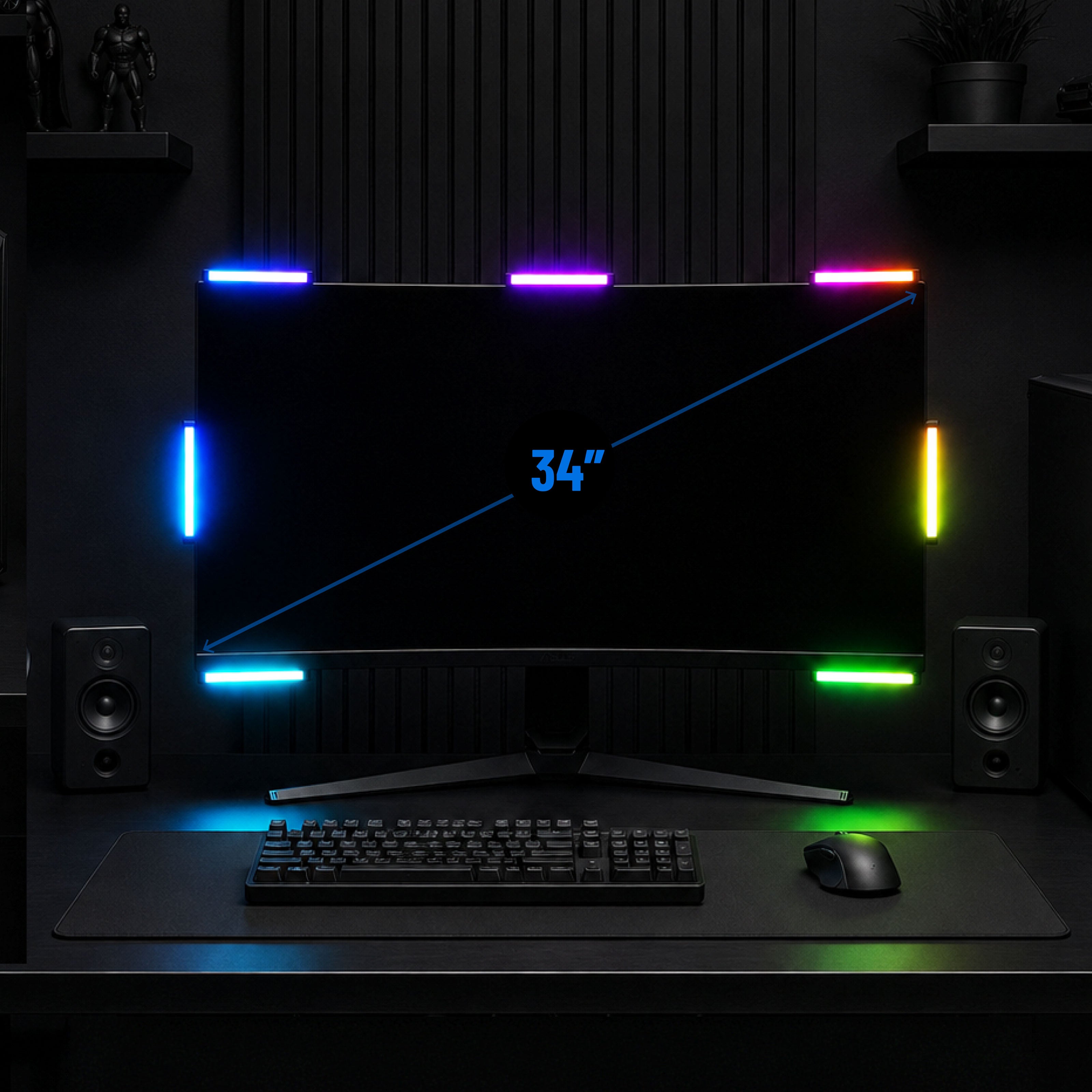
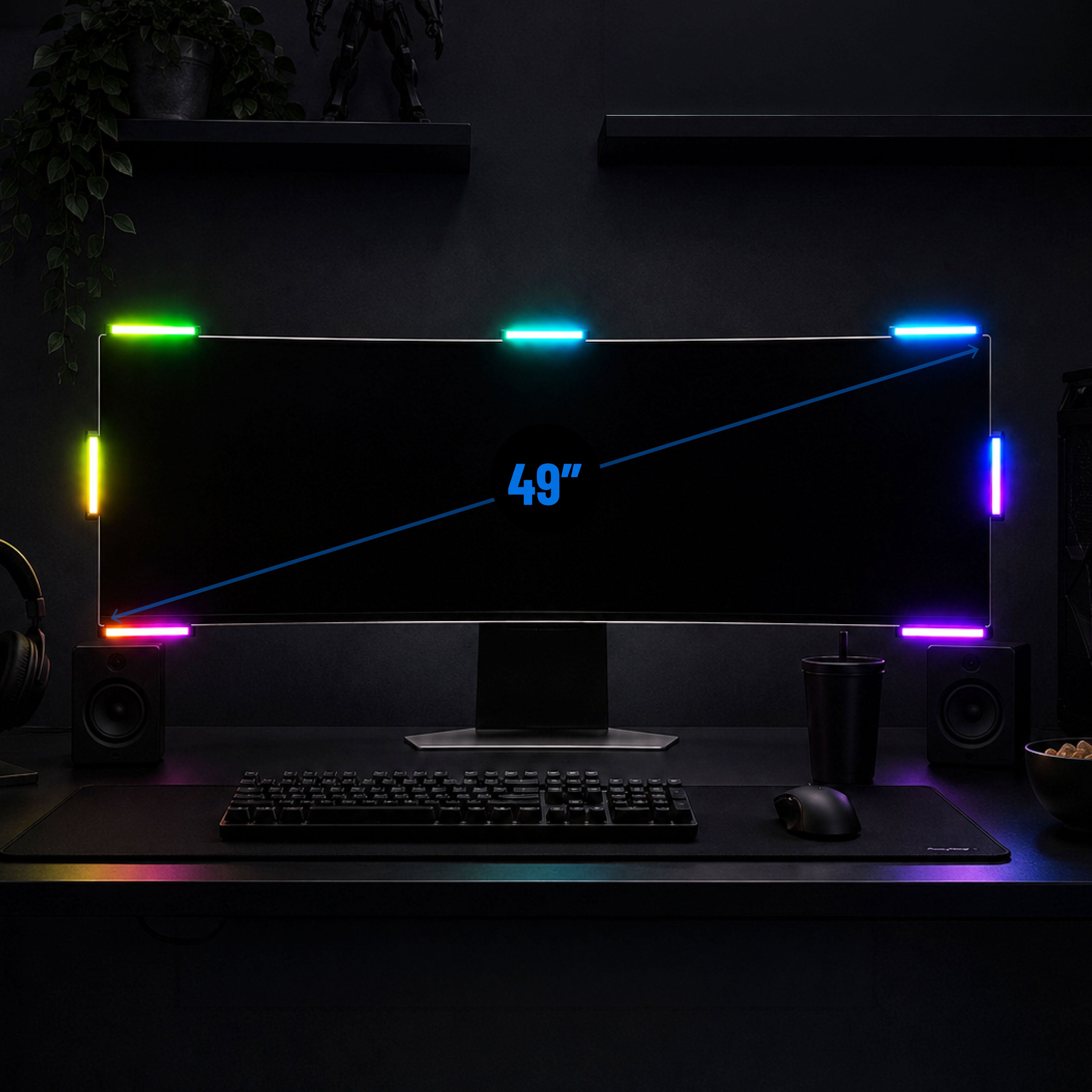
Audio Radar 2.0
Jeden Klang sehen. Speziell für den PC entwickelt.
Im Lieferumfang enthalten: 7 Lichtleisten, Center inklusive
4.7★ · Über 3.000 Setups
Kostenloser 2-Tages-Versand (USA) · 30 Tage Rückgaberecht · 1 Jahr Garantie
International: Pauschale Versandkosten von 29 $ nach Europa & Ostasien · 19 $ nach Kanada & Mexiko · Steuern & Zölle werden an der Kasse für die meisten Länder erhoben – keine unerwarteten Gebühren bei Lieferung. Details ›
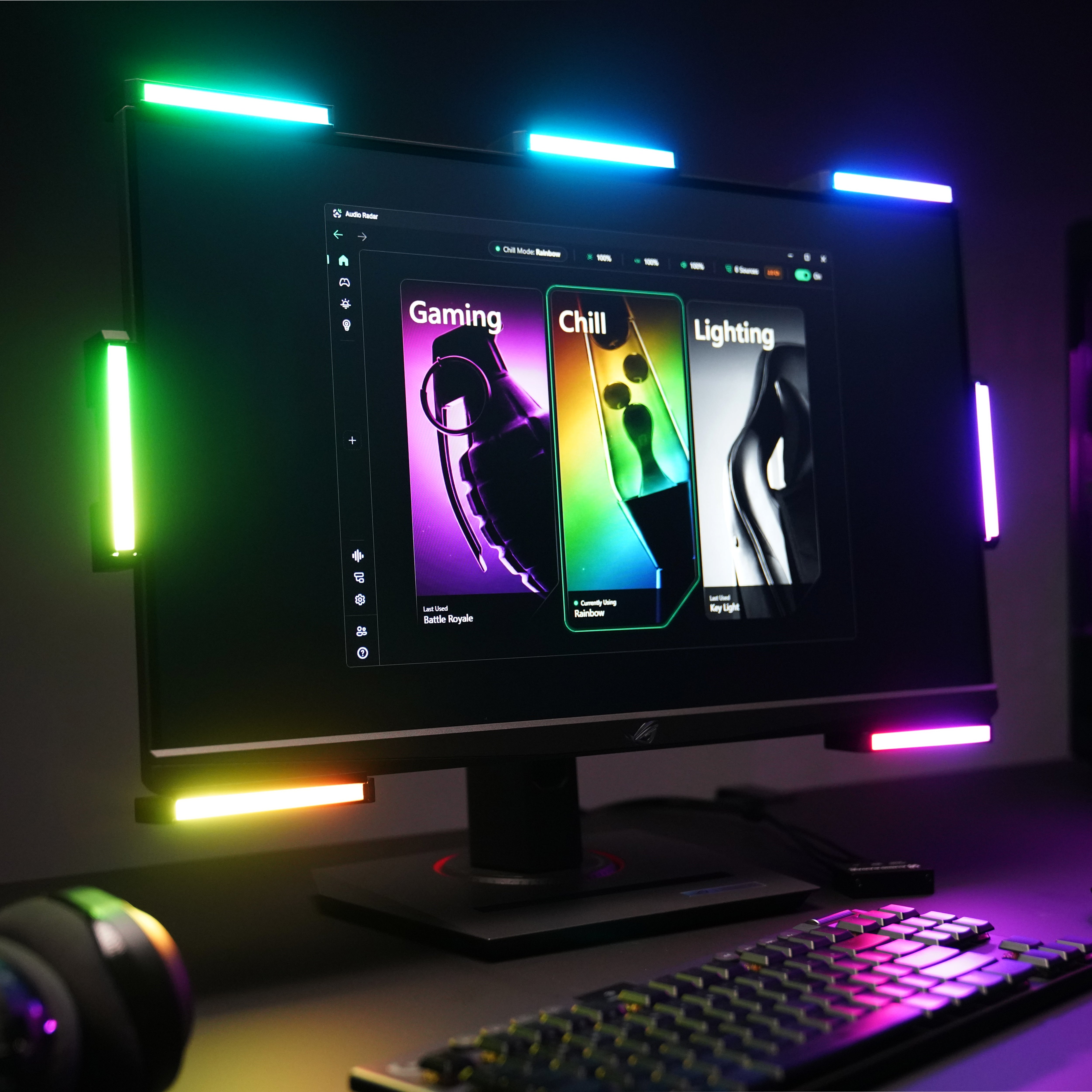
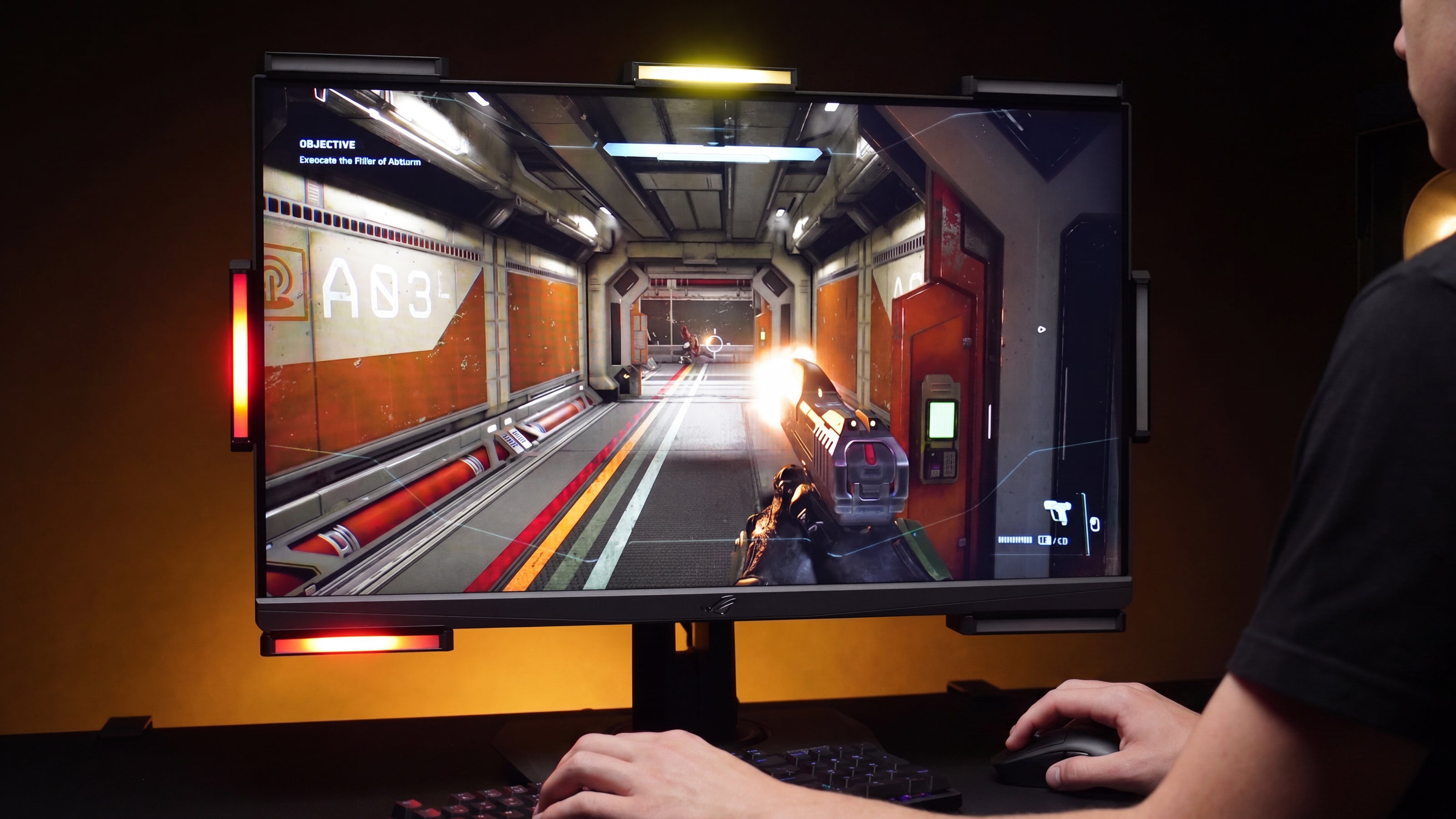
Audio Radar 2.0 verwandelt den Ton deines Spiels in ein gerichtetes Echtzeitlicht um deinen Monitor. Fußtritte, Schüsse, der Spieler, der sich von hinten anschleicht. Die Surround Vision Technology™ zeigt jedes Geräusch als Licht genau dort an, wo es herkommt, etwa 25 Millisekunden nachdem es aufgetreten ist.
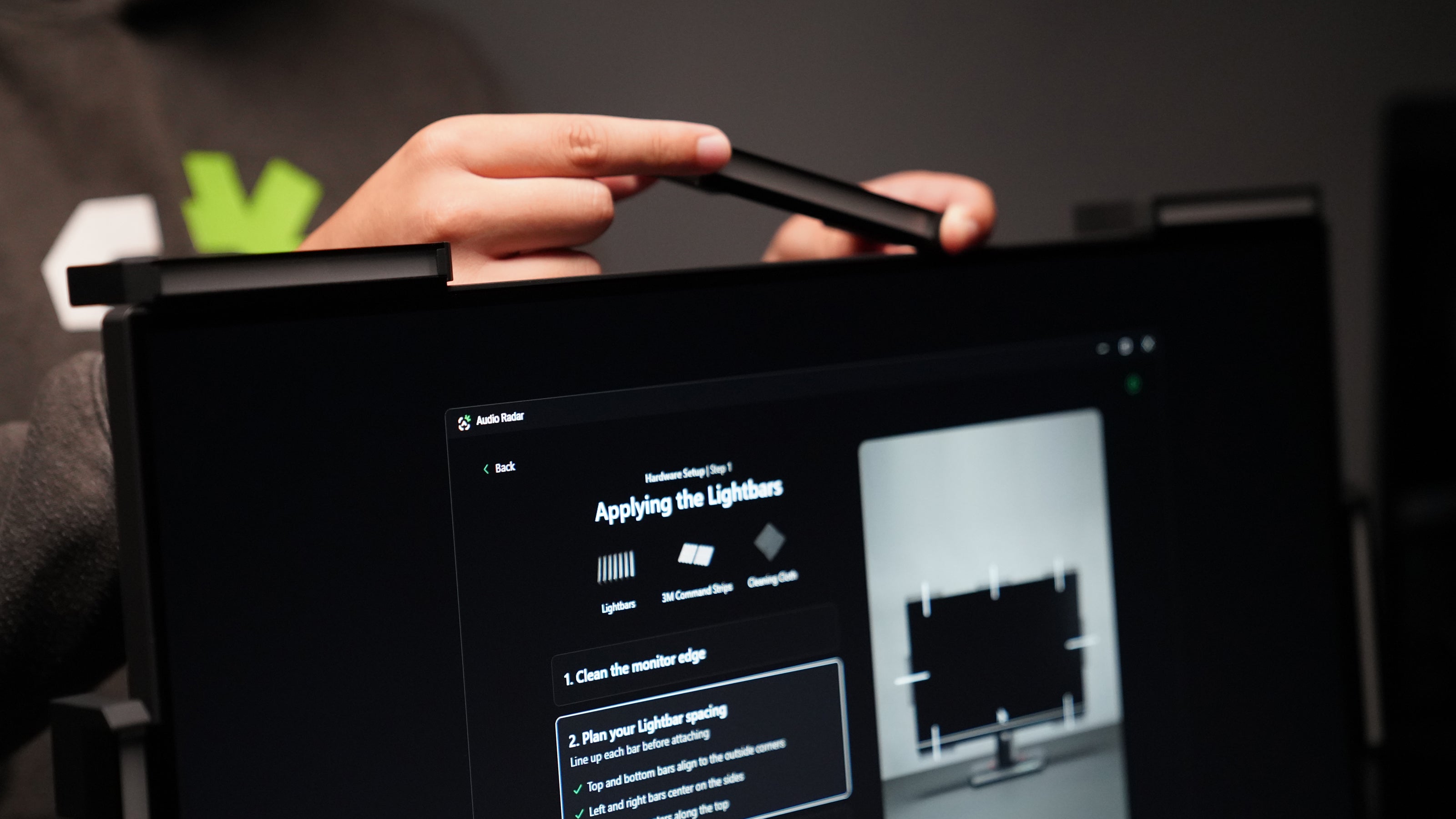
Ein USB-C-Kabel zu deinem PC. Eine kostenlose Desktop-App für Windows 10 und 11, die dich visuell und Schritt für Schritt durch die Einrichtung führt: Es wird kein Ton benötigt, um loszulegen, und auch kein Audio-Engineering-Studium. Kein Voicemeeter, niemals.
Am besten ist es dort, wo direktionale Sounds über Kämpfe entscheiden: Call of Duty und Warzone, PUBG, Fortnite, Valorant, Rust. Und du behältst dein Headset: In PUBG Sound Lab-Tests erzielten Spieler, die ein Headset und Audio Radar zusammen verwendeten, 47 % höhere Ergebnisse als mit dem Headset allein.
Entwickelt und konstruiert in den USA, mit direktem Input von gehörlosen und schwerhörigen Spielern, und gespielt von allen, die visuell zuerst spielen, von einseitigem Hören und Tinnitus bis hin zur auditiven Verarbeitung. Diese erste Produktionsserie wird in Michigan gebaut.
Plattform: 64-bit Windows 10 (Build 1709+) oder Windows 11 · kostenlose Desktop-App erforderlich
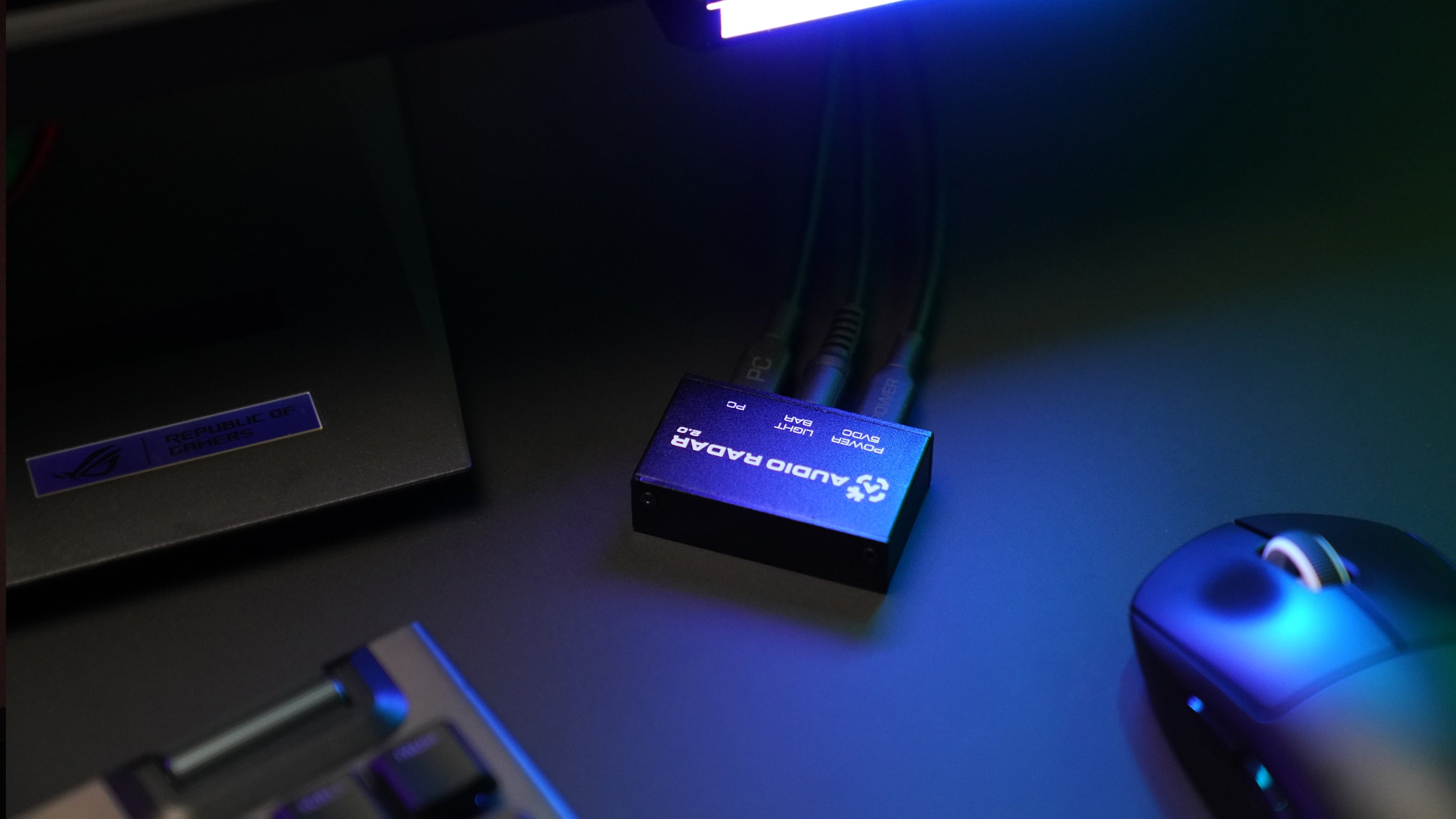
Anschluss: USB-C-Daten + USB-C-Strom — nichts berührt Ihr Videosignal
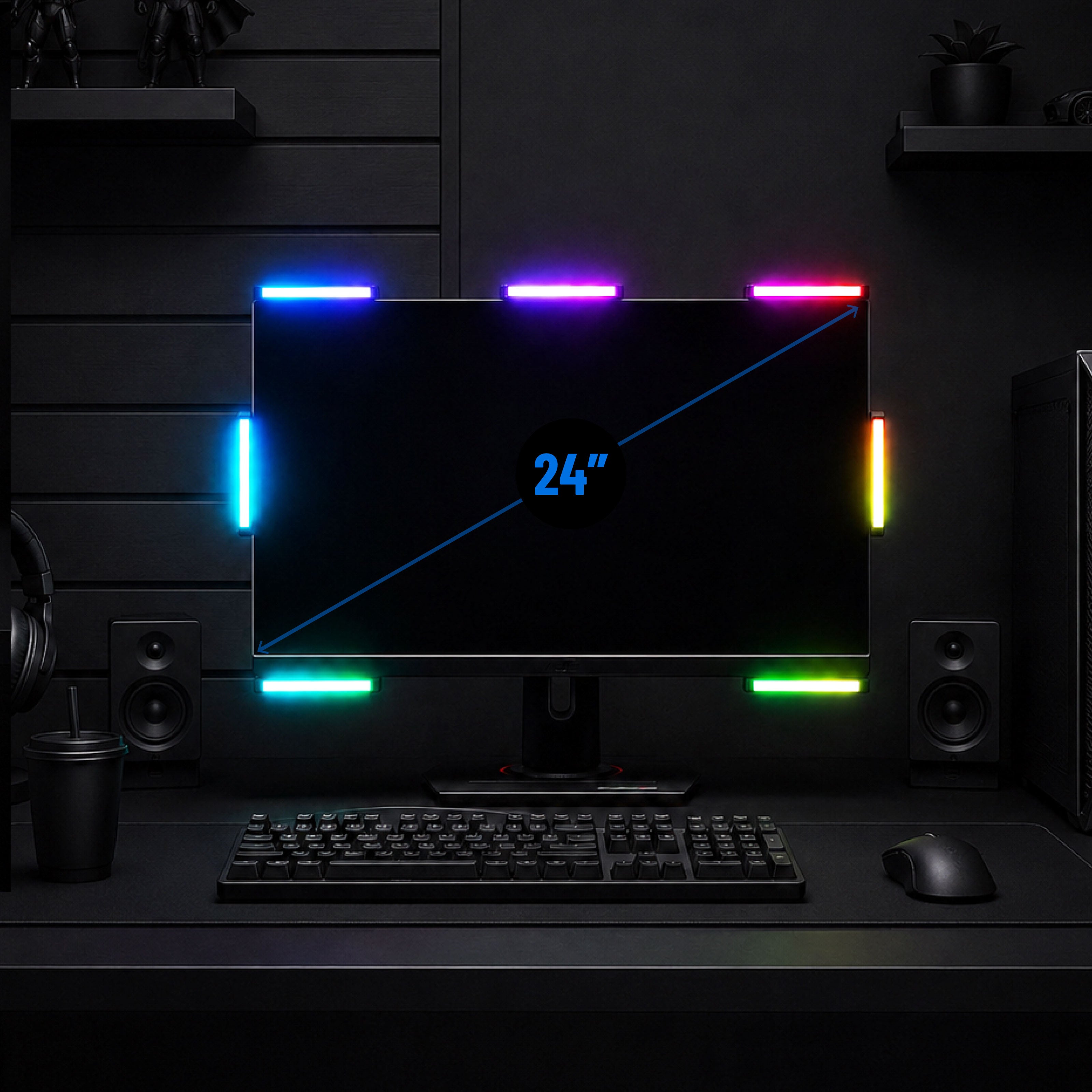
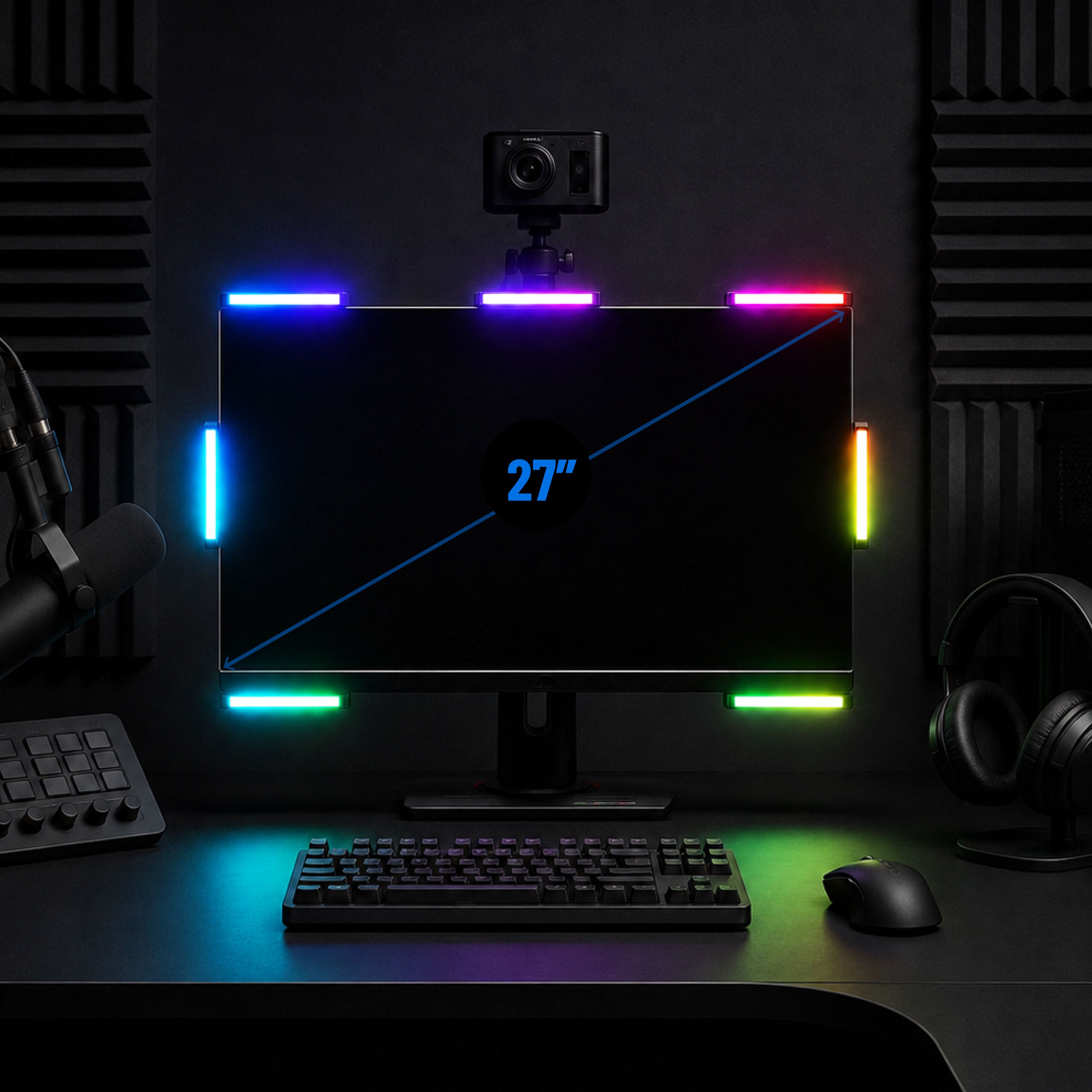
Lichtleisten: 7 × 4,5″ Aluminiumleisten, Mitte enthalten · 3M Command Strip Montage
Sound-to-Light: Echtzeit — reagiert, während der Ton geschieht
Nur Windows-PC – kein macOS, Linux, Windows ARM oder Konsole. Am besten mit Spielen, die 5.1/7.1 Surround-Sound ausgeben; reine Stereo-Spiele bieten Links/Rechts mit weniger Trennung zwischen vorne/hinten. Ihr Headset funktioniert weiterhin – die App sendet Audio gleichzeitig an beide.
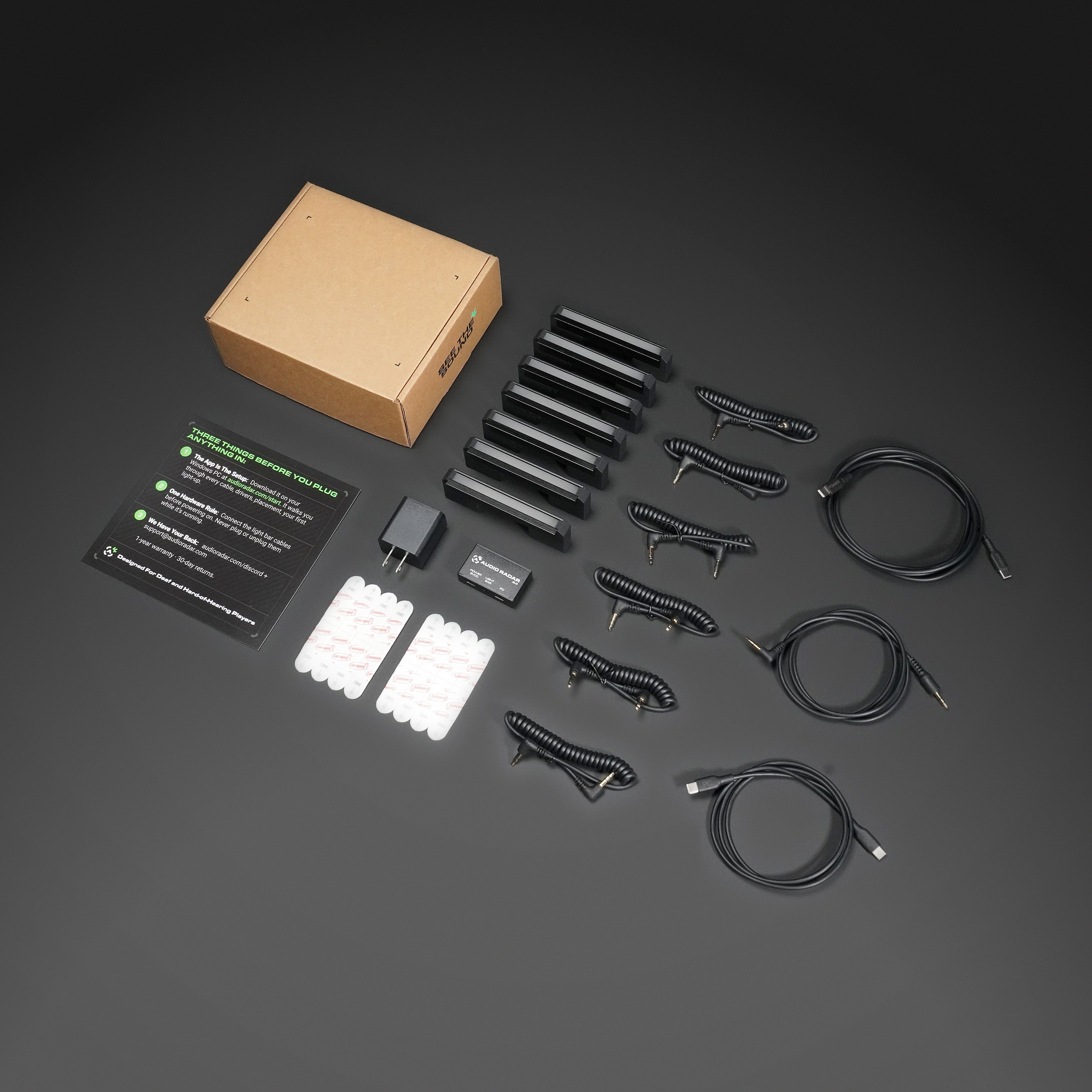
7 Leuchtstäbe · Kontrollmodul · 2 USB-C-Kabel · Netzteil · 7 Stabkabel · 14 Montageleisten · Kurzanleitung
1 Jahr eingeschränkte Garantie · 30 Tage Rückgaberecht · Persönlicher Support vom Entwicklungsteam.
Die schnellsten Antworten, Tag und Nacht: die Community. Tritt dem Discord bei ›
Einfach im Aufbau
Vom Game Audio zum Licht.
Die Einrichtung dauert nur wenige Minuten. Die kostenlose Windows-Desktop-App erledigt die Zuordnung für Sie.
47 %
Leistungssteigerung – PUBG Sound Lab Tests
Lesen Sie die Studie
3.000+
Einheiten in den heutigen Spieler-Setups
In Aktion sehen
Echte Spiele. Echte Momente.
Ein Geräusch ertönt außerhalb des Bildschirms. Ein Licht erscheint an der Stelle, woher es kam – das ist das ganze Produkt. So sieht es in verschiedenen Spielen aus.
PUBG Sound Lab
Four setups, forty runs, and the headset finished third.
Sound Lab plays a gunshot and asks you to shoot the target closest to it. No sound at all averaged 38.8. A headset on its own averaged 127.7. Audio Radar alone, with the game muted, averaged 142.6. A headset plus Audio Radar averaged 187.7.
Which puts a headset third of the four. Sound Lab is a controlled environment and this was one player's testing rather than a clinical trial, so treat it as indicative, not final.
Read the full results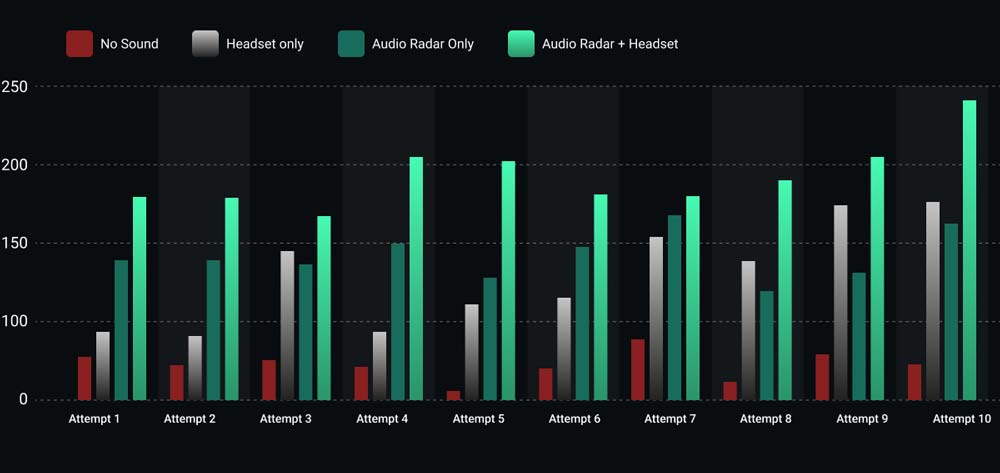
The results
All ten runs, nothing averaged away.
Headset plus Audio Radar came out on top in every one of the ten attempts. Audio Radar on its own, with the game muted, beat the headset in six of them.
The four where the headset won are on the chart too. Ten runs by one player is a small test, and showing the spread is more useful than showing only the average.
Call of Duty: Black Ops 6
Footsteps, lit up as they move.
An opponent circles a transportation chamber. The player never sees them and never needs to: the bars follow the footsteps around the room in real time, so the light moves as the enemy moves.
Watch the handoff from one bar to the next. That is the moment a flank stops being a surprise.
PUBG
Scoped in, and you still catch the flank.
The player is zoomed on a distant target, which is exactly when tunnel vision gets you killed. Shots come in from the right, and the right-hand bar fires before the scope has moved a pixel.
Under five seconds, and it is the whole argument for putting sound in your peripheral vision.
Rust
The growl behind you, before you turn.
A bear lines up a charge from behind. The rear bar catches the low growl while the player is still facing the wrong way, which is the only warning you get in that situation.
If you watch one clip on this page, make it this one. It takes no shooter knowledge to read, and it is the clearest picture of what a sense you did not previously have actually feels like.
PUBG
An engine circling, from the far right.
A vehicle approaches from the far right and arcs around the player. The bars track it the whole way, so you read not just where it is but which way it is going.
A ping tells you something happened. This tells you what it is doing.
Rust
The supply plane, before it is on screen.
An airdrop plane is audible long before there is anything to see. The engine registers on the edge of your vision the moment it comes into range, and in Rust that is the difference between reaching the crate first and arriving second.
Minecraft, with the plugin
Every sound type gets its own color.
The downloadable Minecraft plugin goes past direction. Each kind of sound is mapped to its own color, so a mob, a footstep and a breaking block are told apart at a glance instead of by position alone.
Works with both Audio Radar 1 and Audio Radar 2.
Die Desktop-App
Die App, die den Ton angibt.
Kostenlos, erforderlich und eine große Hilfe – das bietet es Ihnen.
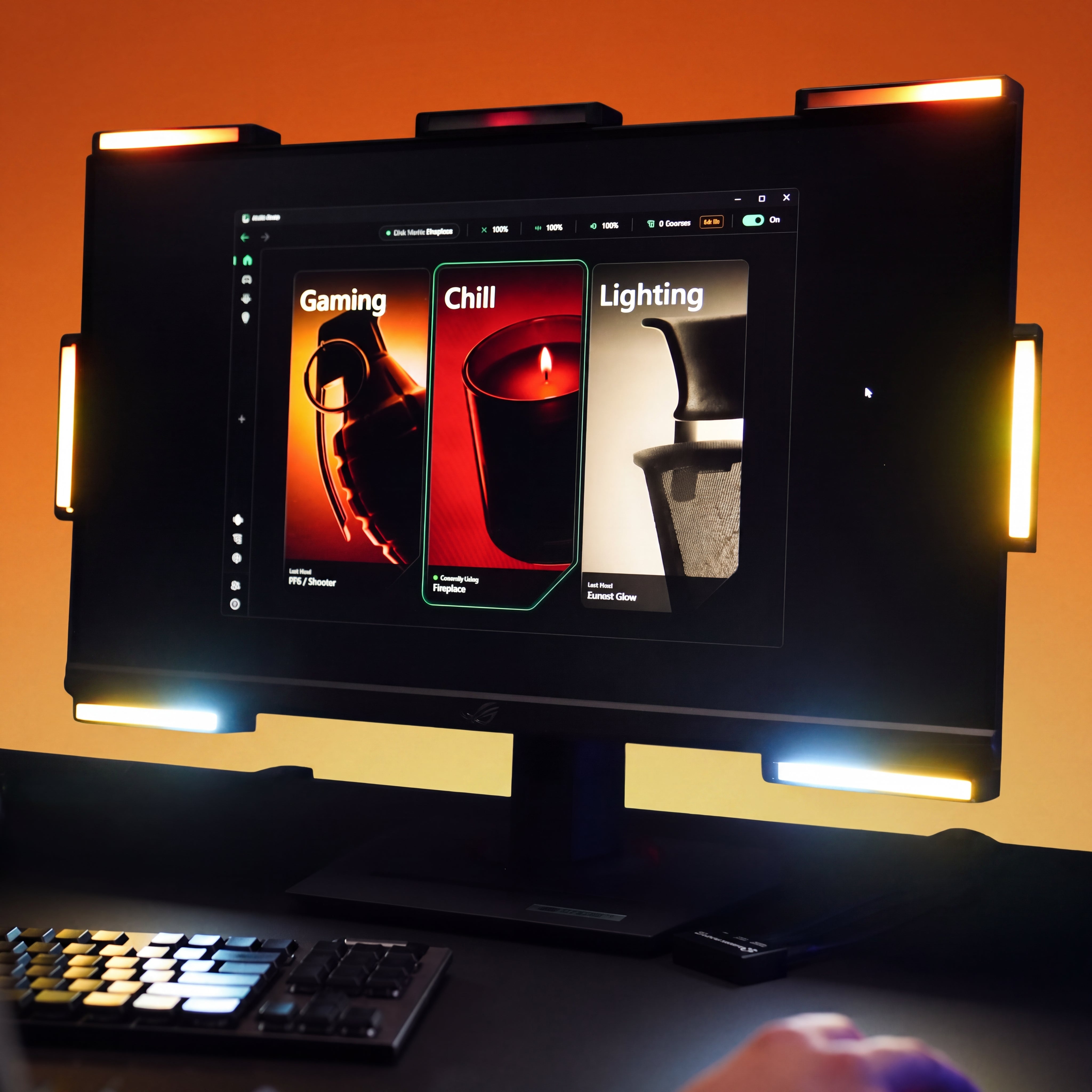
Drei Modi
Gaming. Entspannung. Beleuchtung.
Gaming reagiert auf Live-Game-Audio mit Richtungshinweisen. Chill verwandelt die Leisten in Umgebungslicht, das Ihrem Sound folgt. Lighting sind Ihre Farben, Ihre Effekte. Ein Klick wechselt.
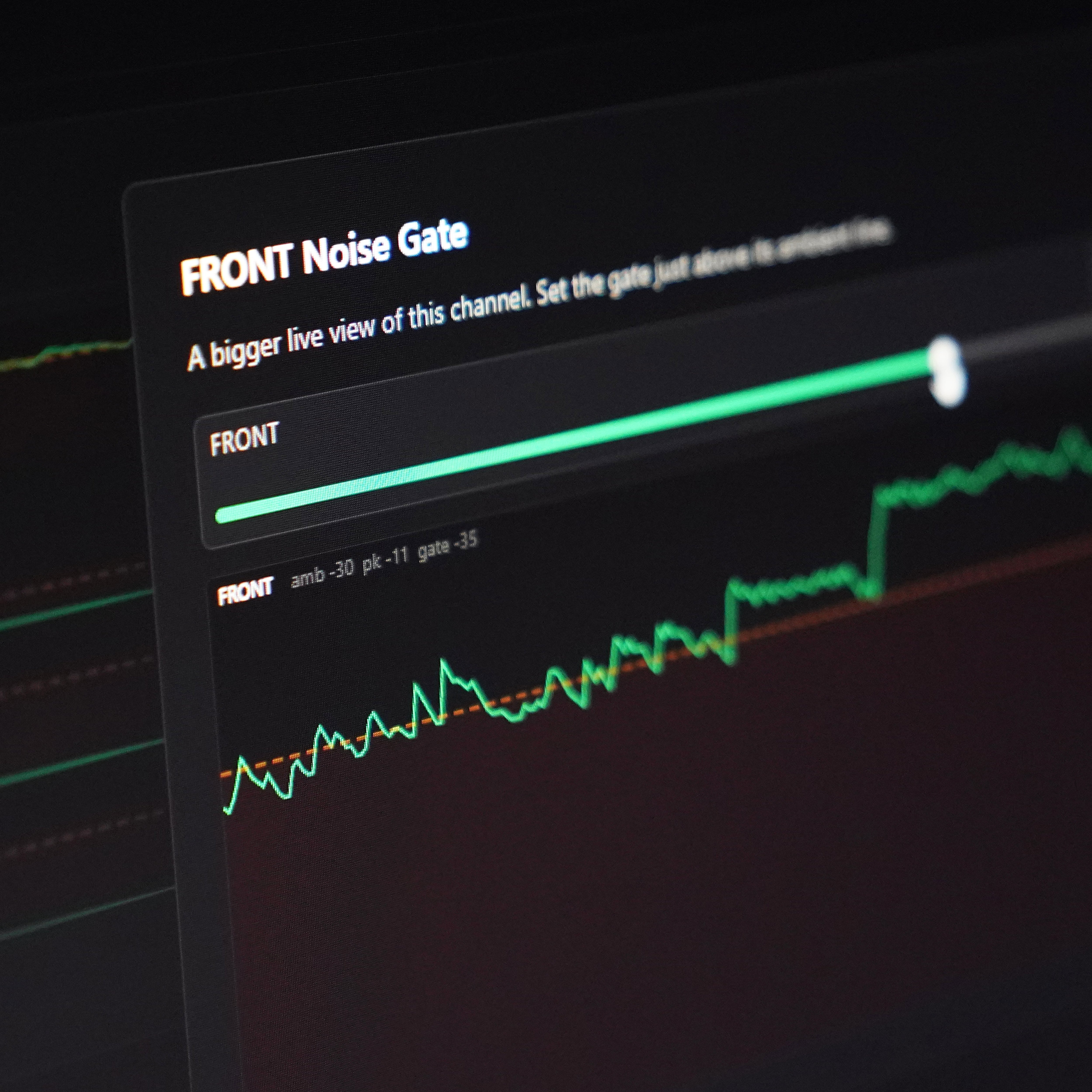
EQ · Noise Gate · Empfindlichkeit
Blende das Rauschen aus. Mach es zu deinem eigenen.
Filtern Sie das Hintergrundgeräusch heraus und legen Sie fest, wie viel Lautstärke erforderlich ist, damit ein Pegel aufleuchtet – damit Ihre eigenen Schritte den wichtigen Ton nicht überdecken. Voreinstellungen für jedes Spiel, Community-Voreinstellungen zum Teilen und Herunterladen.
Vollständige App-Tour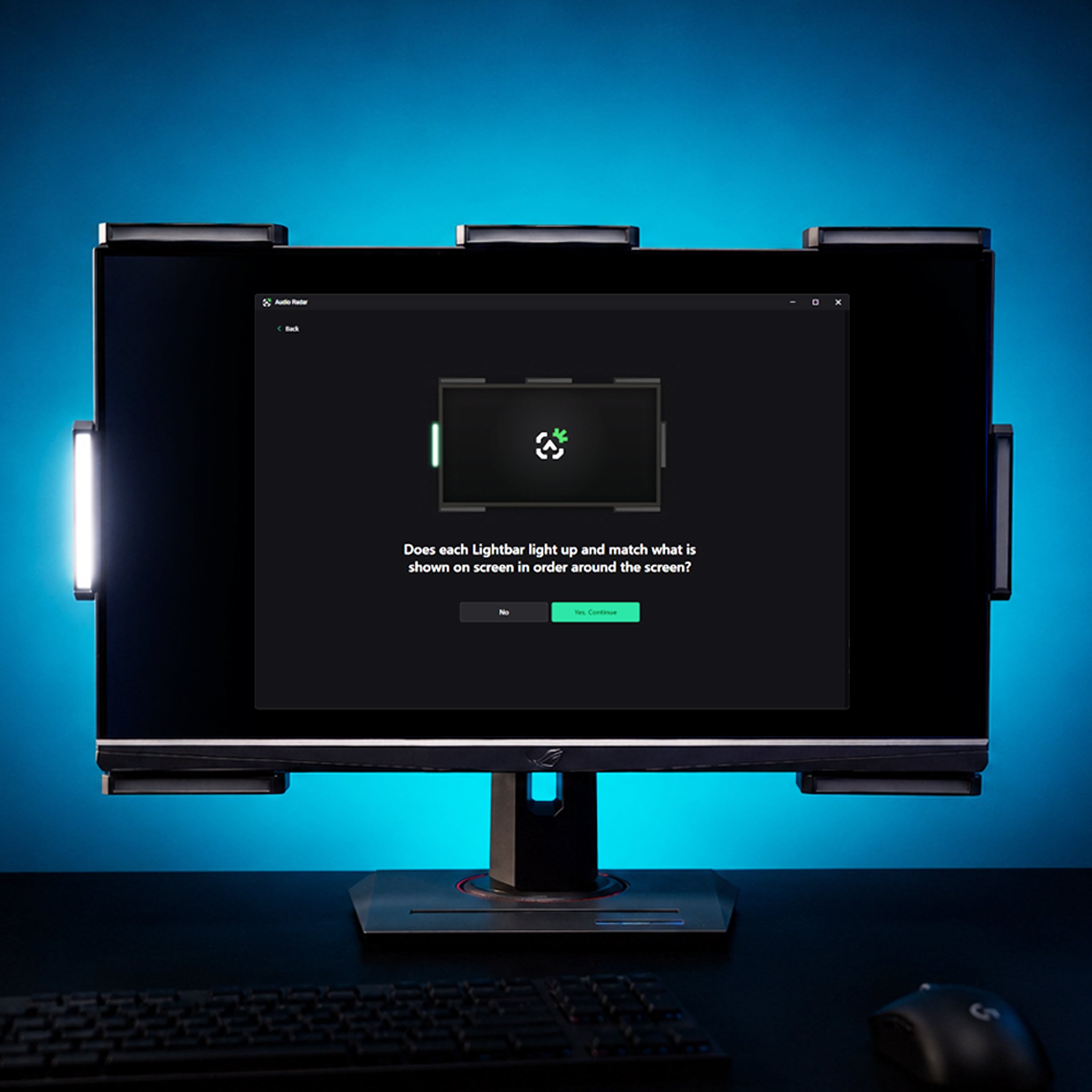
Zwei Tests, kein Raten
Nach Sicht einrichten, nicht nach Gehör.
Die Einrichtungsleuchten jedes Balkens auf dem Diagramm und in Ihrem Raum gleichzeitig, einen nach dem anderen um Ihren Bildschirm herum – Sie bestätigen mit Ihren Augen. Dann wird bei einem zweiten Test echter Ton durch jeden Surround-Kanal wiedergegeben und das Radar reagiert von Anfang bis Ende.
Nichts hängt von Ihrem Gehör ab, und jeder „es funktioniert nicht“-Pfad führt zu einer echten Lösung. Sehen Sie sich Doms exemplarische Vorgehensweise an ›
Auf Ihrem Schreibtisch
Passend für Ihr Setup gefertigt.
Wird mit 3M Command Strips um Ihren Bildschirm herum befestigt. OLED oder dünner Rahmen? L-Halterungs-Set hinzufügen ›


Funktioniert mit den Spielen, die Sie spielen.
Wenn dein Spiel Audio hat, kann Audio Radar es zeigen. Ein paar Favoriten:




















Audio Radar 2.0 – oder das Original?
Welches Audio Radar ist das Richtige für Sie?
Das ursprüngliche Audio Radar ist das Flaggschiff – es kann alles, was Audio Radar 2.0 kann, plus Xbox, PlayStation und Switch, mit größeren Leuchtbalken. Audio Radar 2.0 ist die speziell für PC entwickelte Option: ein USB-C-Kabel und eine App – kein Voicemeeter, kein HDMI-Passthrough, keine Bildschirmduplizierung. Ihr Headset und Ihr Monitor bleiben genau so, wie sie sind.
Den vollständigen Vergleich ansehenAudio-Radar
Audio Radar 2.0
Xbox, PlayStation, Switch – und PC
PC — Windows 10 oder 11 (64-bit)
HDMI-Audio an der Konsole; USB + Desktop-App am PC
USB-C + Desktop-App
Ja, auf PC (kostenloses Firmware-Update v1.3.2)
Ja – geführte Einrichtung, Modi, EQ, Presets, automatische Updates
Konsolen- und Multiplattform-Gamer
PC-Spieler
Häufig gestellte Fragen (FAQ)
Fragen, direkt beantwortet.
Klare Antworten — inklusive der Grenzen. Die schnellsten Antworten kommen oft aus der Community — tritt dem Discord bei ›
Ist das nur eine RGB-Beleuchtung?
Nein. RGB-Kits spielen Muster ab; Audio Radar liest den tatsächlichen Ton Ihres Spiels aus. Die Surround Vision Technology™ wandelt 7.1-Surround-Sound in Echtzeit in gerichtetes Licht um, so dass ein Schritt auf Ihrer linken Seite zu Licht auf Ihrer linken Seite wird, sobald das Geräusch ertönt. Es sind Positionsinformationen, keine Dekoration.
Werden Anti-Cheat-Systeme es erkennen?
Audio Radar berührt Ihr Spiel niemals. Die App liest die Audioausgabe Ihres PCs über ein eigenes Windows-Audiogerät – keine Spieldateien, kein Speicherzugriff, keine Overlays, keine Game-Hooks. Ihr PC sieht es einfach wie ein Audiogerät. Die Lichter sind externe Hardware; es wird nichts auf Ihrem Bildschirm gezeichnet. Es gibt keine FPS-Beeinträchtigung und keine Bildschirmüberlagerungen.
Was ist in der Kiste?
Sieben Leuchtstäbe (mittlerer Stab inbegriffen), das USB-C-Kabel für Ihren PC und die Verbindungskabel zwischen den Stäben.
Funktioniert es mit jedem Spiel?
Audio Radar funktioniert mit jedem Spiel, das Audio ausgibt – keine spielspezifische Integration erforderlich. Es glänzt in Surround-Sound-Shootern, bei denen die direktionale Audioausgabe über den Ausgang von Kämpfen entscheidet: Call of Duty und Warzone, PUBG (das Spiel, in dem die 47%-Studie durchgeführt wurde), Fortnite, Valorant, Rust. Das Ehrliche daran: Einige Spiele – CS2 ist das größte – geben nur Stereo aus. Die Links-/Rechts-Reaktion bleibt stark, aber die Front-/Rück-Trennung ist reduziert. Das ist die Audioausgabe des Spiels, nicht Audio Radar – eine vollständige Aufschlüsselung finden Sie auf der Vergleichsseite.
Kann ich mein Headset weiter benutzen?
Ja – Headset und Lichter zusammen ist die Art und Weise, wie es gespielt werden soll. Die Desktop-App sendet gleichzeitig Spielaudio an Ihr Headset und die Lichtleisten. Und hier ist der Teil, den hörende Spieler lieben: Ihre Ohren bekommen zwei Kanäle – das Spiel gibt bis zu 7.1 Surround aus. Sie hören in Stereo. Sie sehen in Surround. So wurde auch die PUBG Sound Lab Studie durchgeführt: Headset plus Audio Radar erzielten zusammen 47 % höhere Werte als das Headset allein. Lesen Sie die Studie ›
Ich habe einseitiges Hören – hilft das?
Ja – das ist für dich. Schalte im Audio-Routing deine Headset-Ausgabe auf Mono um, damit der komplette Game-Mix dein hörendes Ohr erreicht – nichts geht auf deiner anderen Seite verloren – und verwende den Balance-Regler pro Ohr, um die Gewichtung genau so einzustellen, wie du es möchtest. Dann lassen die Balken die Richtung anzeigen: Surround Vision Technology™ zeigt dir, woher jedes Geräusch kam, egal auf welches Ohr es abgemischt wurde.
Versenden Sie international?
Ja – wir versenden weltweit von Michigan, USA, über FedEx. US-Bestellungen werden versandkostenfrei mit 2-Tages-Lieferung verschickt. Der internationale Versand wird an der Kasse berechnet, und Ihr Land kann bei Lieferung Einfuhrzölle erheben – diese werden von Ihrem Land festgelegt, nicht von uns. Ausnahmen: Wir können derzeit nicht nach Brasilien, in die Türkei, nach Russland oder China liefern.
Was, wenn es nichts für mich ist?
30 Tage Rückgaberecht, ohne Wenn und Aber. Bau es ein, spiel deine Spiele und entscheide in deiner eigenen Umgebung.
Was sind die Modi Gaming, Chill und Lighting?
Gaming reagiert auf Live-Game-Audio mit gerichteten Hinweisen – der Grund, warum dies existiert. Chill verwandelt die Leisten in Umgebungslicht, das sich mit dem bewegt, was Sie gerade spielen oder hören. Lighting macht sie zu direkter Beleuchtung – Ihre Farben, Ihre Effekte, kein Audio erforderlich. Ein Klick in der App wechselt zwischen ihnen.
Wird mich das Frames kosten?
Nein. Die App liest Audio so, wie jedes Audiogerät es tut – keine Überlagerung, keine Game Hooks, nichts in Ihrem Renderpfad. Ihre Bildrate weiß nicht, dass sie da ist.
Ich habe ein OLED-Display oder ein Display mit schmalem Rahmen – kann ich es montieren?
Ja, mit dem L-Halterungs-Kit – Command Strips benötigen einen Rahmenbereich, den dünne Displays nicht haben, daher bieten die Halterungen jedem Balken eine Ablage. Holen Sie sich das L-Halterungs-Kit ›
In der Box
Alles, was Sie brauchen.
7 Lichtleisten · Befehlsmodul · 2 USB-C-Kabel · Netzteil · 7 Anschlusskabel · 14 Befestigungsstreifen · Kurzanleitung

Den Klang sehen.™
Audio Radar 2.0
Jeder Sound in Ihrem Spiel hat eine Richtung. Jetzt können Sie sie sehen.
Holen Sie sich Audio Radar 2.0