

Audio Radar
Das Original – und das Flaggschiff. Alles, was Audio Radar 2.0 kann – mit größeren Lichtbalken.
Funktioniert mit Xbox, PlayStation, Switch und PC
4.7★ · Über 3.000 Installationen
Kostenloser 2-Tages-Versand (USA) · 30 Tage Rückgaberecht · 1 Jahr Garantie
International: Pauschal $29 Versand nach Europa & Ostasien · $19 nach Kanada & Mexiko · Steuern & Zölle werden beim Checkout für die meisten Länder erhoben – keine Überraschungsgebühren bei Lieferung. Details ›
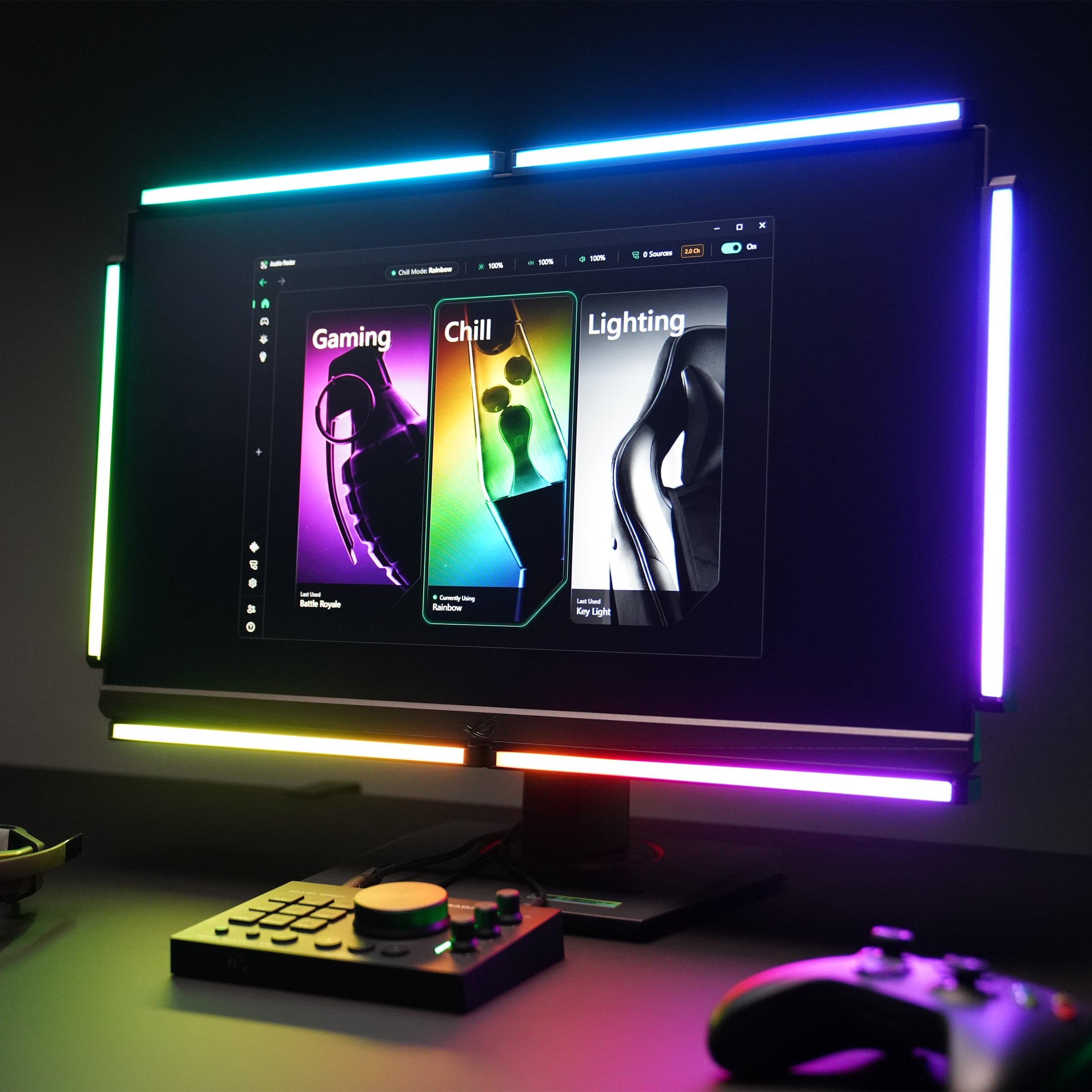
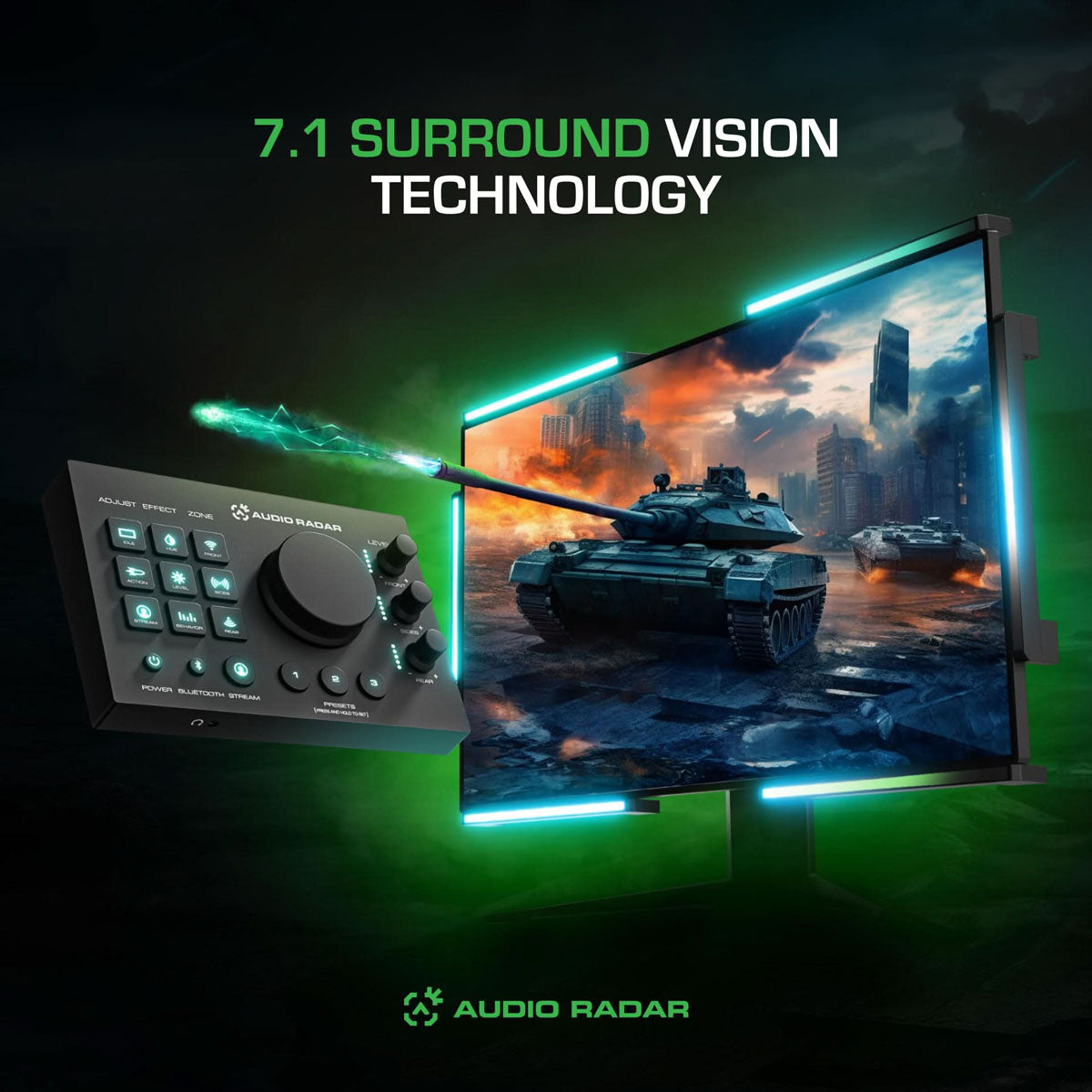
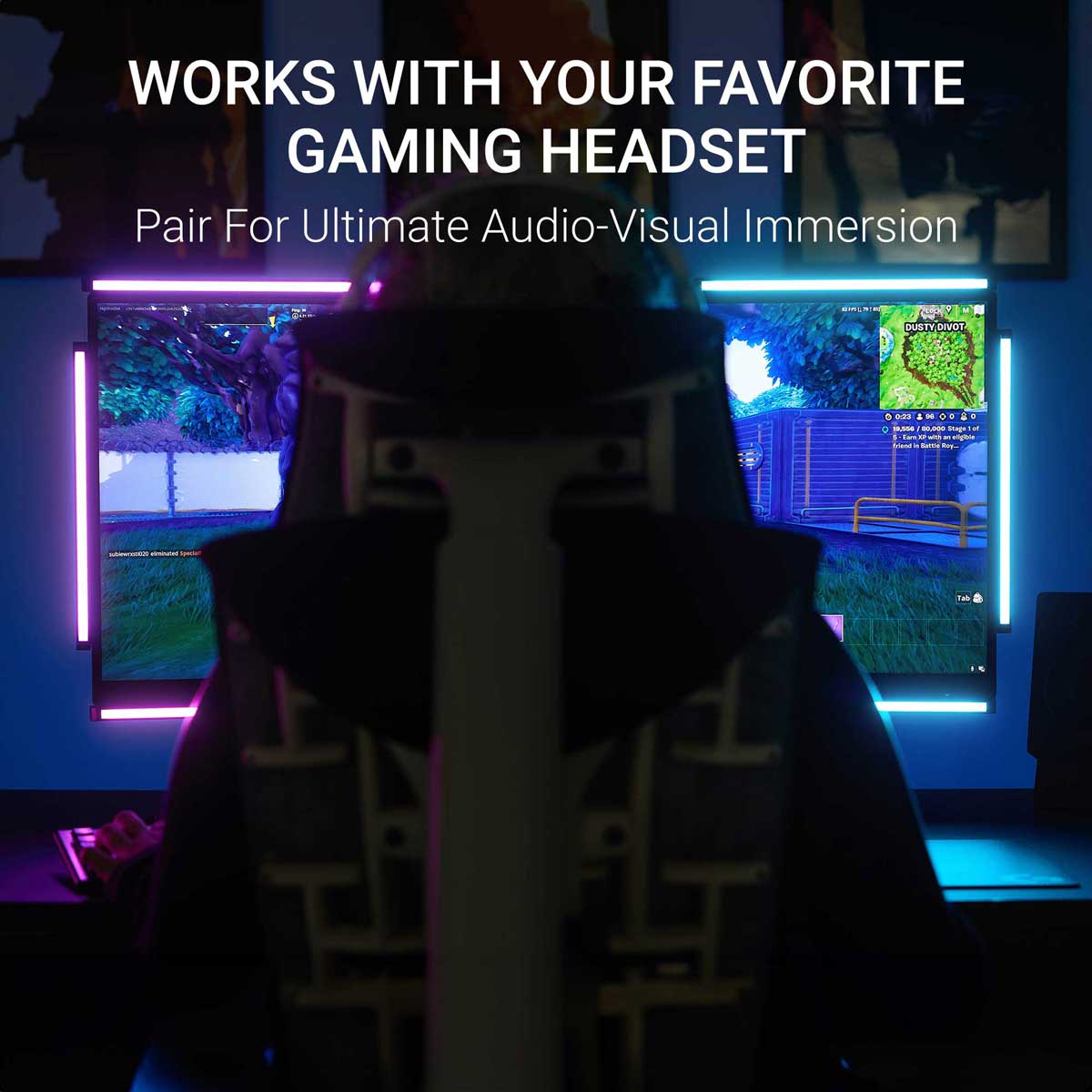
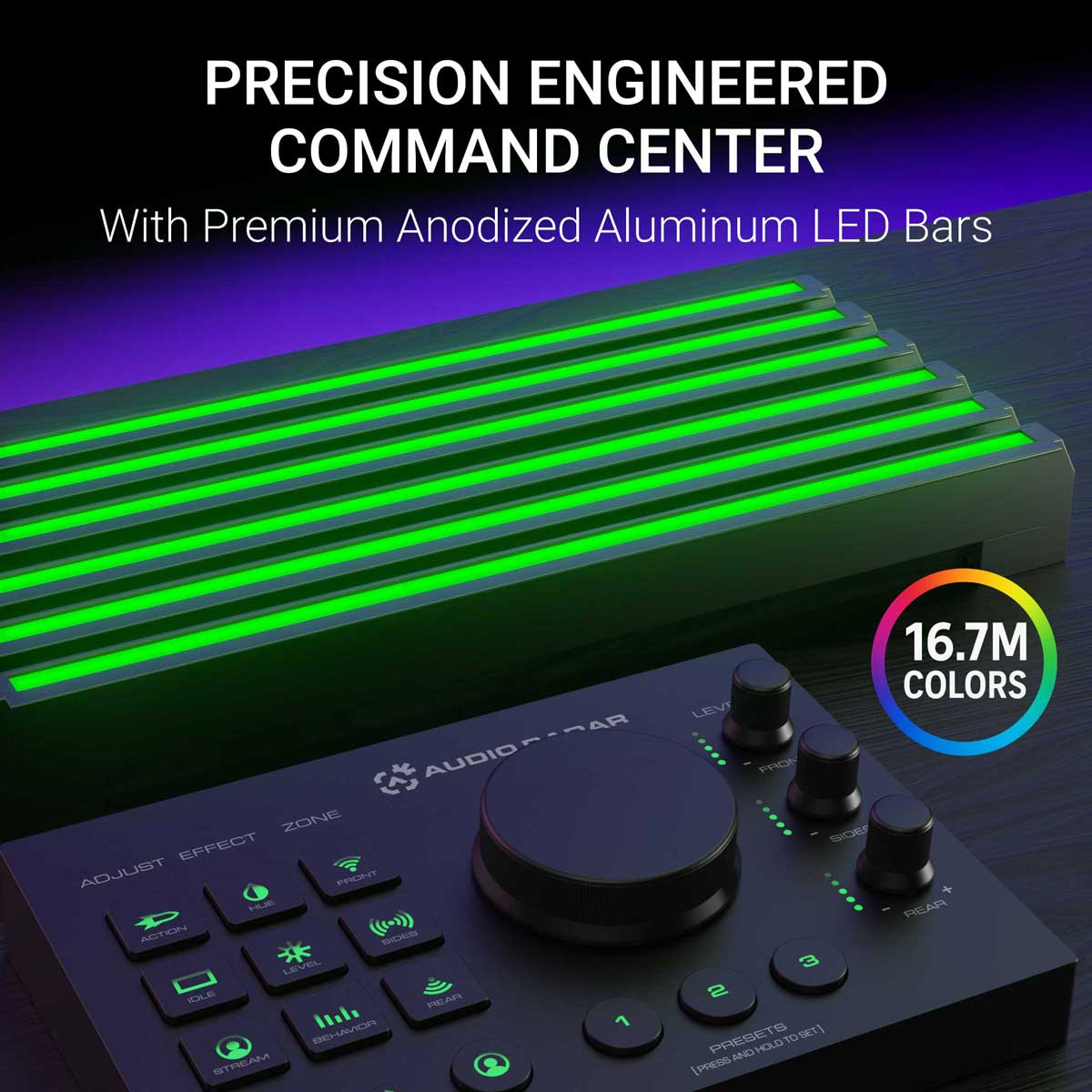
Der originale Audio Radar und das Flaggschiff. Sechs größere 10,7″ Lichtleisten und die Command Center Zentrale verwandeln den Surround-Sound deines Spiels in gerichtetes Licht um deinen Bildschirm. Ein Schritt auf deiner linken Seite wird zu Licht auf deiner linken Seite, sobald der Ton ertönt: patentierte Surround Vision Technology™.
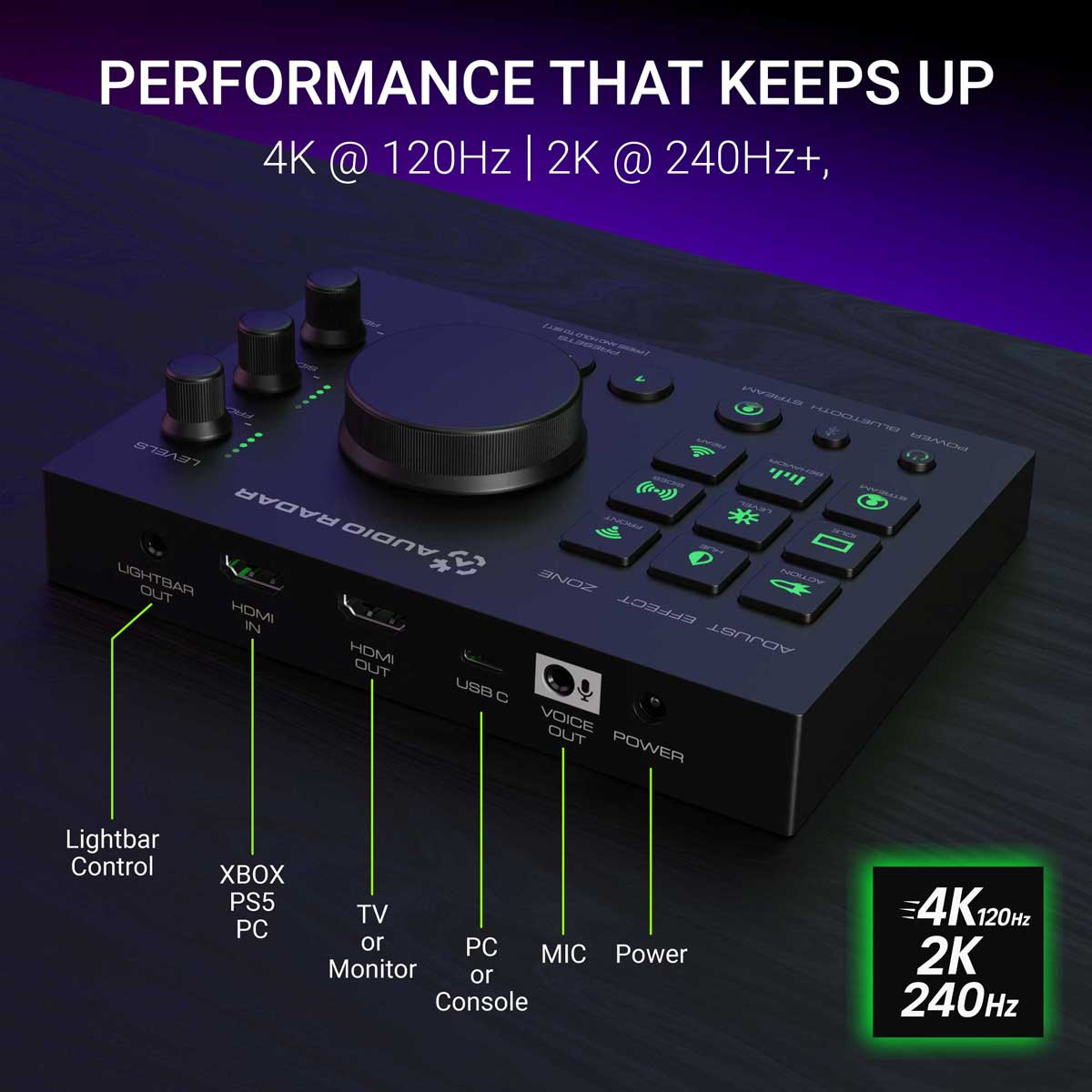
Auf Konsolen ist es vollständig eigenständig. Xbox, PlayStation oder Switch werden über HDMI-Audio verbunden: kein PC, keine App, nichts zu konfigurieren. Die integrierten Bedienelemente und ein Kopfhöreranschluss befinden sich direkt am Command Center. Auf dem PC fügt dieselbe kostenlose Desktop-App wie beim Audio Radar 2.0 eine geführte Einrichtung, einen 16-Band-EQ, Noise Gates pro Zone und Voreinstellungen pro Spiel hinzu.
Entwickelt für gehörlose und schwerhörige Gamer: Sehen Sie direktionale Audiohinweise (Schritte, Schüsse, Fahrzeuge), ohne auf Ton angewiesen zu sein. Hörend? Ihr Headset gibt Ihnen Stereo; das Spiel gibt bis zu 7.1 Surround aus. Sie hören in Stereo und sehen in Surround. Alles ist besser, wenn jeder spielen kann.
30 Tage Rückgaberecht · 1 Jahr eingeschränkte Garantie · Versand aus Michigan, USA.
Plattform: Xbox, PlayStation und Switch über HDMI-Audio – keine App erforderlich · Windows PC über USB mit der kostenlosen Desktop-App
Video-Passthrough: bis zu 4K @ 120 Hz (HDMI-Kabel nicht im Lieferumfang enthalten)
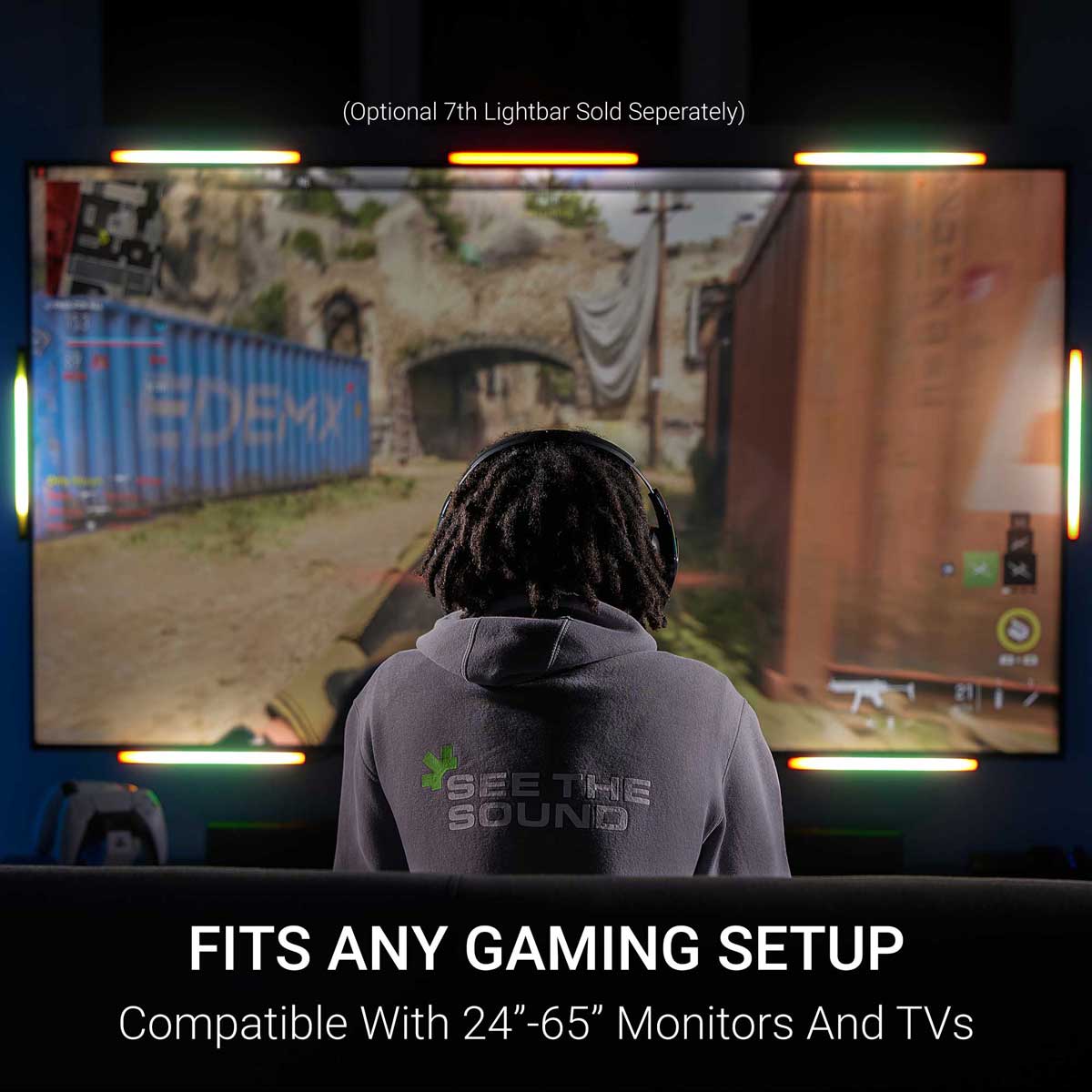
Lichtleisten: 6 × 10,7″ Aluminiumleisten, diffuses Leuchten · optionale 7. obere mittlere Leiste separat erhältlich · Befestigung mit 3M Command Strips
Steuerung: Command Center Hub – integrierte Steuerung, Kopfhöreranschluss (Surround → Stereo)
Sound-to-Light: Echtzeit – reagiert, wenn der Ton ertönt
Xbox & PlayStation – HDMI-Audio, keine App erforderlich (PS5 mit Headset? Eine Konsoleneinstellung, die man kennen sollte – siehe FAQ). Nintendo Switch – dieselbe HDMI-Audioverbindung. PC – USB + die kostenlose Desktop-App, Windows 10 oder 11 (64-Bit), nach einem einmaligen Firmware-Update über die kostenlose Audio Radar Mobile-App (iOS · Android) (über Bluetooth). Am besten mit Spielen, die 5.1/7.1 Surround ausgeben; reine Stereospiele bieten links/rechts mit weniger Trennung zwischen vorne und hinten.
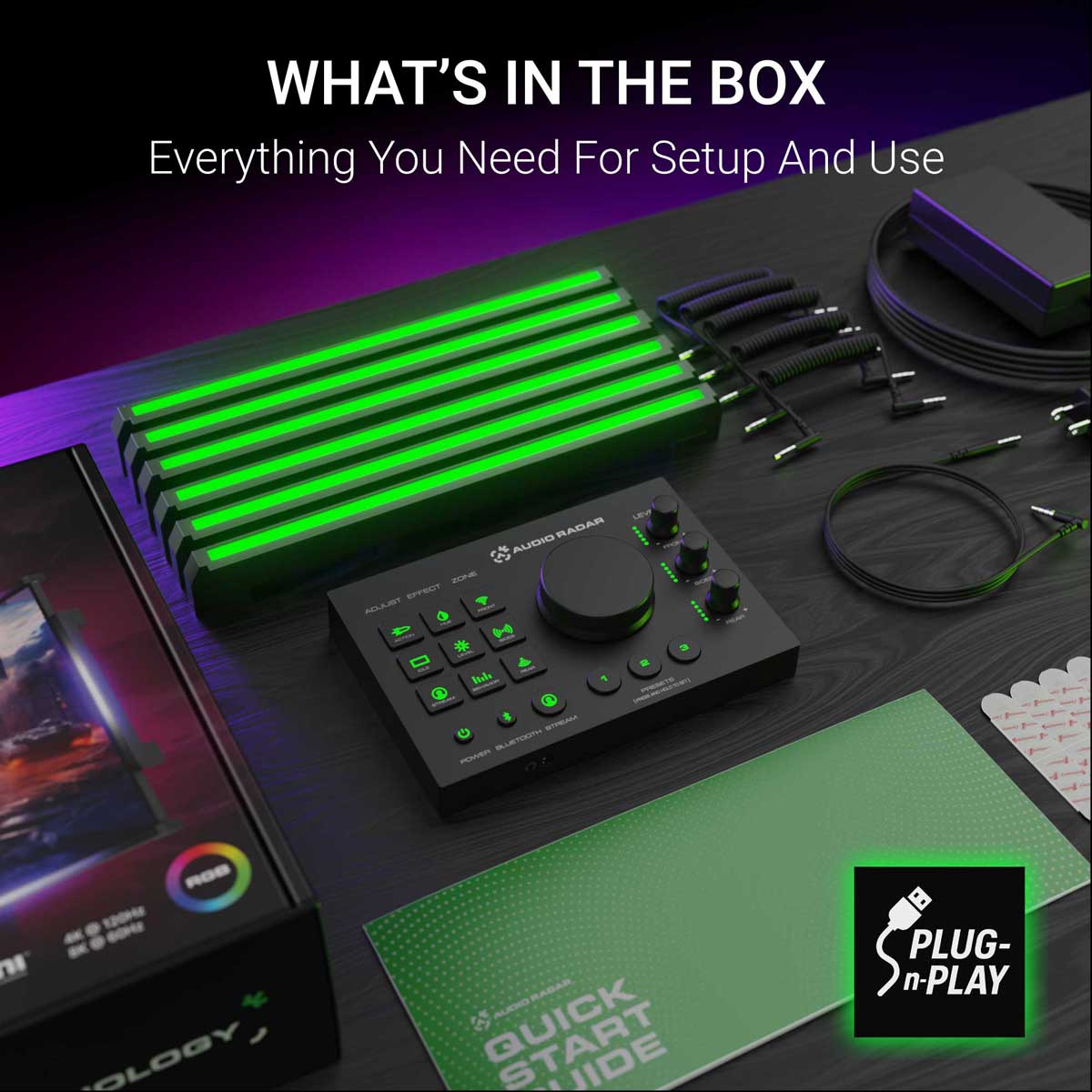
Command Center · 6 Lichtleisten · Netzteil · 5 gewickelte 3,5-mm-Kabel · 1 × 2 m gerades 3,5-mm-Kabel · 3M Command Strips · Kurzanleitung. HDMI-Kabel nicht enthalten.
1 Jahr eingeschränkte Garantie · 30 Tage Rückgaberecht · menschlicher Support vom Entwicklerteam.
Die schnellsten Antworten, Tag und Nacht: die Community. Discord beitreten ›
Konsole und PC
Spiele, wo du spielst.
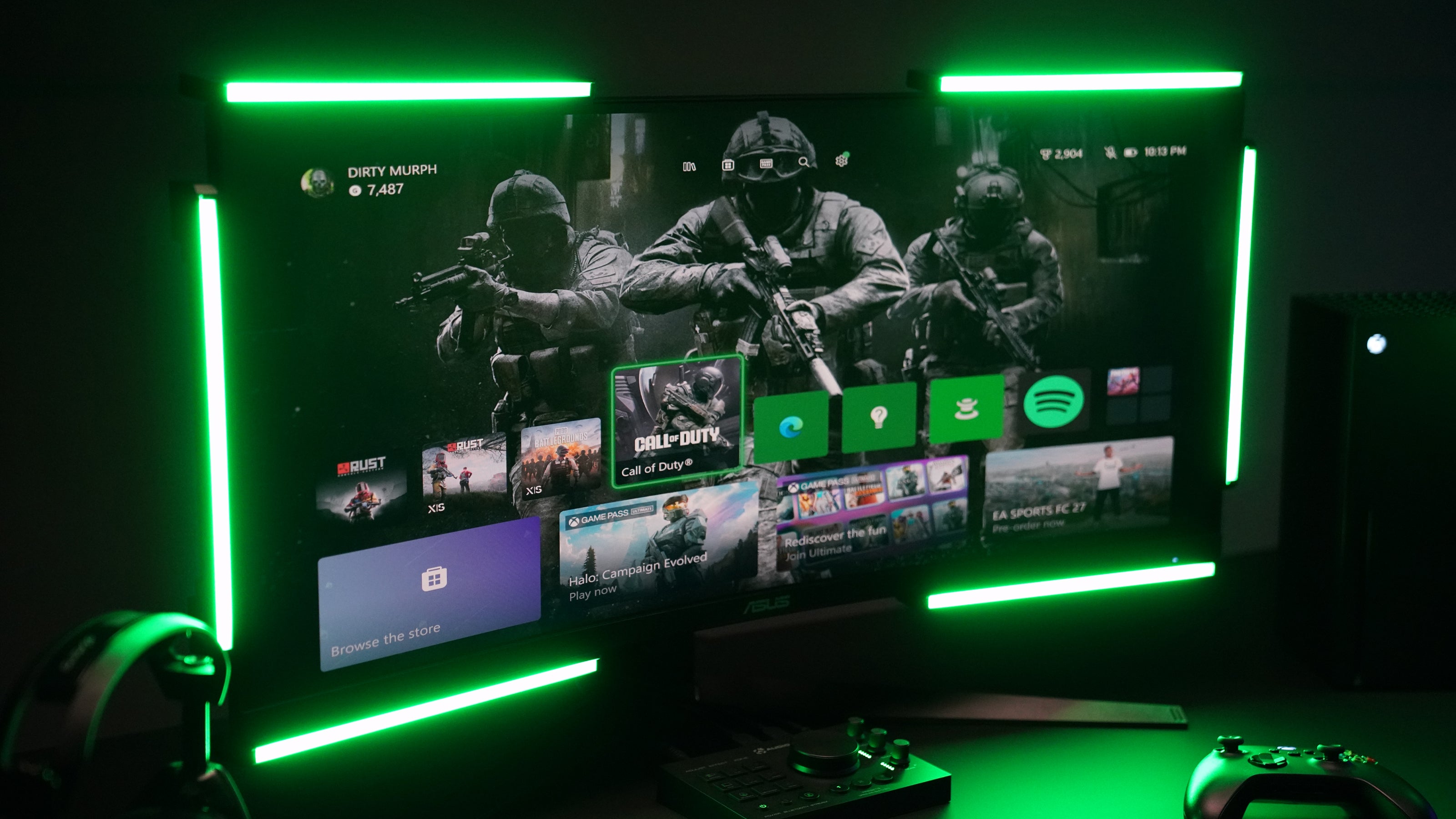
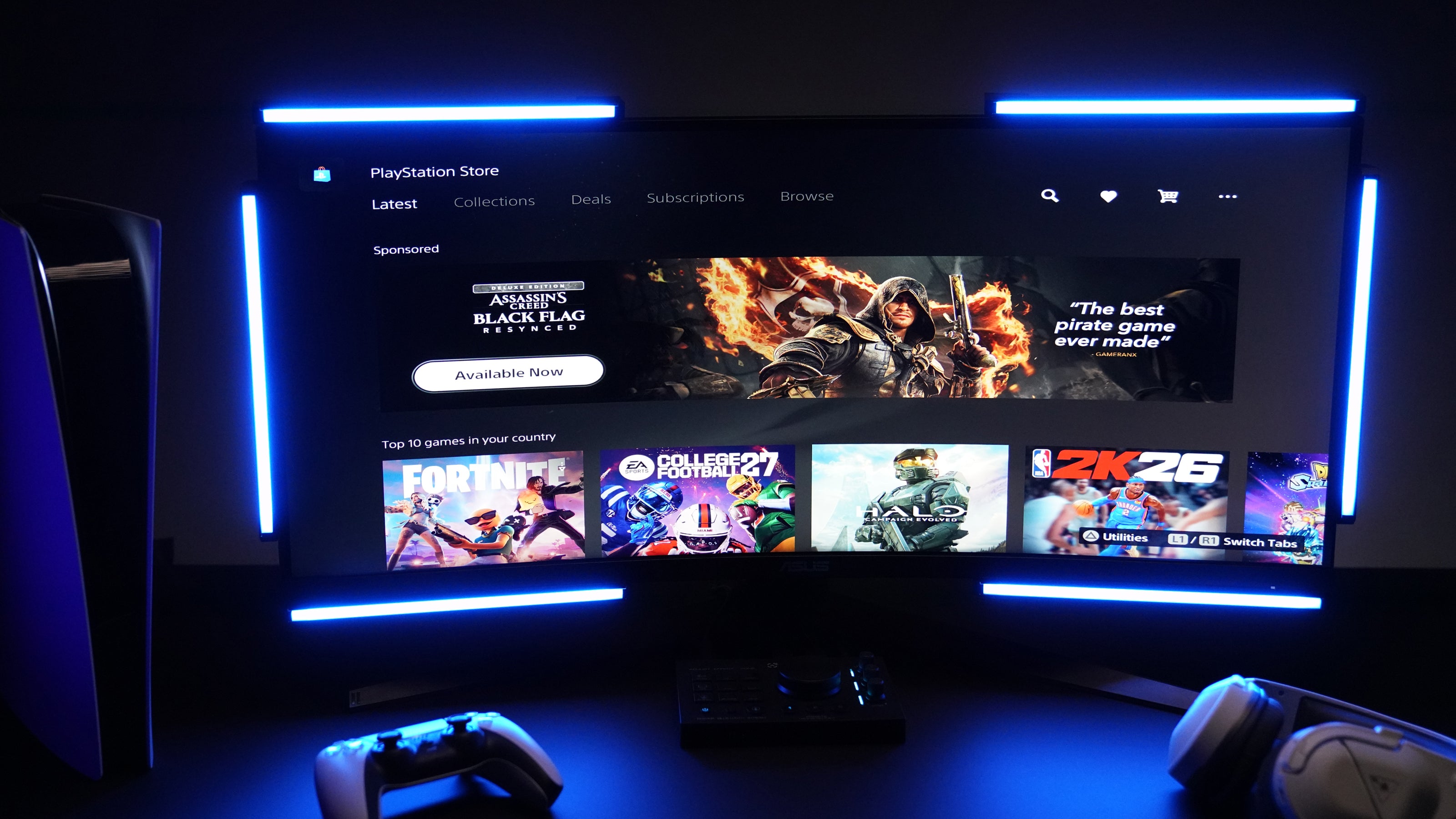
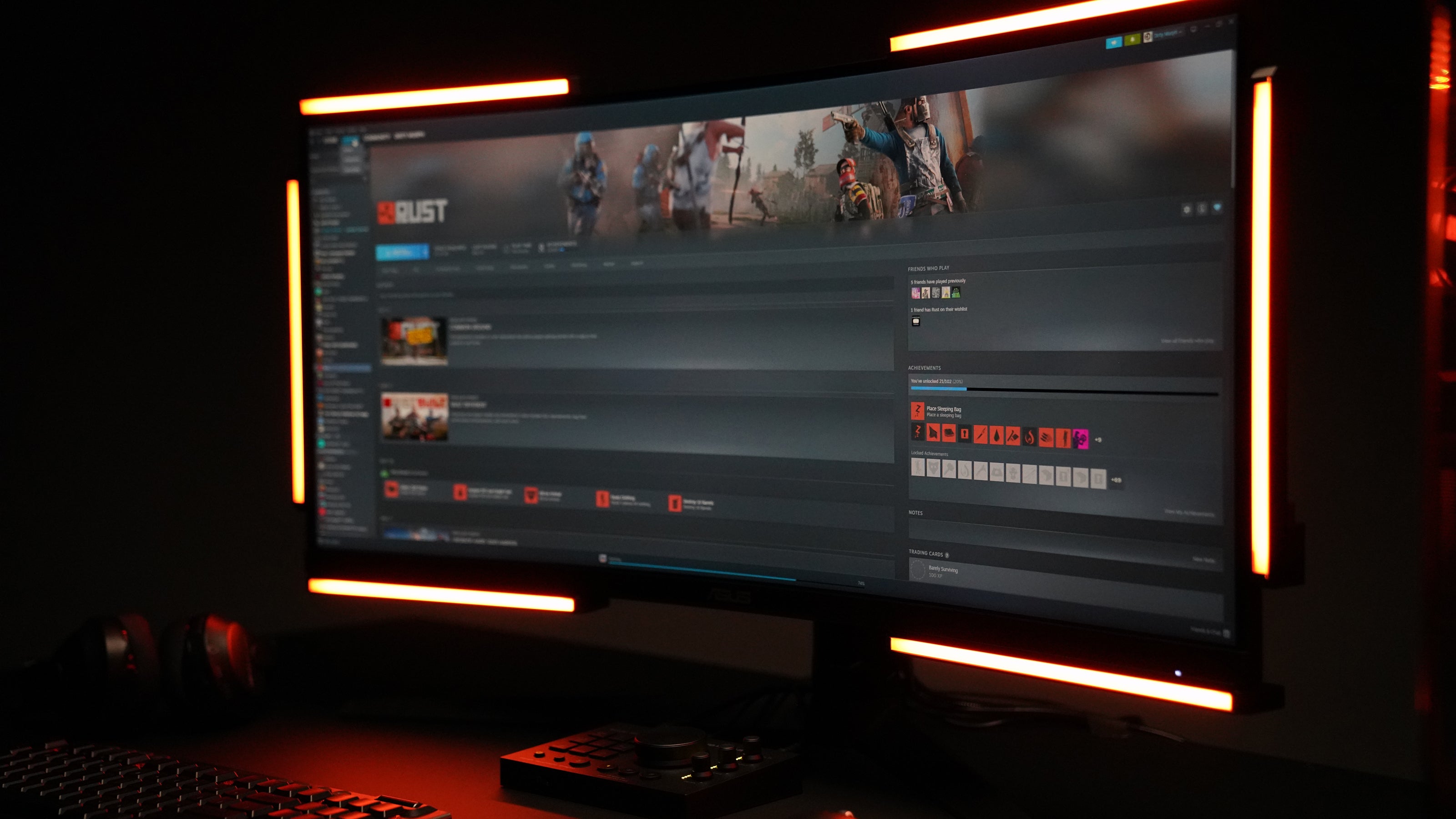
Xbox, PlayStation oder Switch: HDMI-Audio rein, Licht raus – ohne App, ohne PC. Am Windows-PC übernimmt die kostenlose Desktop-App mit tiefgreifenden Einstellungsmöglichkeiten.
47 %
Leistungssteigerung – PUBG Sound Lab Tests
Lesen Sie die Studie
3.000+
Einheiten in den Spieler-Setups heute
In Aktion sehen
Echte Spiele. Echte Momente.
Ein Geräusch ertönt außerhalb des Bildschirms. Dort, wo es herkam, erscheint ein Licht – das ist das ganze Produkt. So sieht es in ein paar Spielen aus.
PUBG Sound Lab
Four setups, forty runs, and the headset finished third.
Sound Lab plays a gunshot and asks you to shoot the target closest to it. No sound at all averaged 38.8. A headset on its own averaged 127.7. Audio Radar alone, with the game muted, averaged 142.6. A headset plus Audio Radar averaged 187.7.
Which puts a headset third of the four. Sound Lab is a controlled environment and this was one player's testing rather than a clinical trial, so treat it as indicative, not final.
Read the full results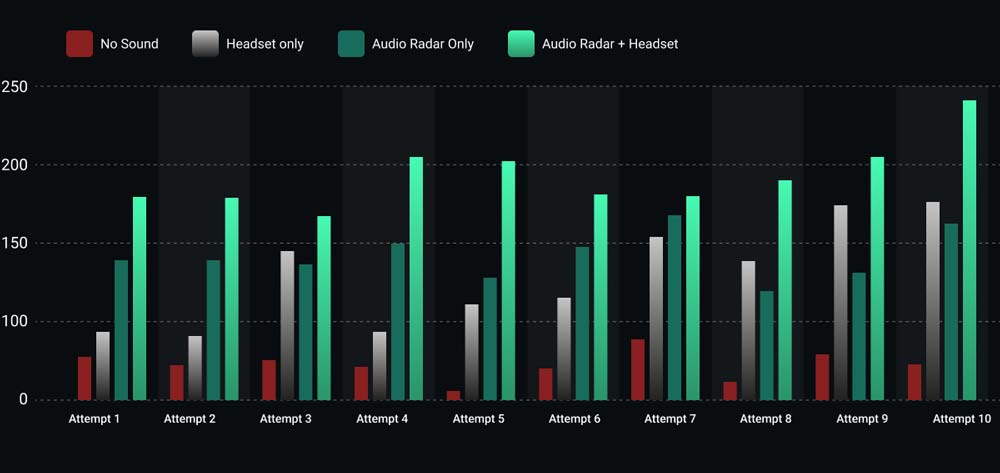
The results
All ten runs, nothing averaged away.
Headset plus Audio Radar came out on top in every one of the ten attempts. Audio Radar on its own, with the game muted, beat the headset in six of them.
The four where the headset won are on the chart too. Ten runs by one player is a small test, and showing the spread is more useful than showing only the average.
Call of Duty: Black Ops 6
Footsteps, lit up as they move.
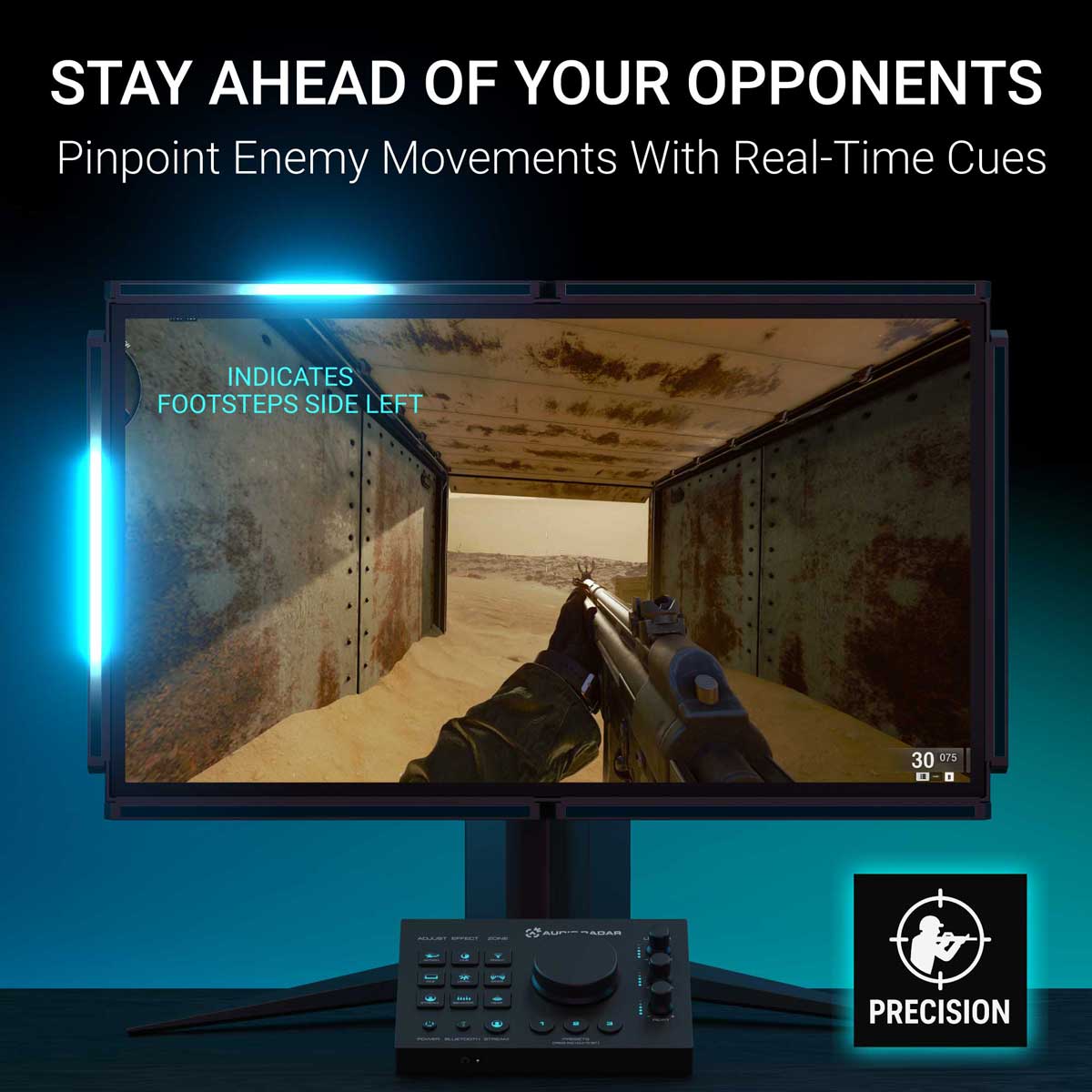
An opponent circles a transportation chamber. The player never sees them and never needs to: the bars follow the footsteps around the room in real time, so the light moves as the enemy moves.
Watch the handoff from one bar to the next. That is the moment a flank stops being a surprise.
PUBG
Scoped in, and you still catch the flank.
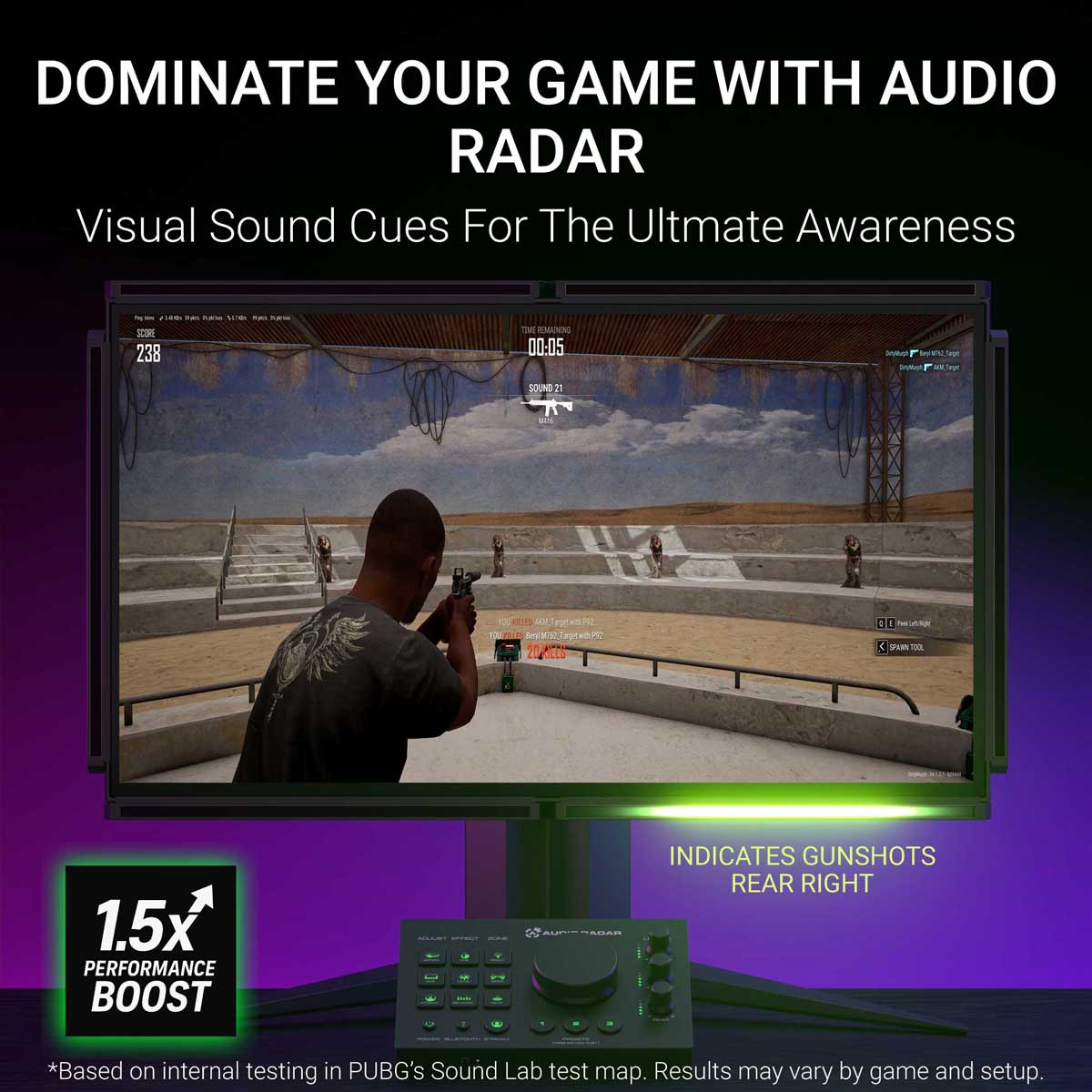
The player is zoomed on a distant target, which is exactly when tunnel vision gets you killed. Shots come in from the right, and the right-hand bar fires before the scope has moved a pixel.
Under five seconds, and it is the whole argument for putting sound in your peripheral vision.
Rust
The growl behind you, before you turn.
A bear lines up a charge from behind. The rear bar catches the low growl while the player is still facing the wrong way, which is the only warning you get in that situation.
If you watch one clip on this page, make it this one. It takes no shooter knowledge to read, and it is the clearest picture of what a sense you did not previously have actually feels like.
PUBG
An engine circling, from the far right.
A vehicle approaches from the far right and arcs around the player. The bars track it the whole way, so you read not just where it is but which way it is going.
A ping tells you something happened. This tells you what it is doing.
Rust
The supply plane, before it is on screen.
An airdrop plane is audible long before there is anything to see. The engine registers on the edge of your vision the moment it comes into range, and in Rust that is the difference between reaching the crate first and arriving second.
Minecraft, with the plugin
Every sound type gets its own color.
The downloadable Minecraft plugin goes past direction. Each kind of sound is mapped to its own color, so a mob, a footstep and a breaking block are told apart at a glance instead of by position alone.
Works with both Audio Radar 1 and Audio Radar 2.
Steuerung & die App
Bedienelemente am Gerät. Optionale App.
Alles funktioniert über das Command Center – die Desktop-App ermöglicht eine tiefgreifende Optimierung auf dem PC.
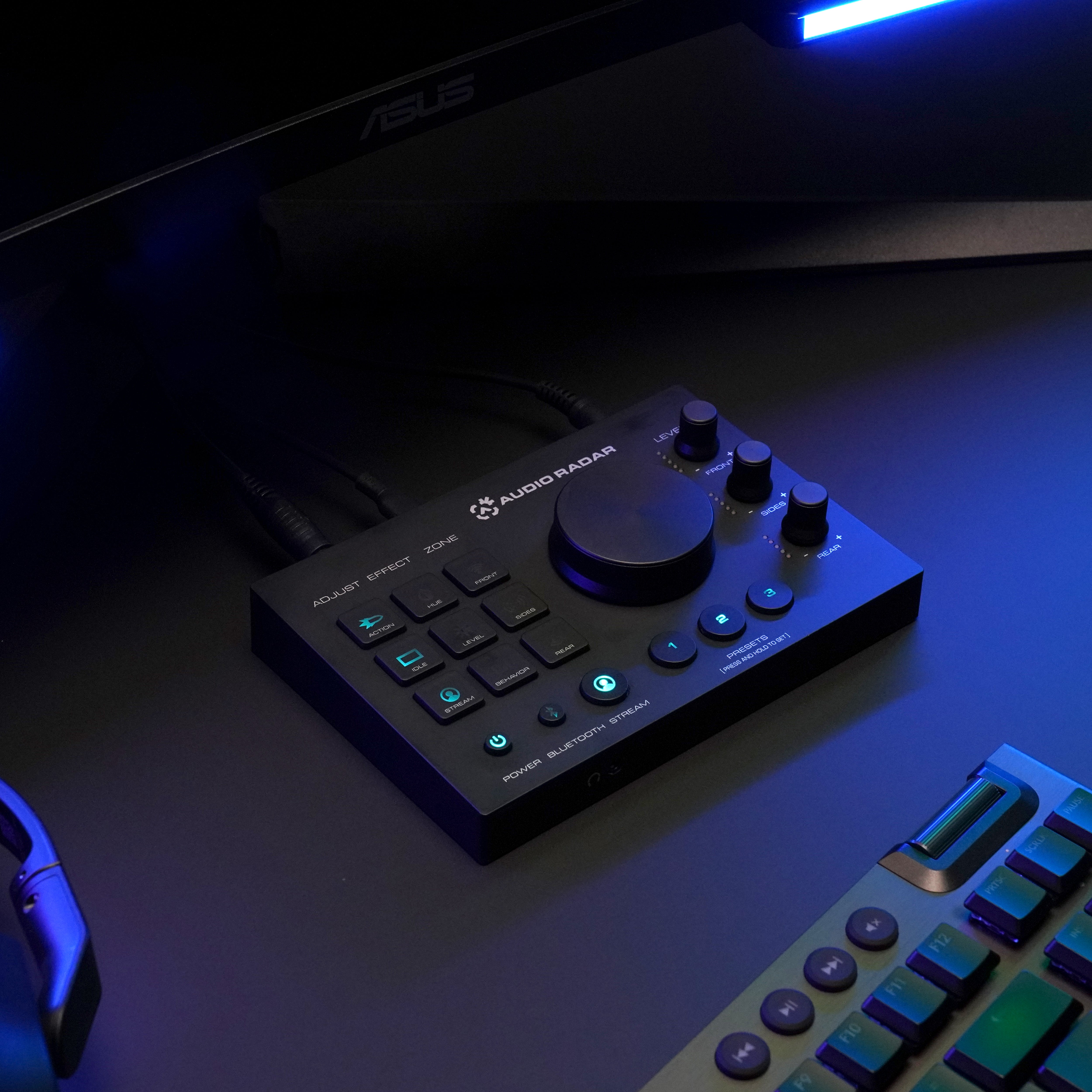
Keine App auf der Konsole nötig
Funktioniert sofort.
HDMI-Audio rein, Licht raus. Passe Effekte, Zonen und Helligkeit direkt über das Command Center an – und die Headset-Buchse gibt dein Audio (Surround → Stereo) aus.
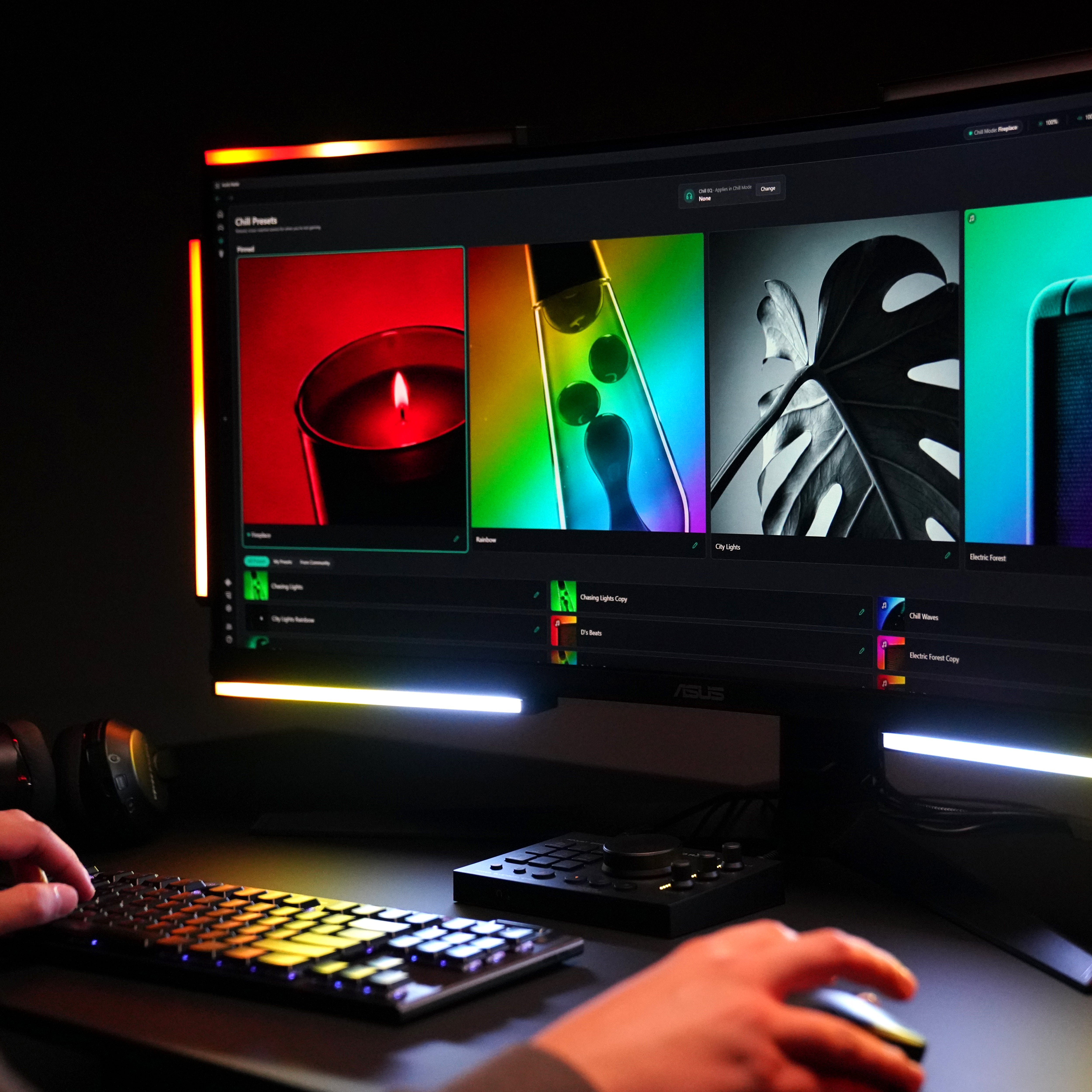
Drei Modi
Gaming. Chill. Beleuchtung.
Gaming reagiert auf Live-Game-Audio mit Richtungshinweisen. Chill verwandelt die Balken in Umgebungslicht, das Ihrem Sound folgt. Lighting sind Ihre Farben, Ihre Effekte.
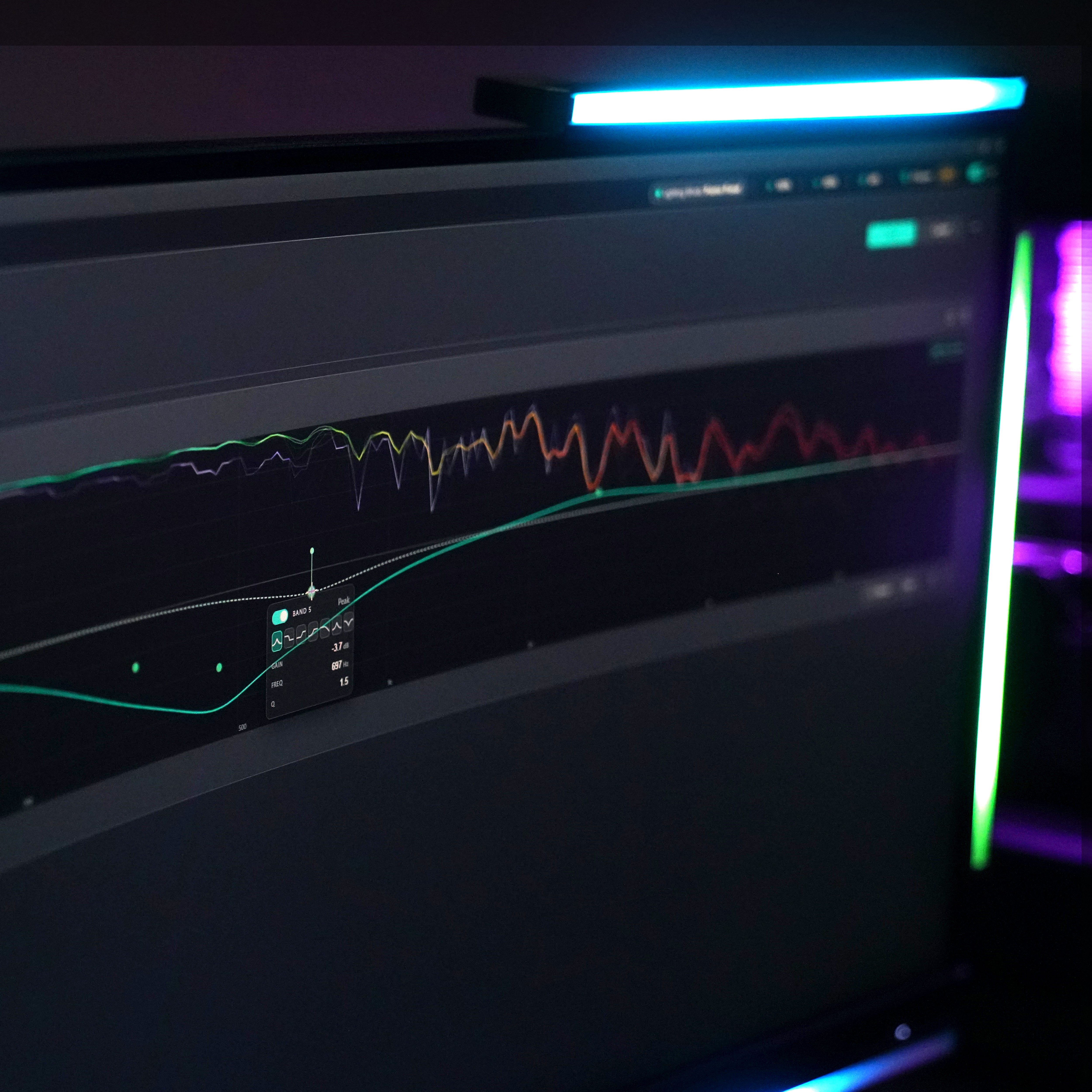
Die Desktop-App — auf dem PC
Füge die App für das tiefe Tuning hinzu.
Dieselbe kostenlose App wie Audio Radar 2.0: geführte visuelle Einrichtung, EQ, Noise Gate, Empfindlichkeit, Presets für jedes Spiel – Windows 10 oder 11 (64-Bit).
Vollständige App-TourBeleuchtungsmodus
Sofort druckfertig, mit einem Klick.
Dieselbe Leiste, die deine Schritte verfolgt, dient gleichzeitig als Studiolicht. Wähle einen Farbton, stelle die Helligkeit ein, speichere es als Voreinstellung – ein Key Light zum Streamen, Fülllicht für Videoanrufe oder einfach ein Raum, der so aussieht, wie du ihn haben möchtest.
Entspann dich
Wenn das Spiel vorbei ist, spielen die Bars weiter.
Spielen Sie Musik ab und sehen Sie, wie sich die Balken dazu bewegen – der Visualizer folgt dem, was gerade gespielt wird. Oder halten Sie eine ruhige Umgebungszene in Ihrer Farbe und Helligkeit. Gaming ist nicht die einzige Stimmung.
Auf Ihrem Schreibtisch – oder unter dem Fernseher
Gemacht für dein Setup.
Wird mit 3M Command Strips um Ihren Bildschirm herum befestigt. OLED oder dünner Rahmen? L-Halterungs-Kit hinzufügen ›


Funktioniert mit den Spielen, die du spielst.
Wenn dein Spiel Audio hat, kann Audio Radar es anzeigen. Ein paar Favoriten:





















Audio Radar 2.0 – oder das Original?
Welches Audio Radar ist das Richtige für Sie?
Das ursprüngliche Audio Radar ist das Flaggschiff – es kann alles, was Audio Radar 2.0 kann, plus Xbox, PlayStation und Switch, mit größeren Lichtleisten. Spielen Sie nur auf dem PC? Audio Radar 2.0 ist die kompakte, speziell entwickelte Option – ein USB-C-Kabel und dieselbe Desktop-App.
Siehe den vollständigen VergleichAudio-Radar
Audio Radar 2.0
Xbox, PlayStation, Switch – und PC
PC – Windows 10 oder 11 (64-Bit)
HDMI-Audio an der Konsole; USB + Desktop-App am PC
USB-C + Desktop-App
Ja, auf PC (kostenloses Firmware v1.3.2 Update)
Ja – geführte Einrichtung, Modi, EQ, Voreinstellungen, automatische Updates
Konsolen- und Multiplattform-Gamer
PC-First-Gamer
Häufig gestellte Fragen (FAQ)
Fragen, direkt beantwortet.
Klare Antworten – auch bezüglich der Grenzen. Die schnellsten Antworten kommen oft aus der Community – treten Sie Discord bei ›
Ist das nur RGB-Beleuchtung?
Nein. RGB-Kits spielen Muster ab; Audio Radar liest den tatsächlichen Sound deines Spiels. Die Surround Vision Technology™ wandelt Surround-Sound in Echtzeit in gerichtetes Licht um, sodass ein Schritt auf deiner linken Seite zu Licht auf deiner linken Seite wird. Es sind Positionsinformationen, keine Dekoration.
Werden Anti-Cheat-Systeme es erkennen?
Audio Radar interagiert niemals mit deinem Spiel. Es funktioniert über das HDMI-Audiosignal deiner Konsole – oder, am PC, über den Audioausgang deines Computers. Keine Spieldateien, kein Speicherzugriff, keine Overlays. Die Lichter sind externe Hardware; es wird nichts auf deinem Bildschirm angezeigt.
Was ist in der Kiste?
Alles, was Sie für die Einrichtung Ihres Bildschirms benötigen: das Command Center, sechs Lichtleisten, das Netzteil, fünf spiralförmige Verbindungskabel plus ein 2 Meter langes gerades Kabel, 3M Command Strips und eine Schnellstartanleitung. HDMI-Kabel sind nicht im Lieferumfang enthalten – die meisten Spieler verwenden bereits vorhandene Kabel. Es gibt zwei Erweiterungen, damit Sie nur das kaufen, was Ihr Setup benötigt: die 7. Center-Lichtleiste (separat erhältlich – lohnt sich für Bildschirme ab 55 Zoll und Spiele mit Center-Kanal wie Call of Duty) und das L-Halterungsset für OLED- oder dünne Bildschirme. Siehe die Passformhinweise →
Funktioniert es auf dem PC?
Ich spiele auf PS5 mit Headset – gibt es etwas, das ich wissen sollte?
Ja, eine Sache – und wir würden es lieber, wenn Sie es vor dem Kauf wüssten. Die PS5 sendet den Spielton an ein angeschlossenes Headset oder an HDMI, nicht beides. Ohne Headset spielen oder mit TV-Ton: Plug-and-Play. Mit einem Headset: Stellen Sie den Audioausgang der PS5 auf Headset auf „Nur Sprach-Chat“, damit der Spielton die Lichtleisten erreicht – oder verwenden Sie ein Headset, das über die HDMI-Kette angeschlossen wird. Senden Sie eine Nachricht an den Support mit Ihrem genauen Setup, und wir prüfen es, bevor Sie bestellen.
Ich habe eine einseitige Schwerhörigkeit – hilft das?
Ja – dieser ist für Sie. Am PC ermöglicht es die Audio-Routing-Funktion der Desktop-App, die Headset-Ausgabe auf Mono umzuschalten, sodass der gesamte Spielemix Ihr hörendes Ohr erreicht – nichts geht auf Ihrer anderen Seite verloren – und der Balance-Schieberegler pro Ohr gewichtet ihn genau nach Ihren Wünschen. Dann lassen Sie die Balken die Richtung anzeigen: Die Surround Vision Technology™ zeigt Ihnen, woher jeder Ton kam, egal auf welches Ohr er gemischt wurde. An der Konsole überträgt die Kopfhörerbuchse des Command Centers das Spiel in Stereo – und die Balken zeigen weiterhin die Richtung an.
Funktioniert es mit jedem Spiel?
Audio Radar funktioniert mit jedem Spiel, das Audio ausgibt – keine spielspezifische Integration erforderlich. Es ist am besten mit Spielen, die Surround-Sound ausgeben (die meisten modernen Shooter tun dies). Spiele, die nur Stereo ausgeben, leuchten immer noch auf, aber die Trennung zwischen vorne und hinten ist reduziert – siehe die ehrliche Aufschlüsselung auf der Vergleichsseite.
Versenden Sie international?
Ja – wir versenden weltweit von Michigan, USA, via FedEx. US-Bestellungen werden versandkostenfrei mit 2-Tages-Lieferung verschickt. Der internationale Versand wird an der Kasse berechnet, und Ihr Land kann bei der Lieferung Einfuhrzölle erheben – diese werden von Ihrem Land festgelegt, nicht von uns. Die Ausnahmen: Wir können derzeit nicht nach Brasilien, in die Türkei, nach Russland oder China versenden.
Was, wenn es nichts für mich ist?
30 Tage Rückgaberecht, ohne Wenn und Aber. Bauen Sie es auf, spielen Sie Ihre Spiele und entscheiden Sie in Ihrer eigenen Umgebung.
In der Box
Alles, was Sie brauchen.
Kommandozentrale · 6 Leuchtstäbe · Netzteil · 5 gewickelte 3,5-mm-Kabel · 1 gerades 3,5-mm-Kabel (2 m) · 3M Command Strips · Schnellstartanleitung. HDMI-Kabel nicht enthalten.

Den Sound sehen.™
Audio Radar
Jeder Sound in deinem Spiel hat eine Richtung. Jetzt kannst du sie sehen.
Audio Radar abrufen